Excel超能力 • AI智能办公助手
把AI大模型装进Excel,零基础快速变身表格专家。支持Office2013+、WPS
AI生成公式
超牛公式生成能力——自然语言描述需求,AI自动生成并写入Excel公式。平均3秒生成一条公式,成功率接近100%,支持复杂公式编写、全新数组公式、正则公式
AI自然语言操作
无需记忆复杂操作步骤,直接说出你的需求。智能筛选、条件格式、透视表等,一句话自动完成
AI生成VBA/Python/html
AI生成VBA和Python代码/html代码,一键运行,无需复制代码到编辑环境,生成即可运行。零编程基础也能玩转办公自动化。支持数据处理、图表生成等场景
超能键
45+原创Excel超能键,专为解决复杂操作而生。全局快捷键系统,毫秒级响应
超能力操作
数据处理、文本提取、批量操作、格式转换等200+高效功能,覆盖90%的Excel使用场景
一键生成图表
30+种Python风格高级图表一键生成,支持编辑
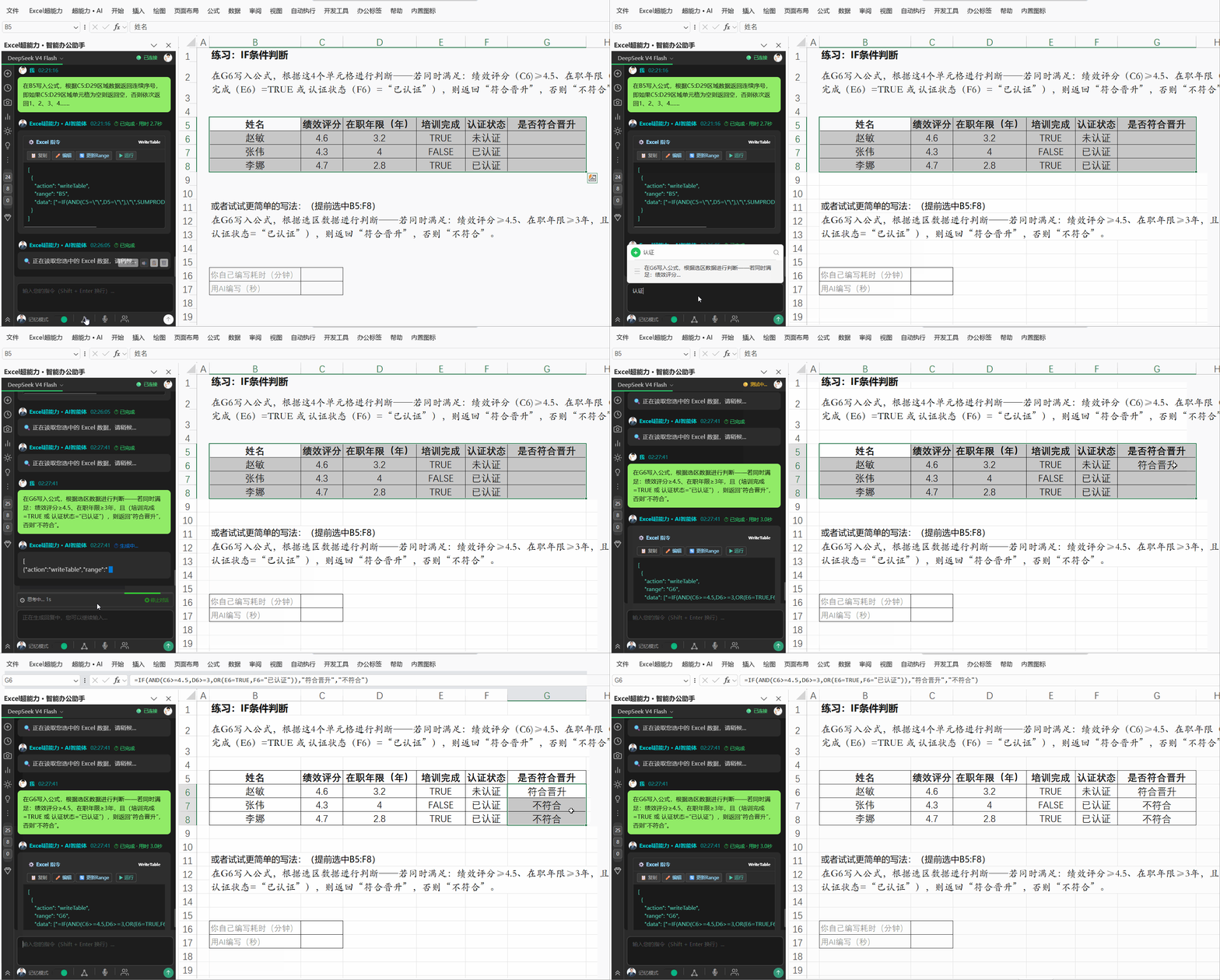
IF多条件判断
formula
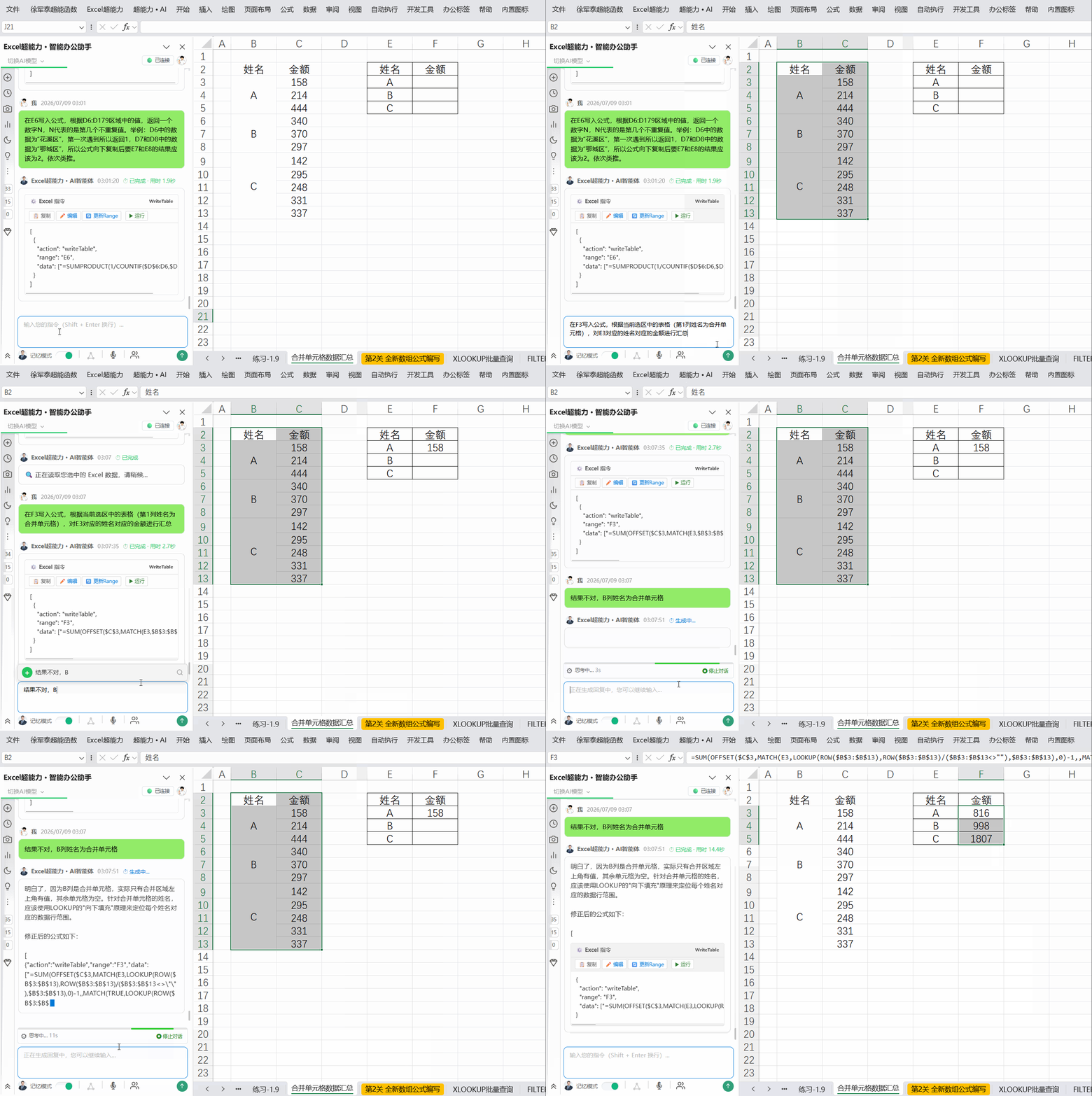
合并单元格数据汇总
formula
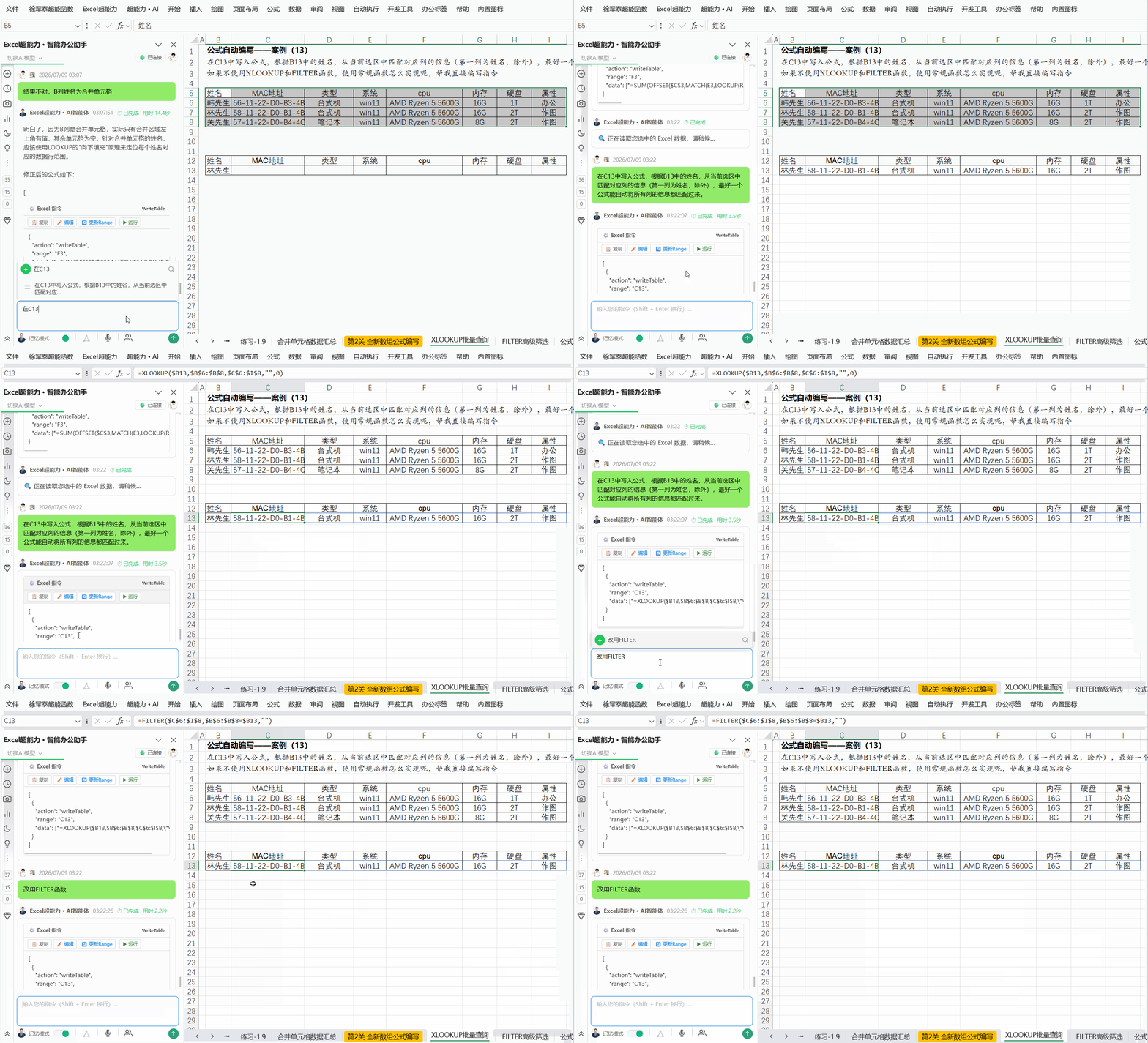
批量查询匹配2
formula
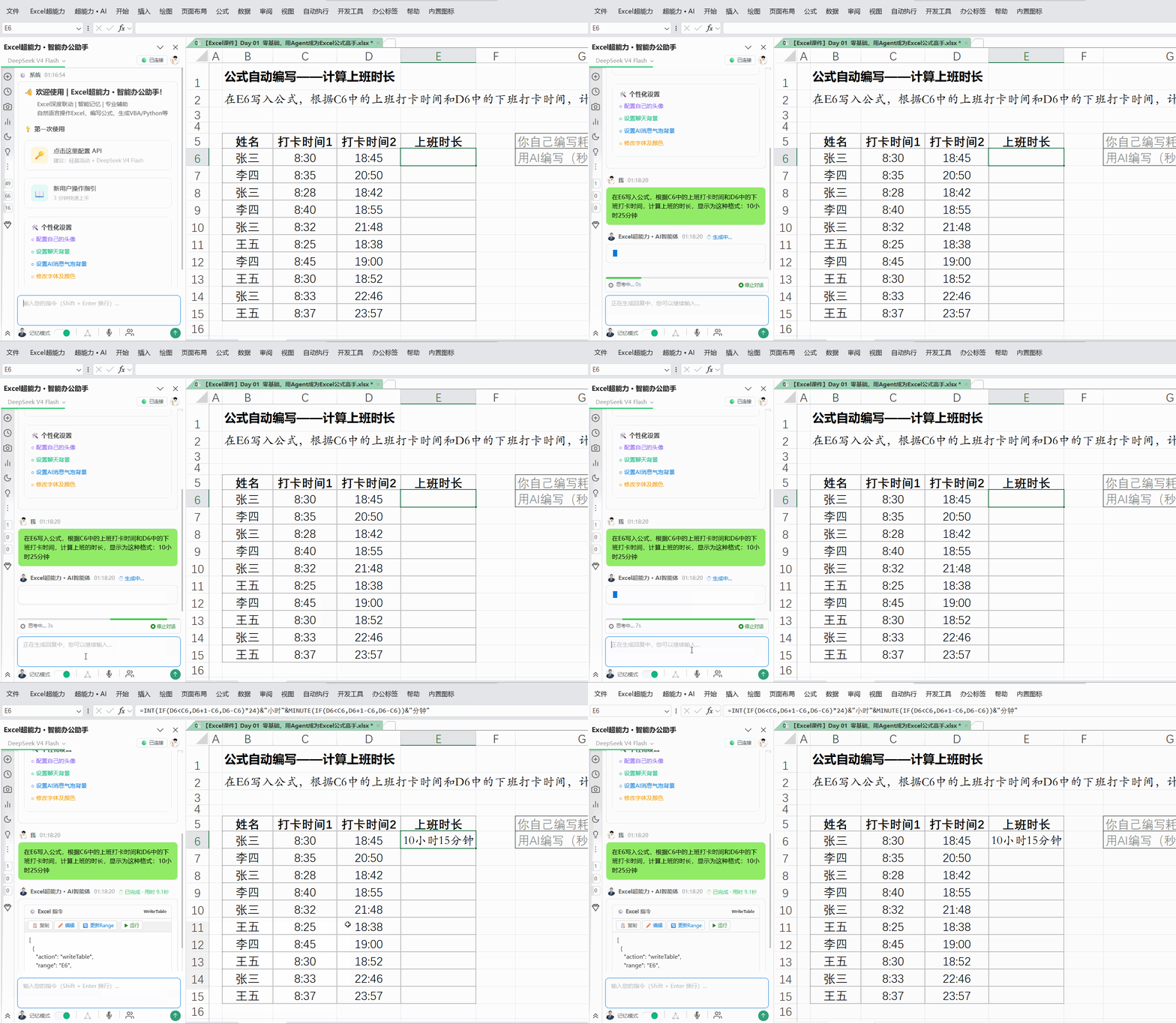
提取身份证信息1
formula
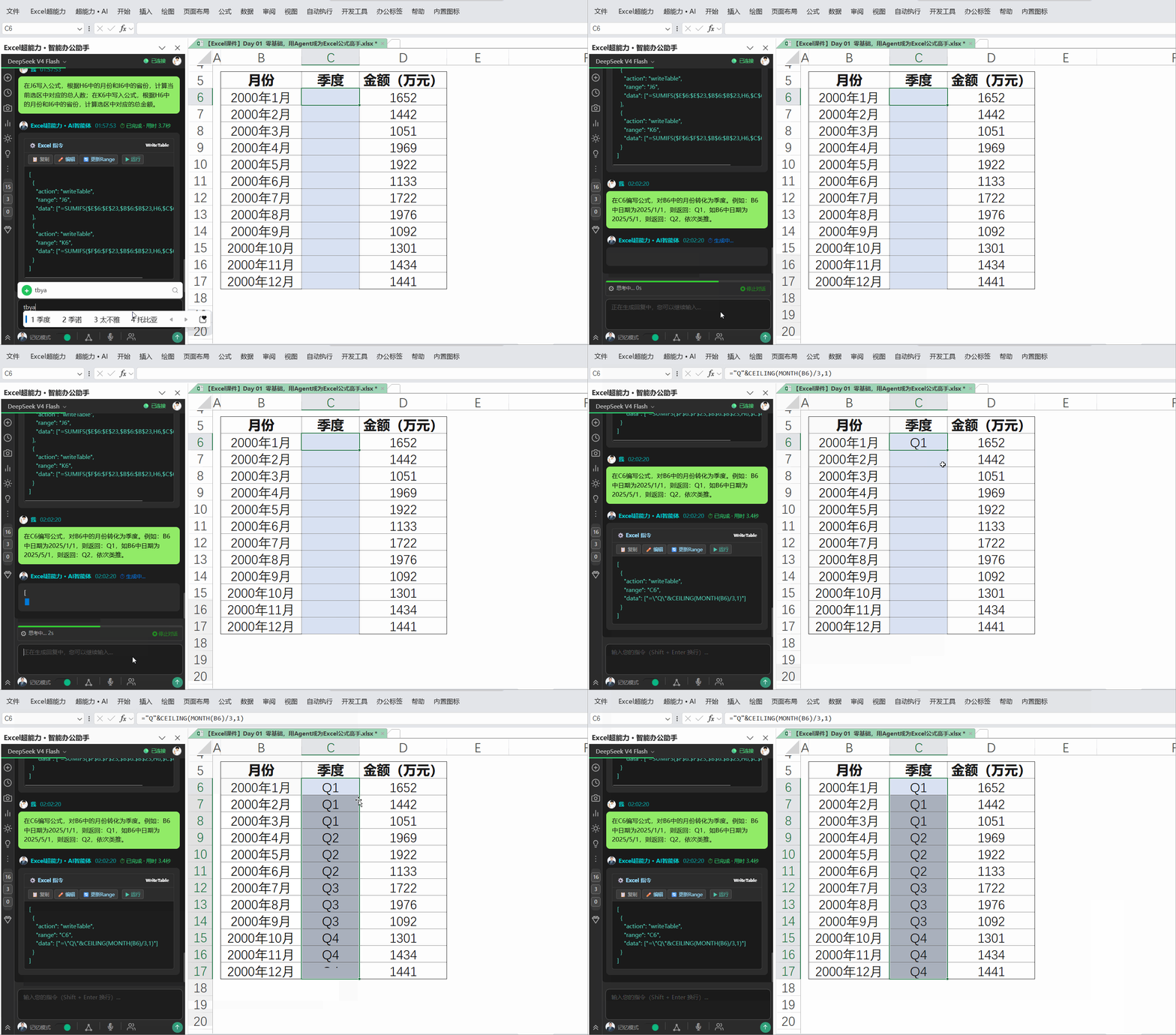
月份转季度
formula
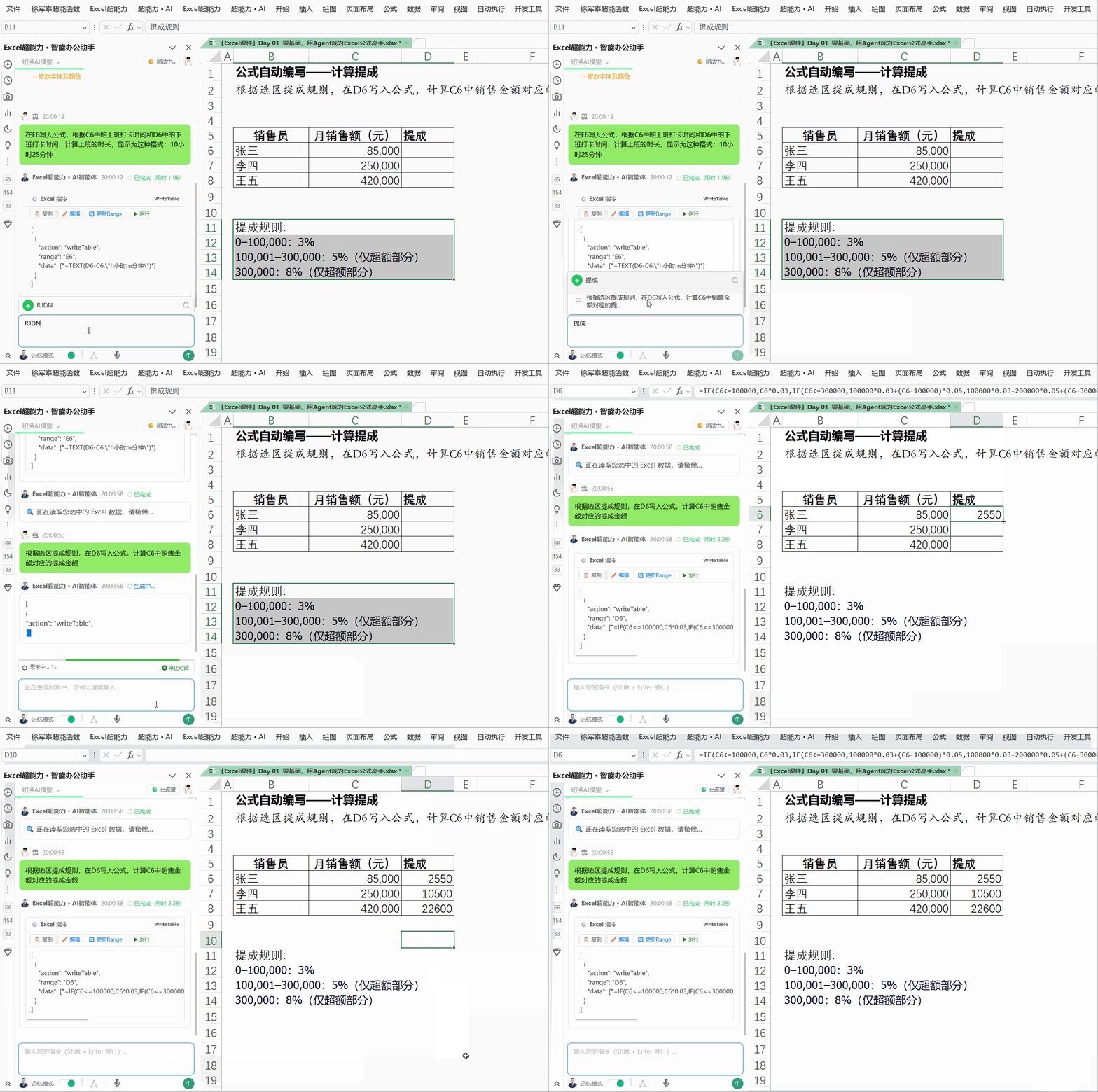
根据选区规则计算销售提成
formula
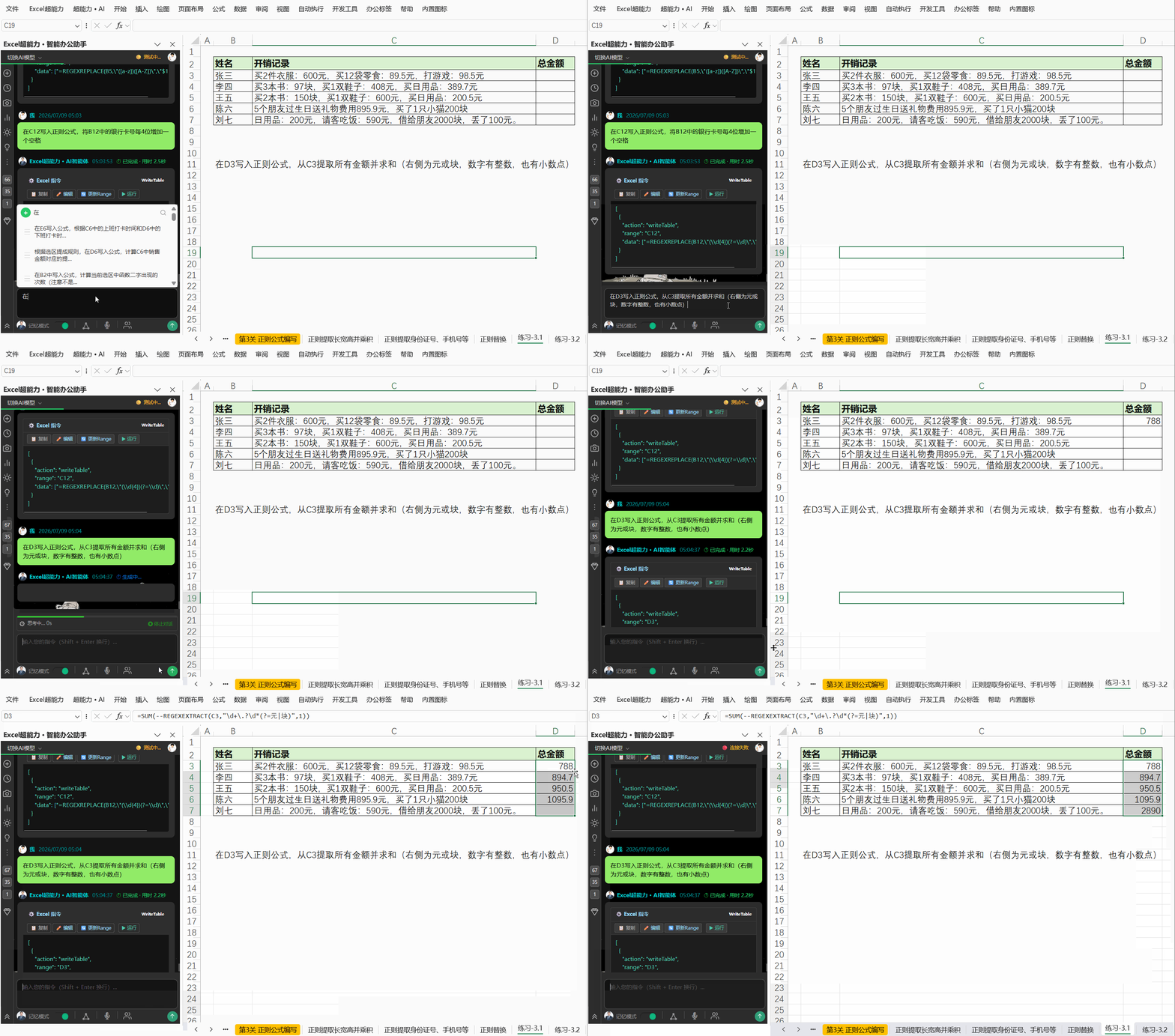
正则函数:提取并计算摘要中的消费总金额
formula
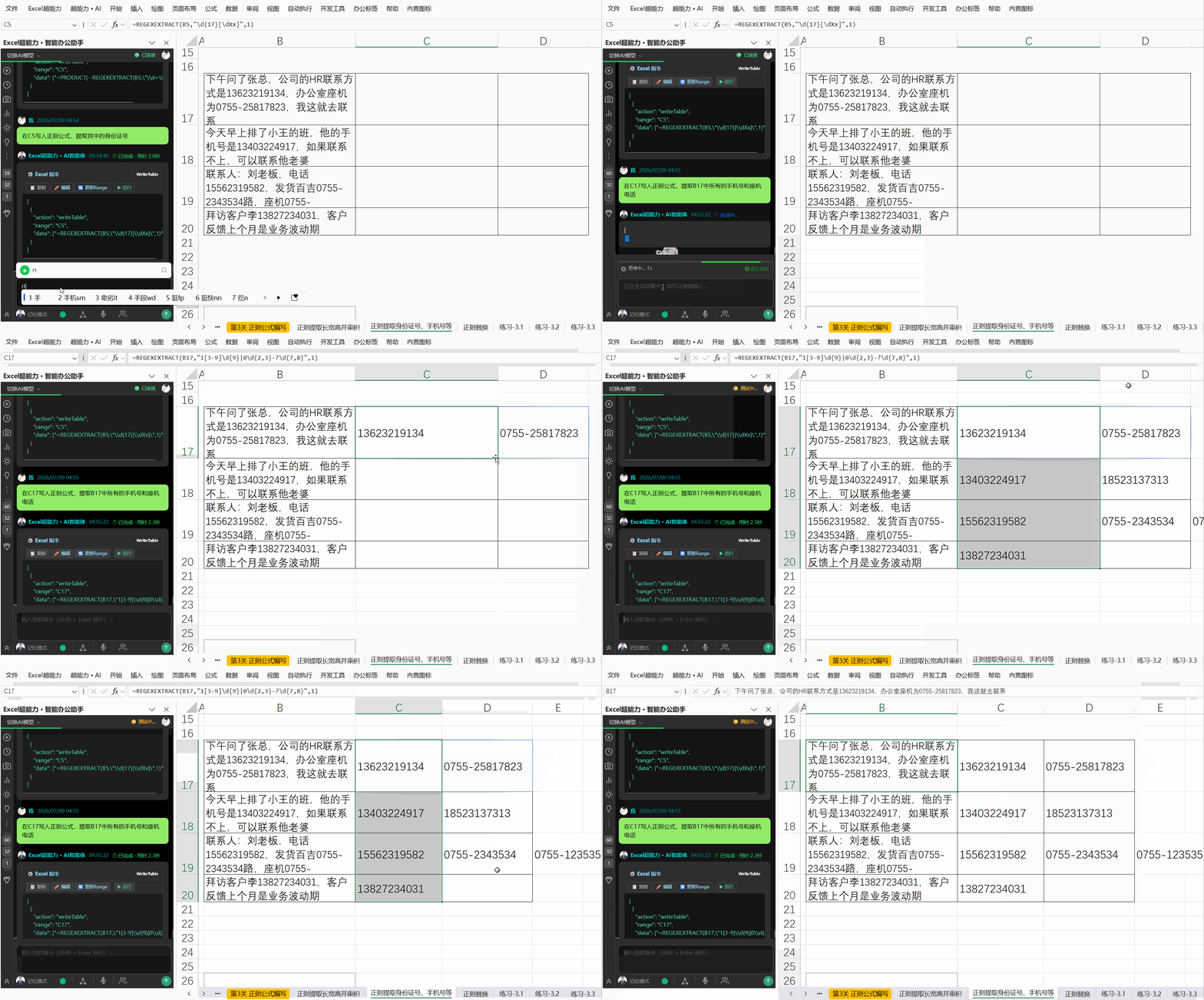
正则函数:提取手机和座机号
formula
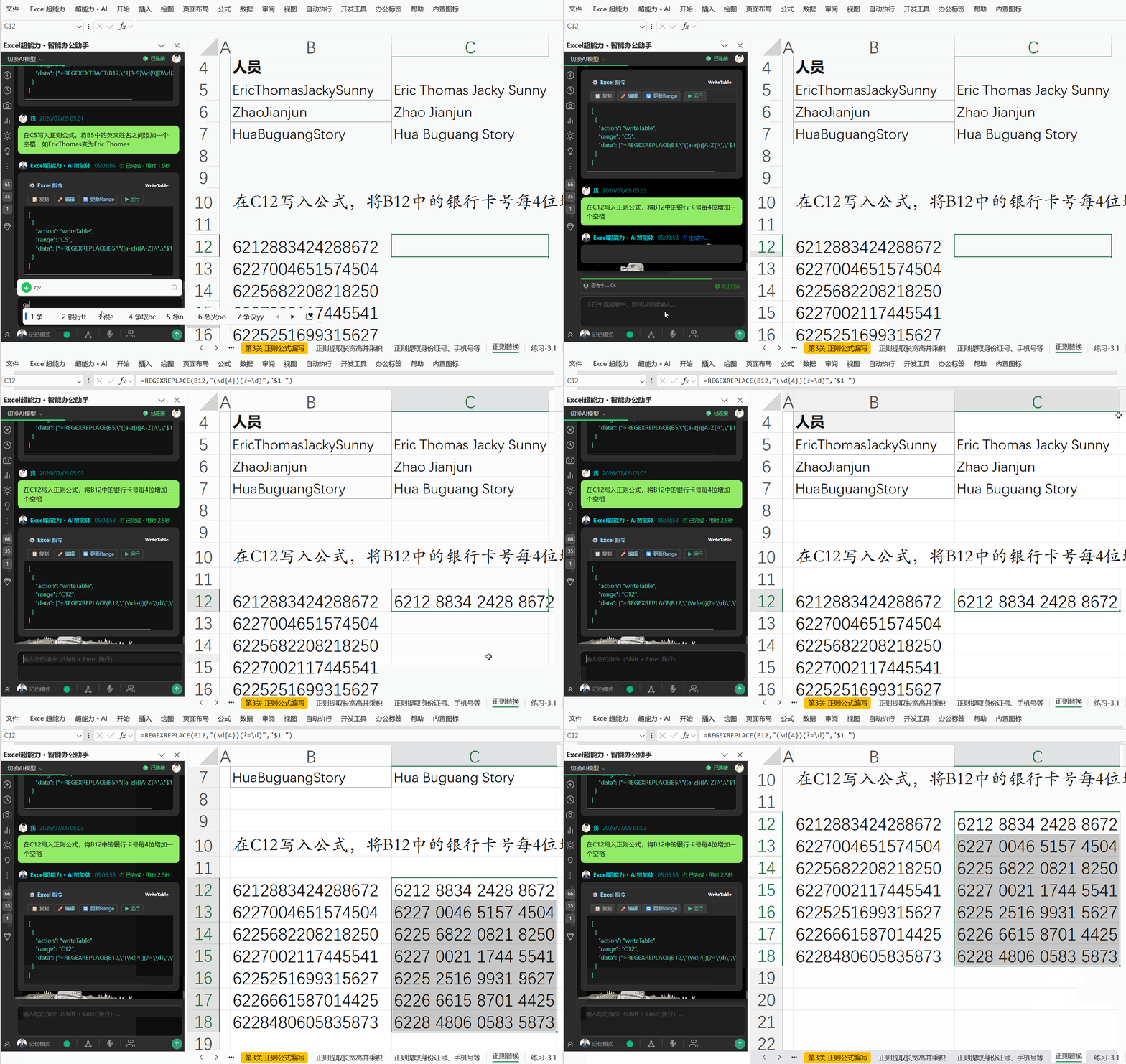
正则函数:银行卡号添加空格
formula
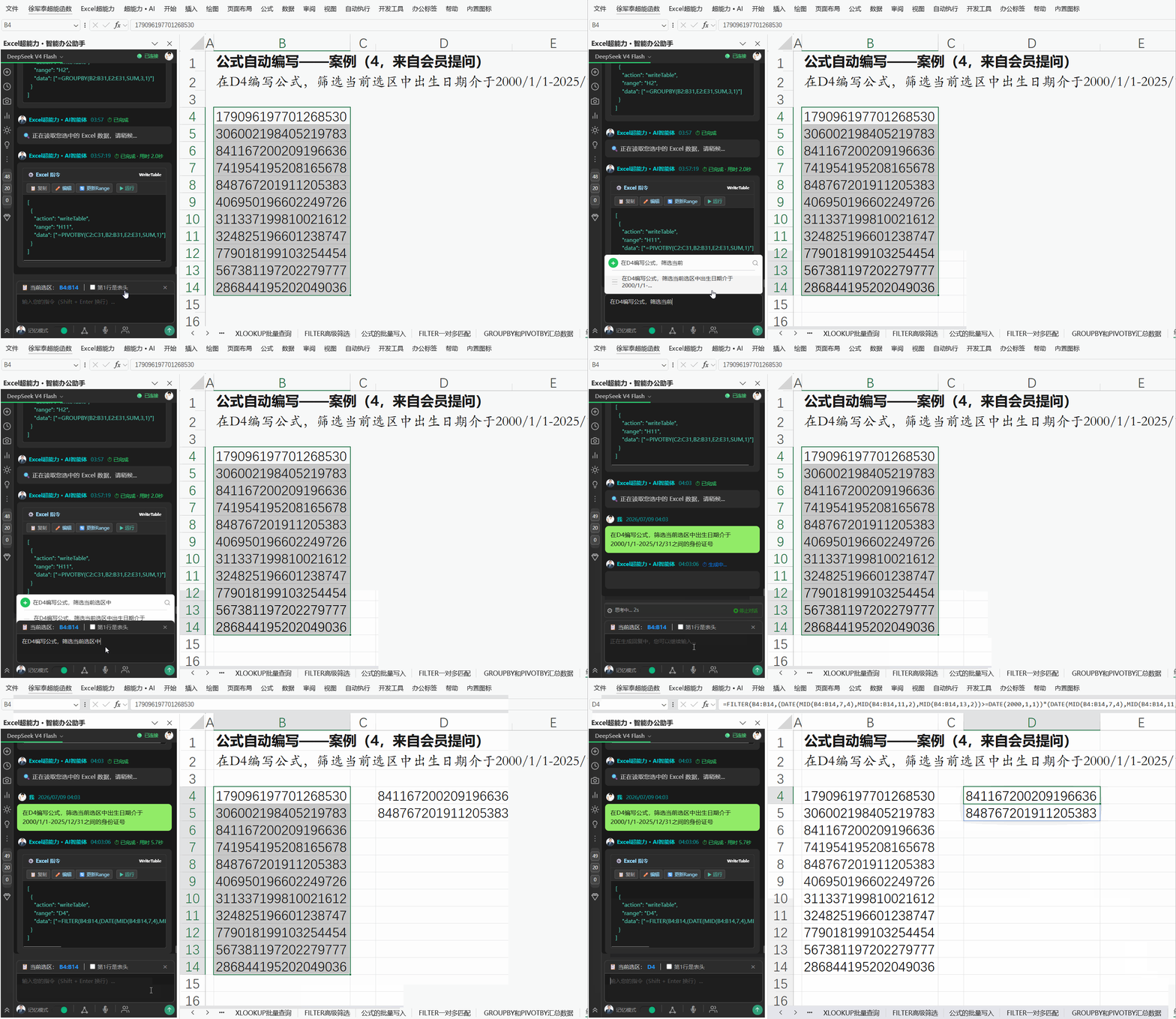
筛选身份证号
formula
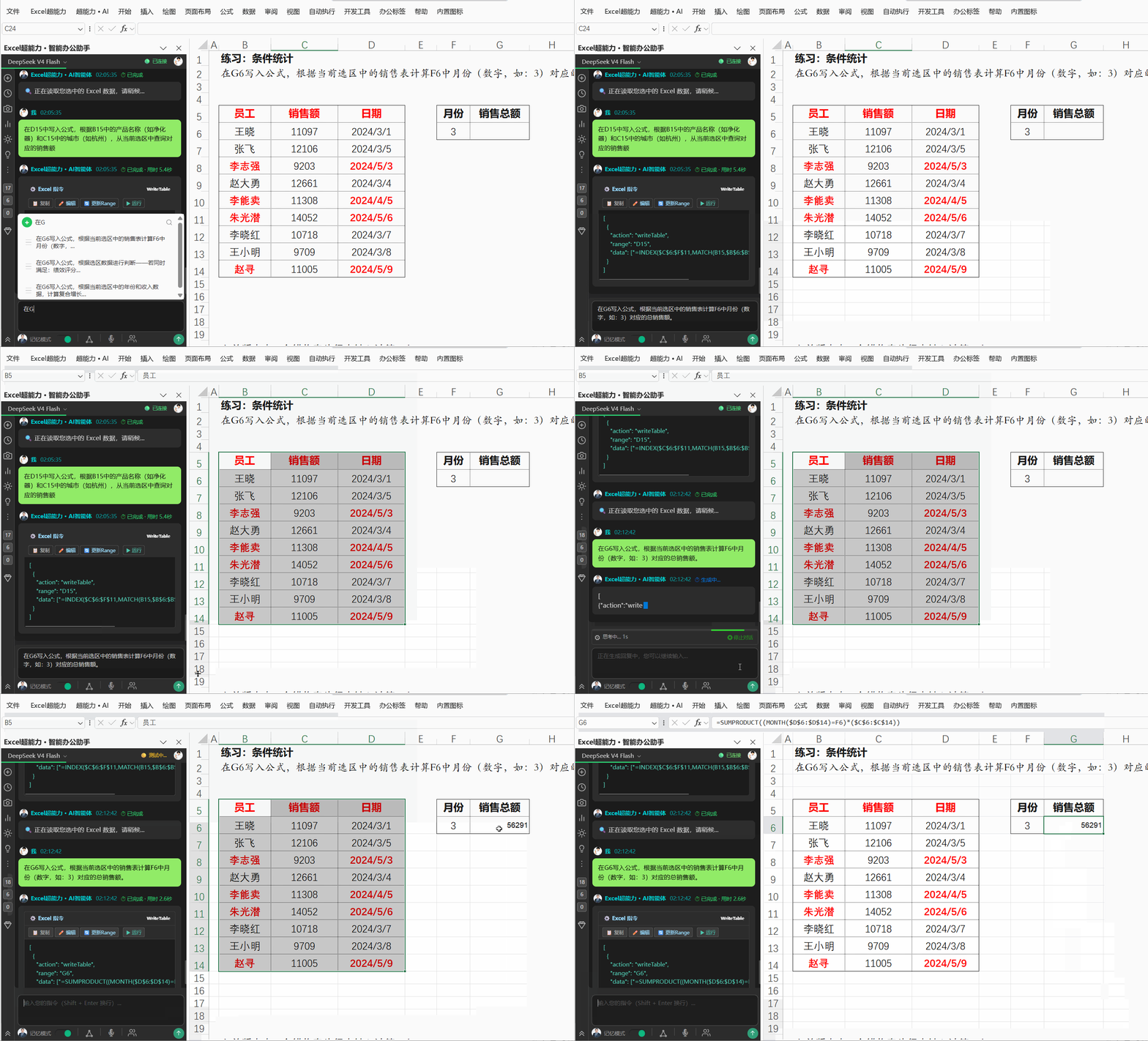
计算日期为3月的总销售额
formula
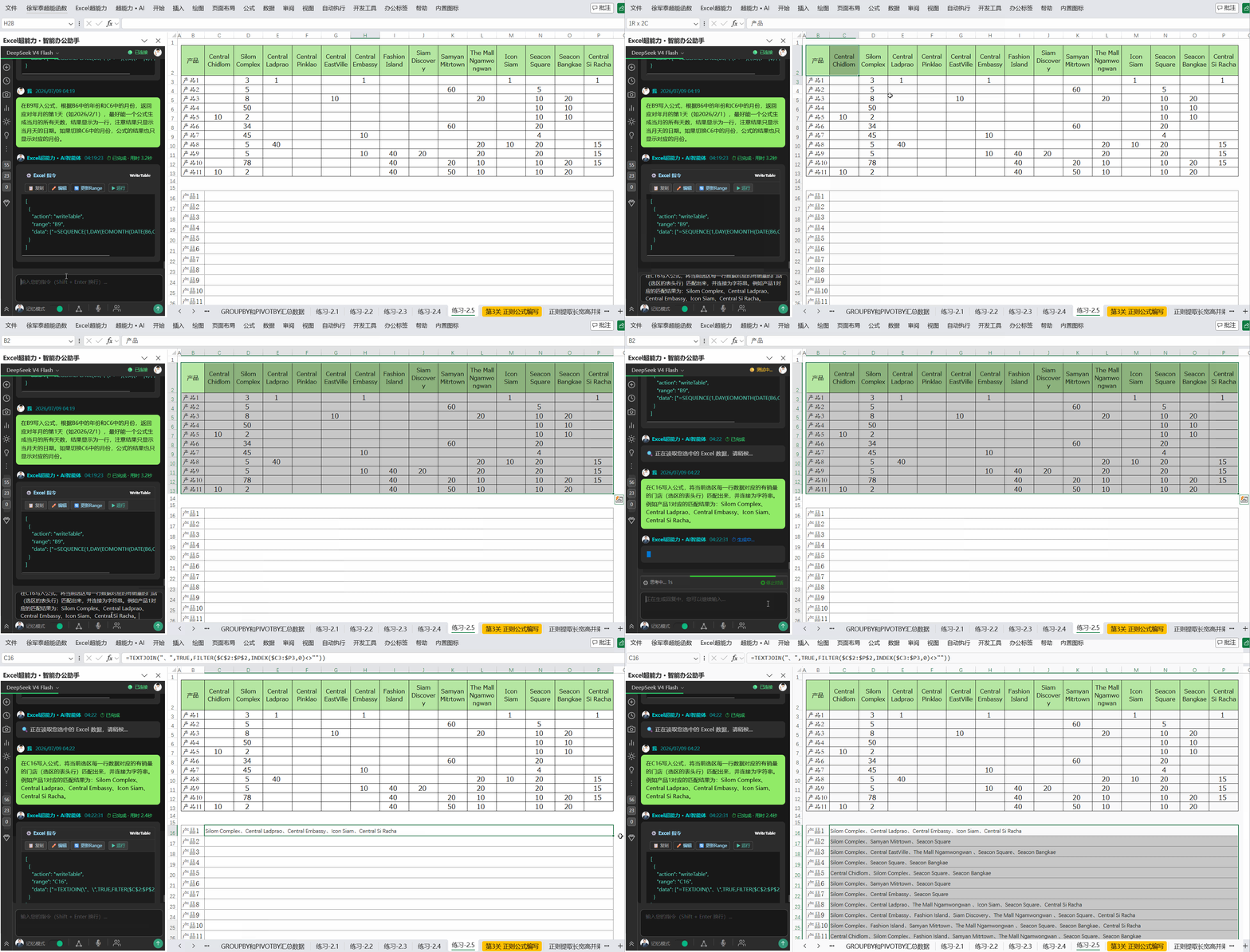
返回有销量的门店列表
formula
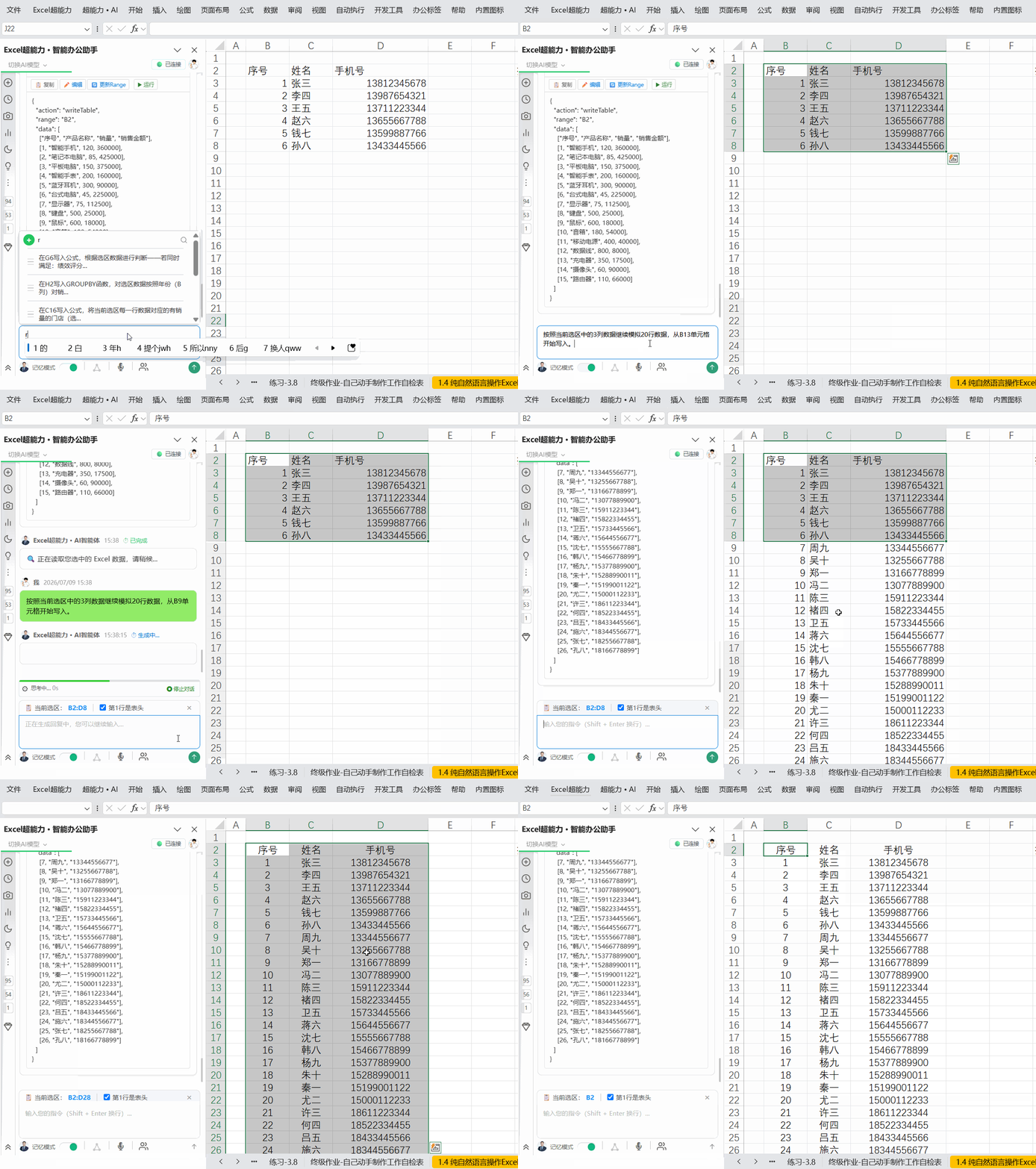
数据仿写
nlp
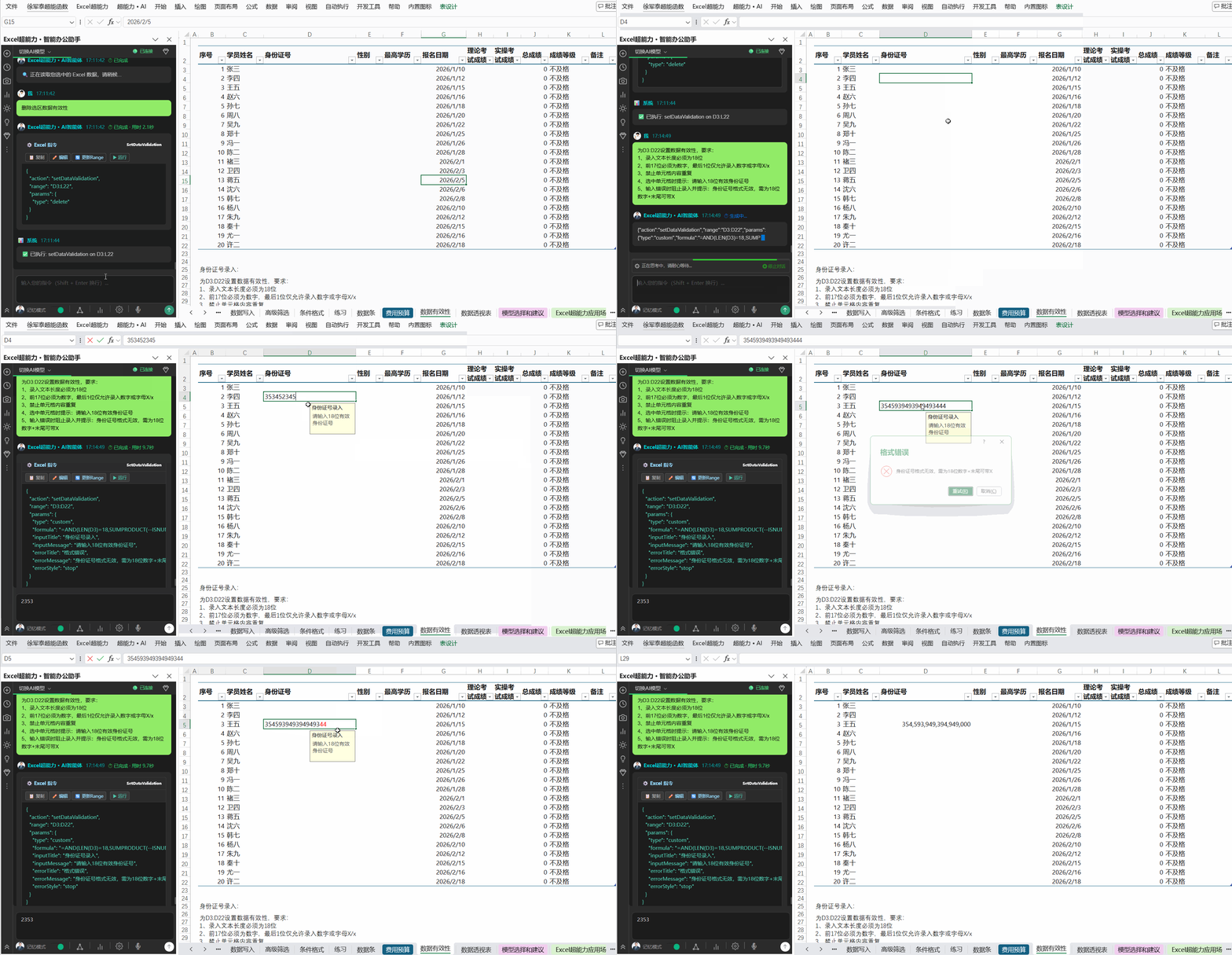
数据有效性
nlp
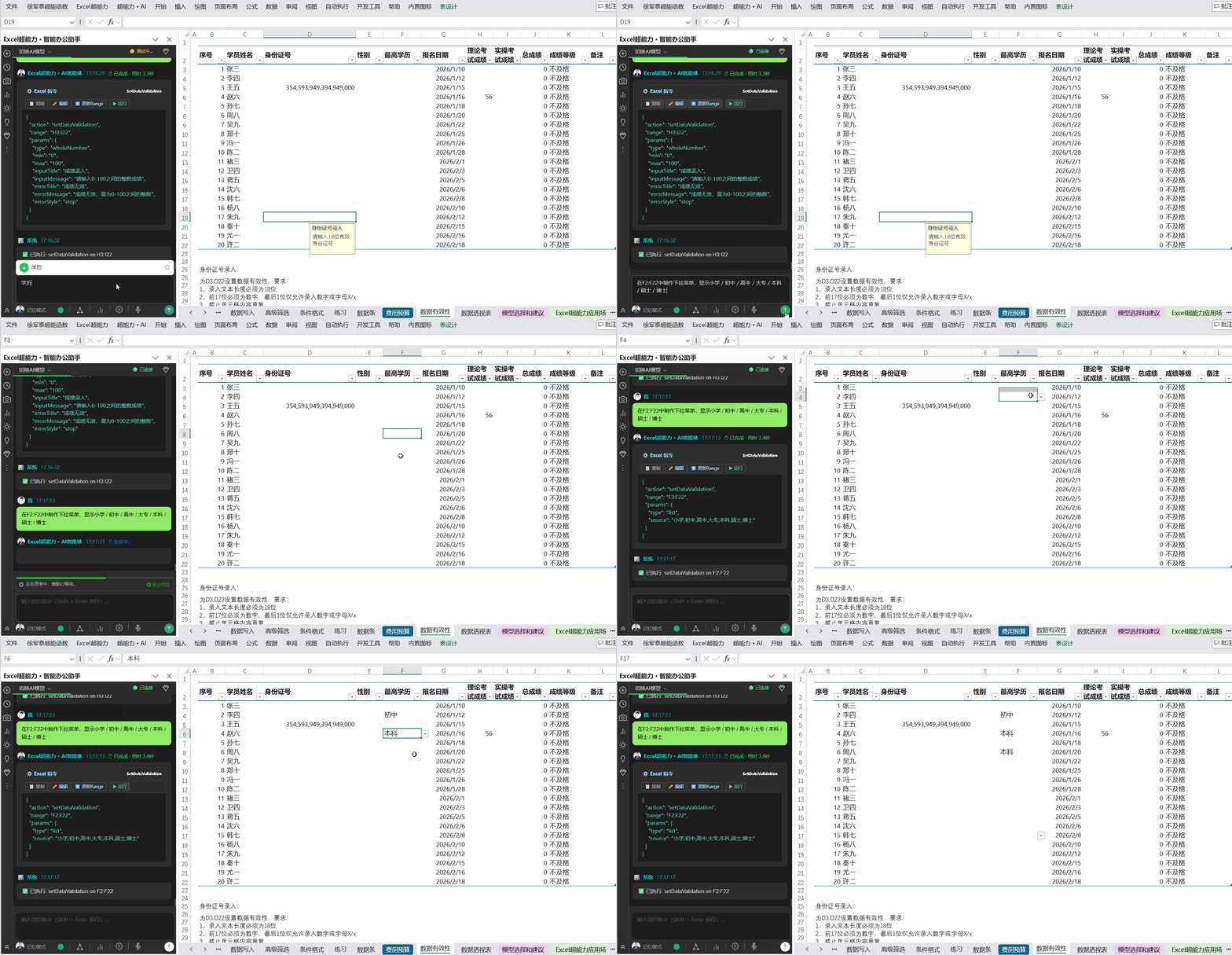
数据有效性(3)
nlp
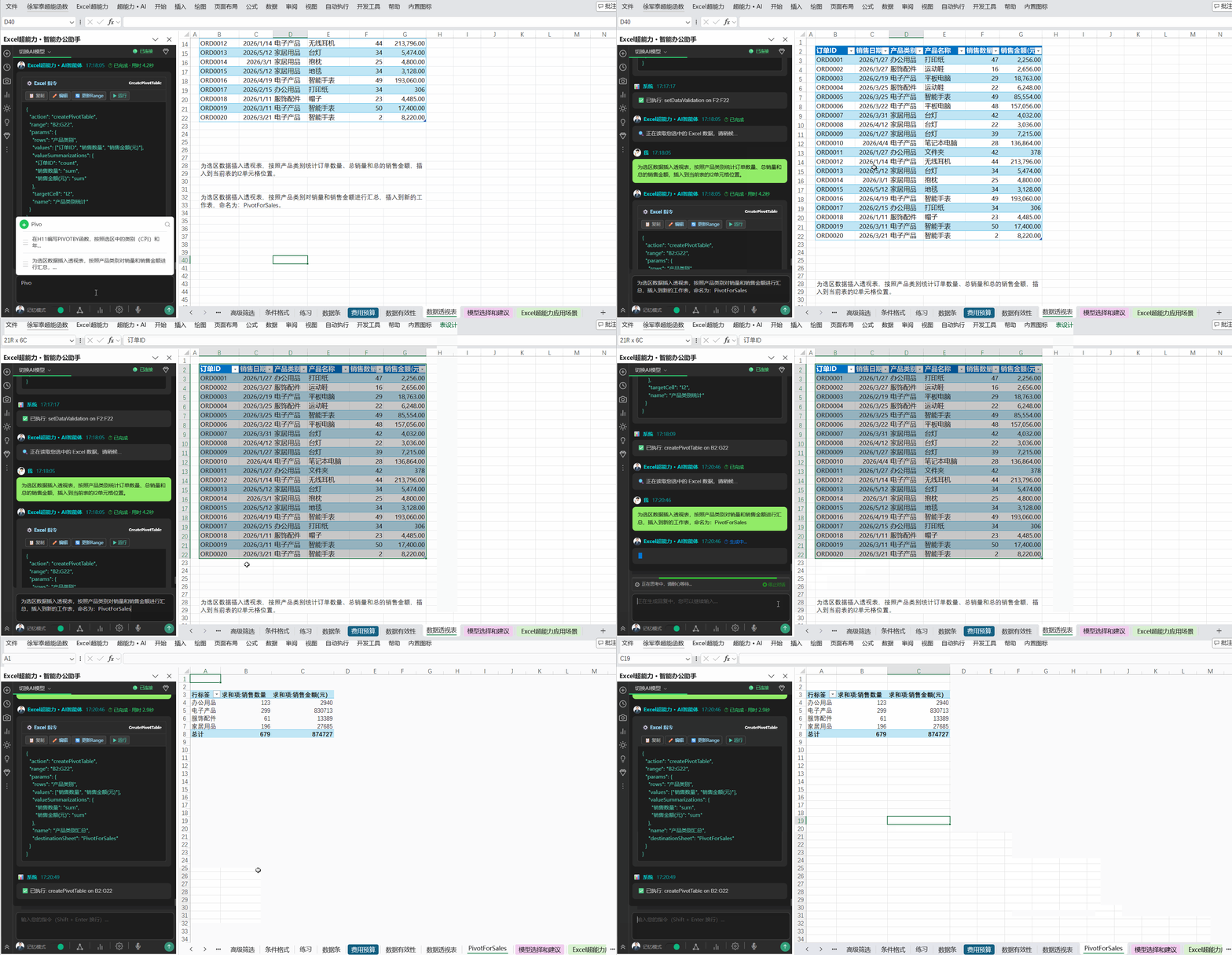
数据透视表(2)
nlp
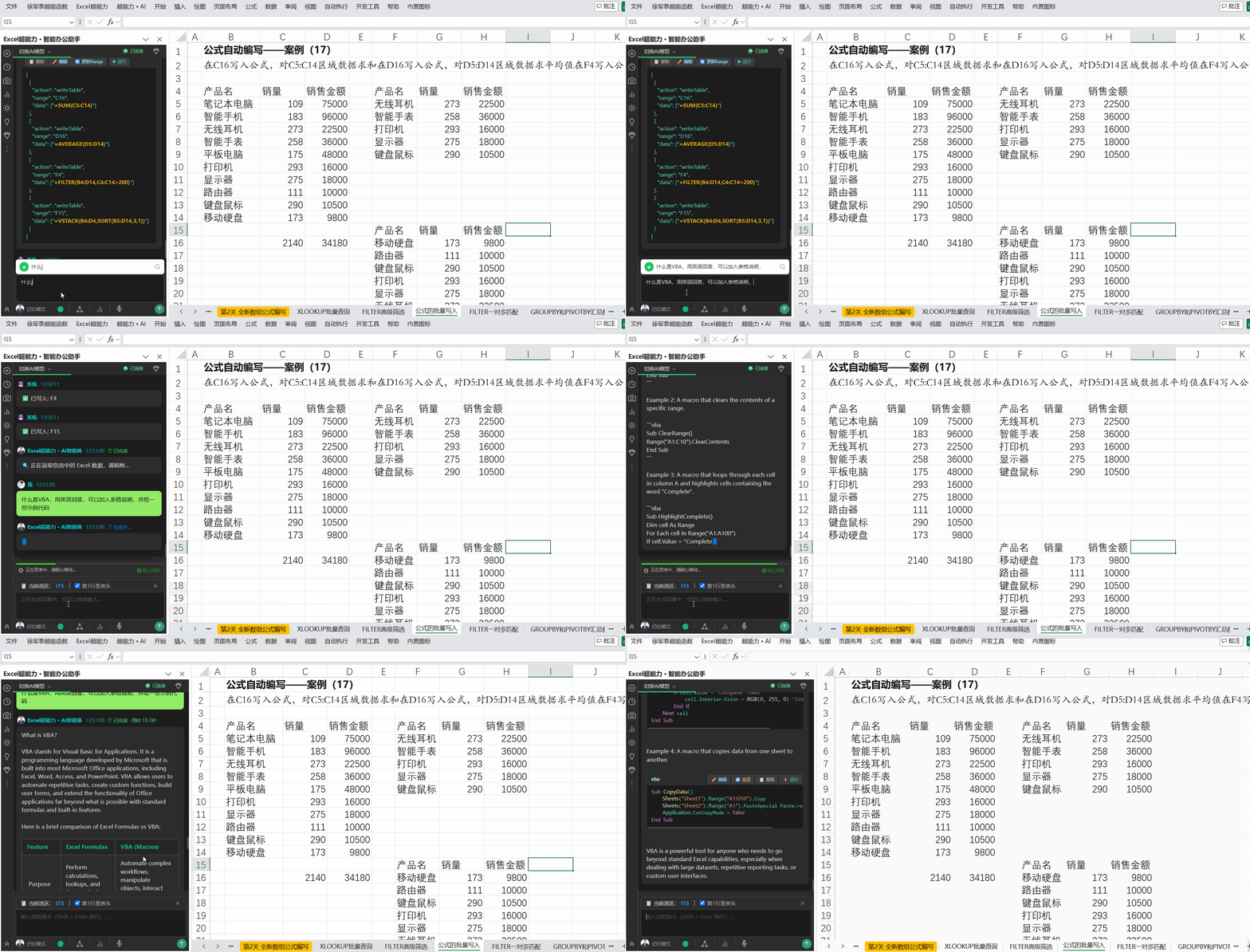
智能对话实时答疑
nlp
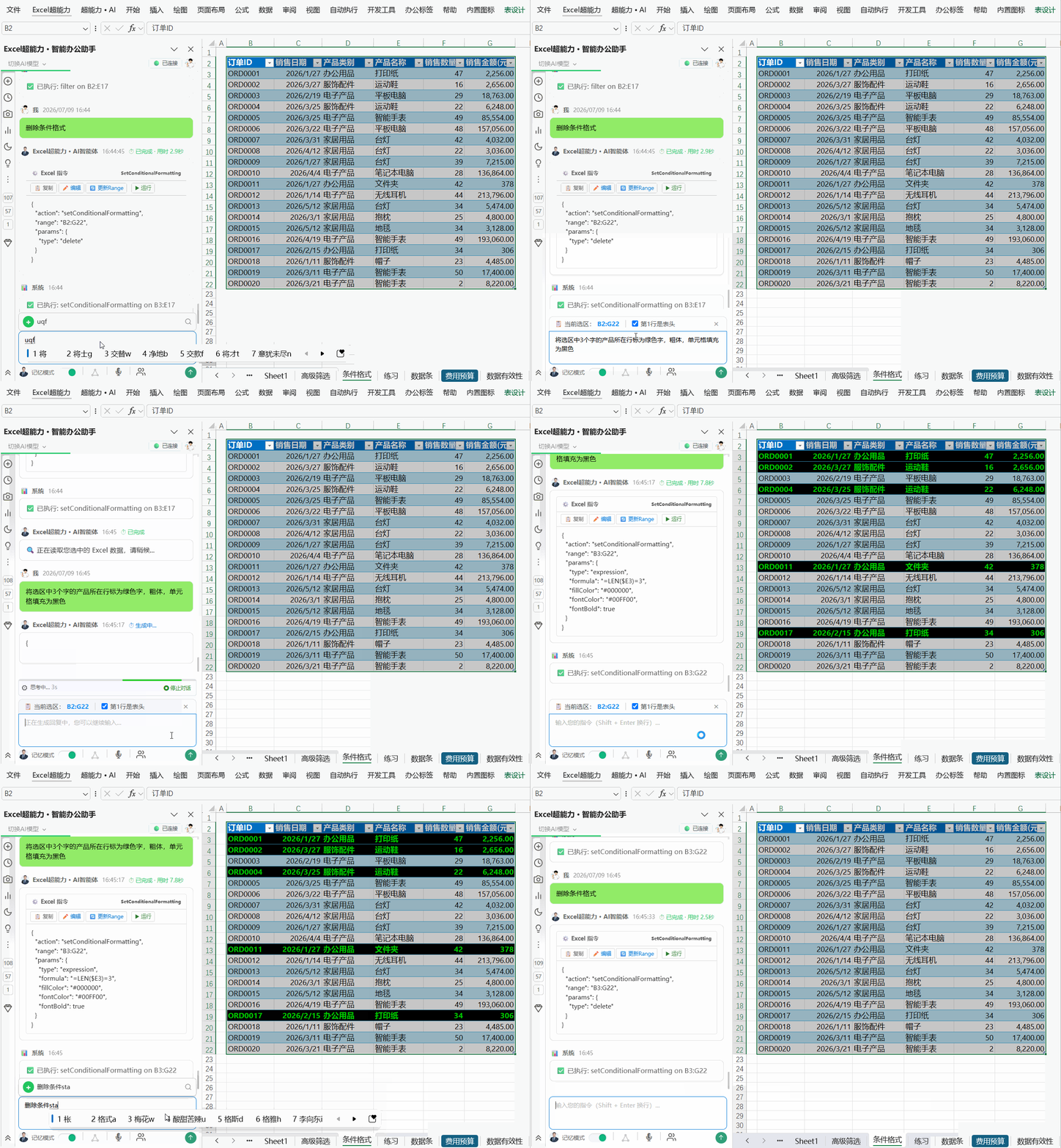
条件格式(1)
nlp
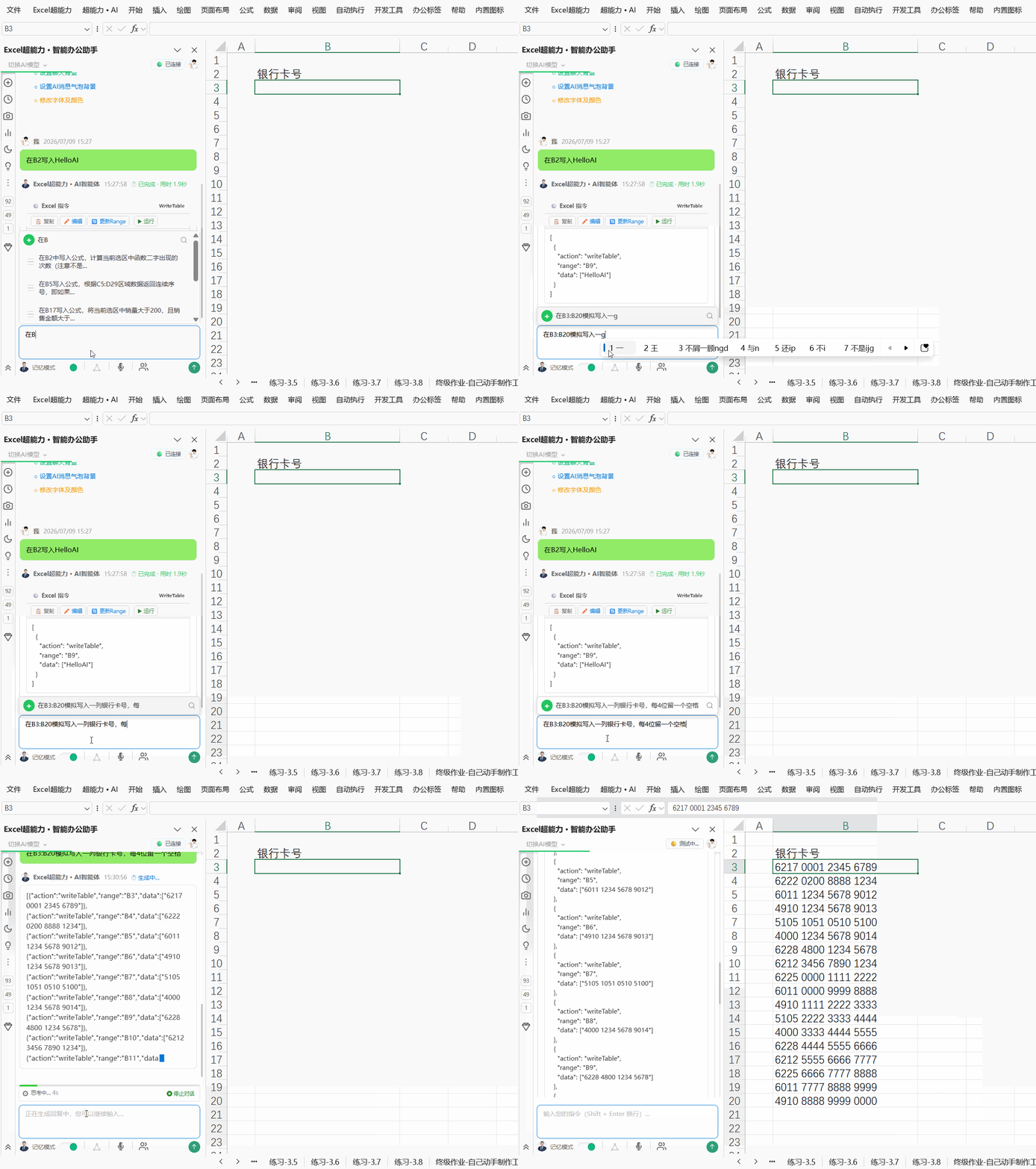
模拟银行卡号
nlp
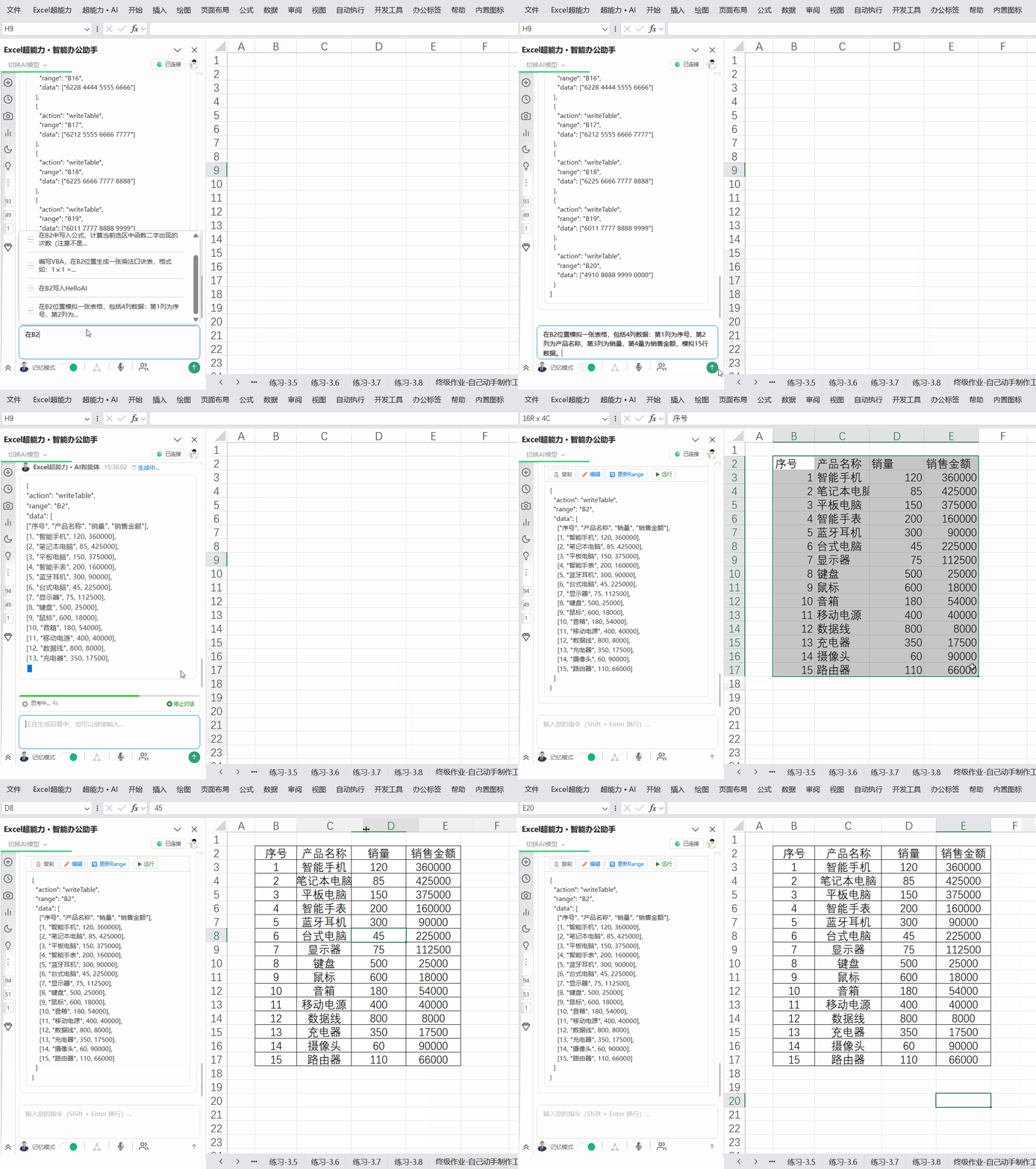
生成表格
nlp
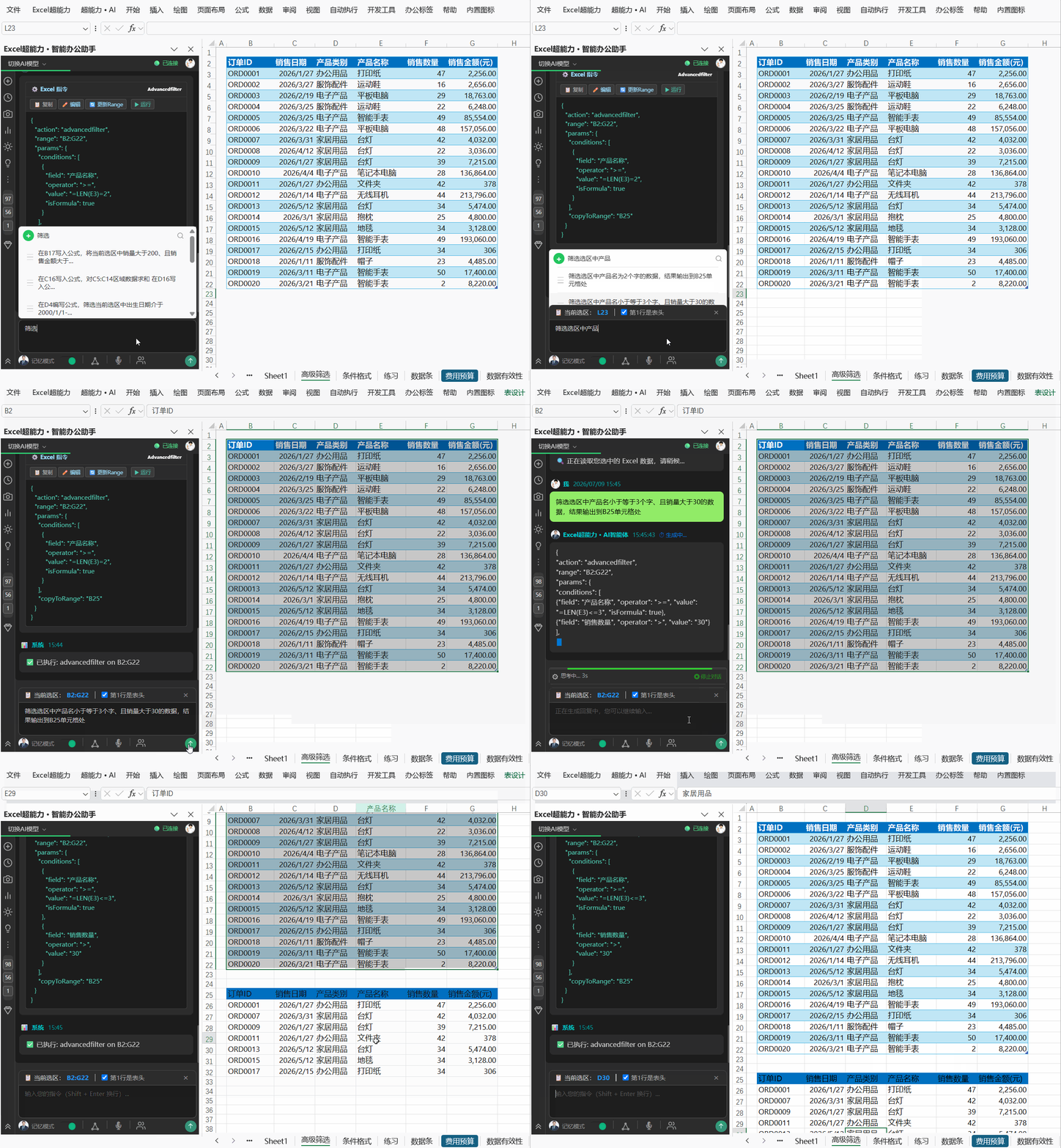
高级筛选(3)
nlp
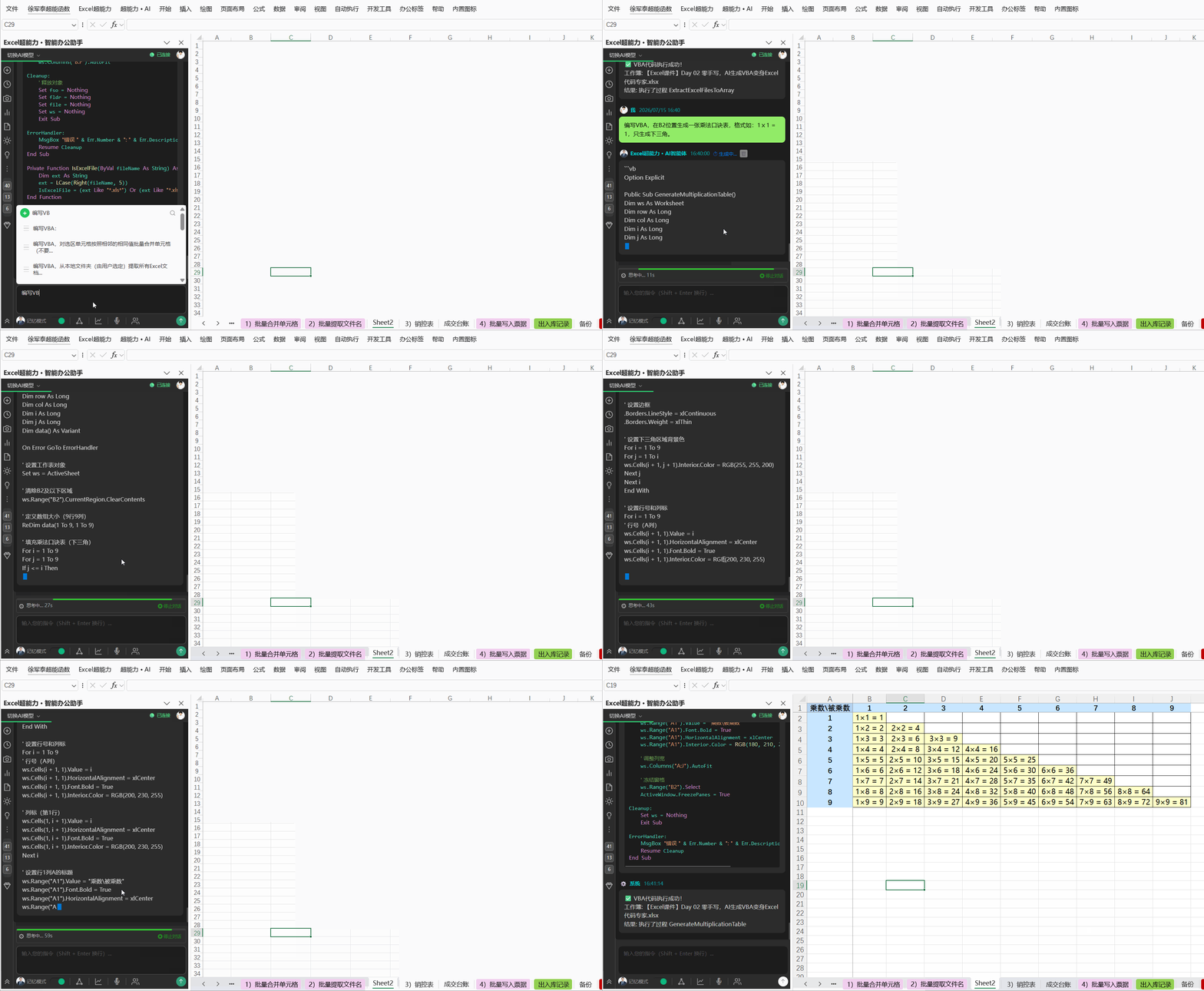
乘法口诀表
code
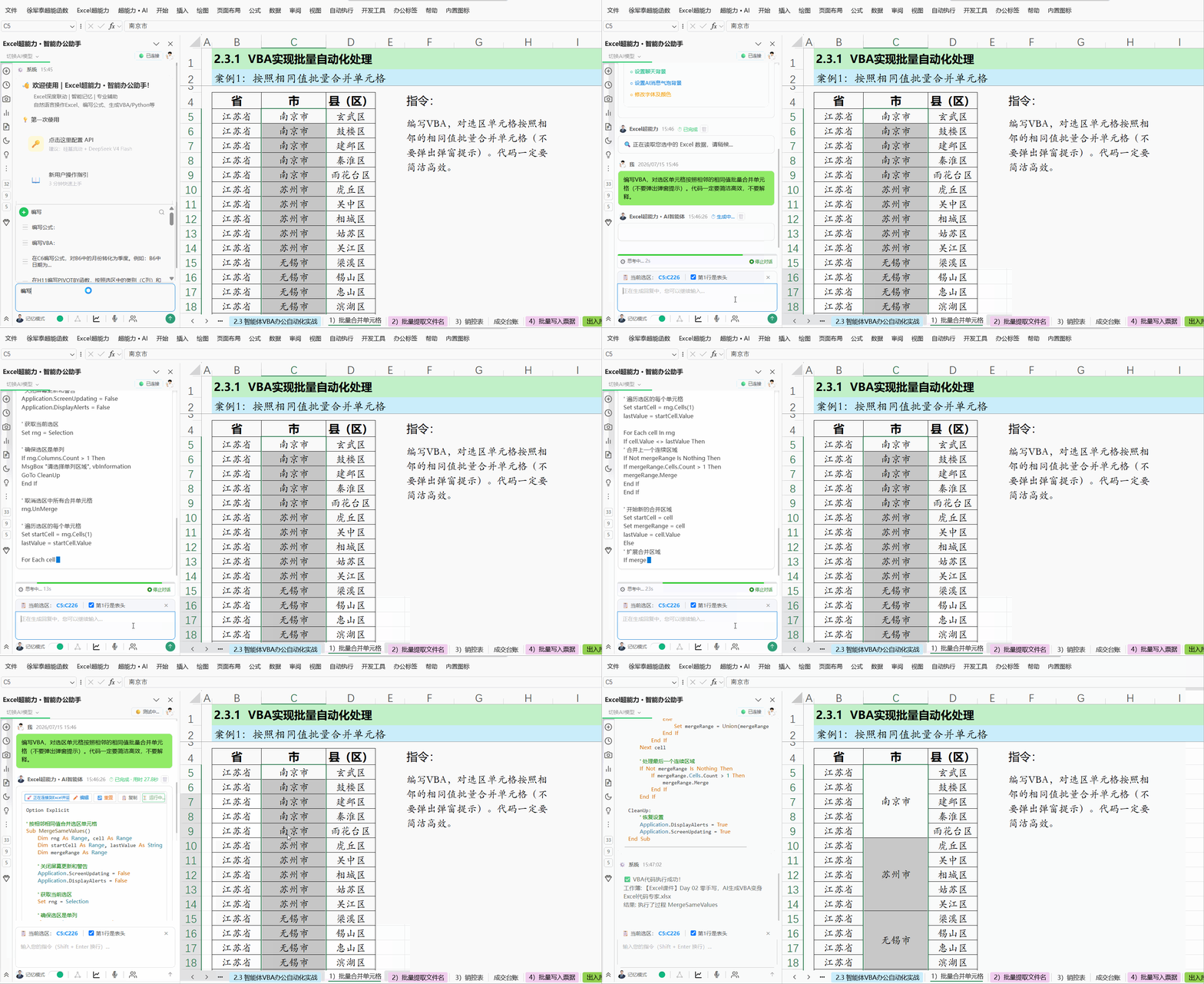
批量合并相同单元格
code
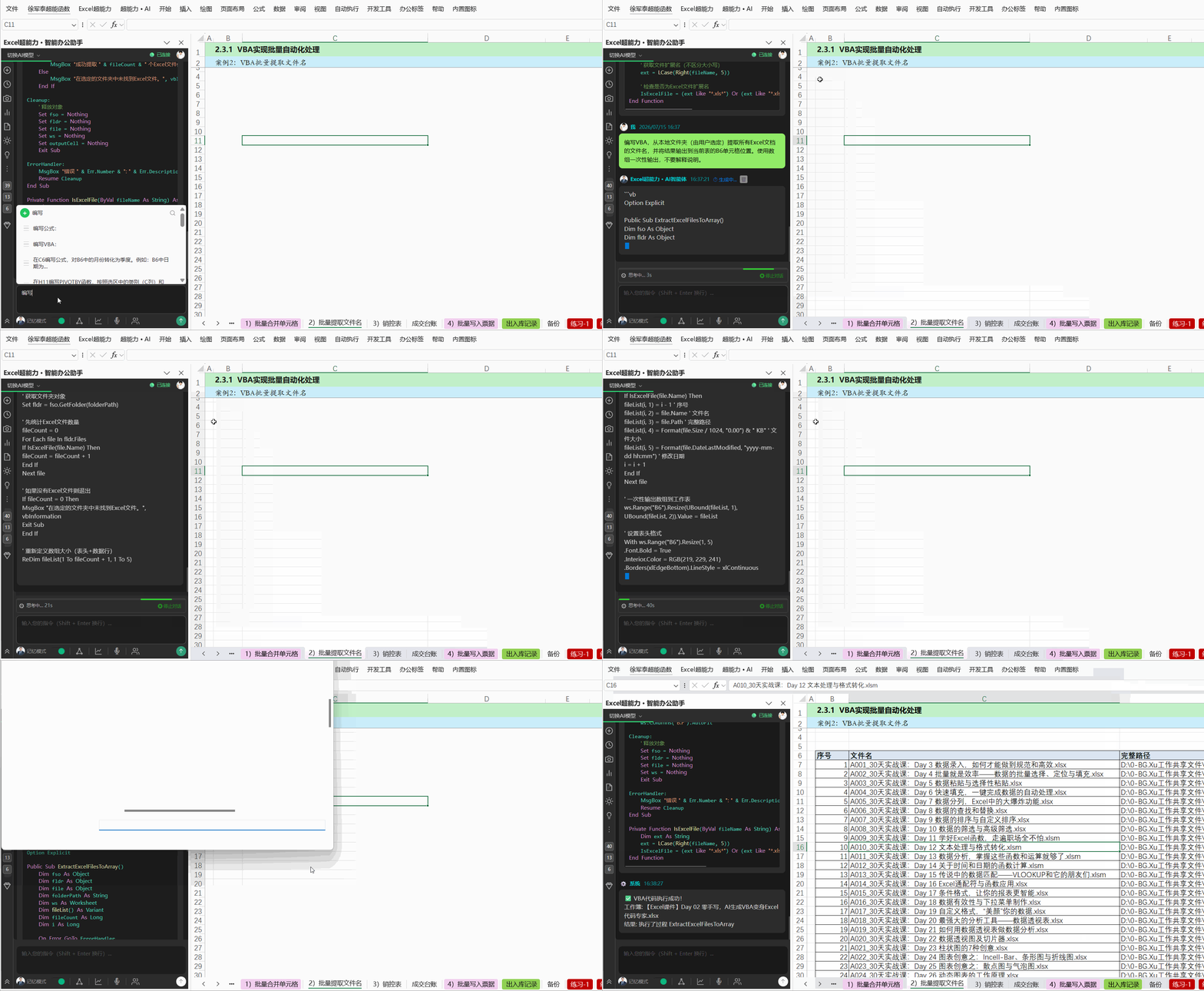
批量提取文件名
code
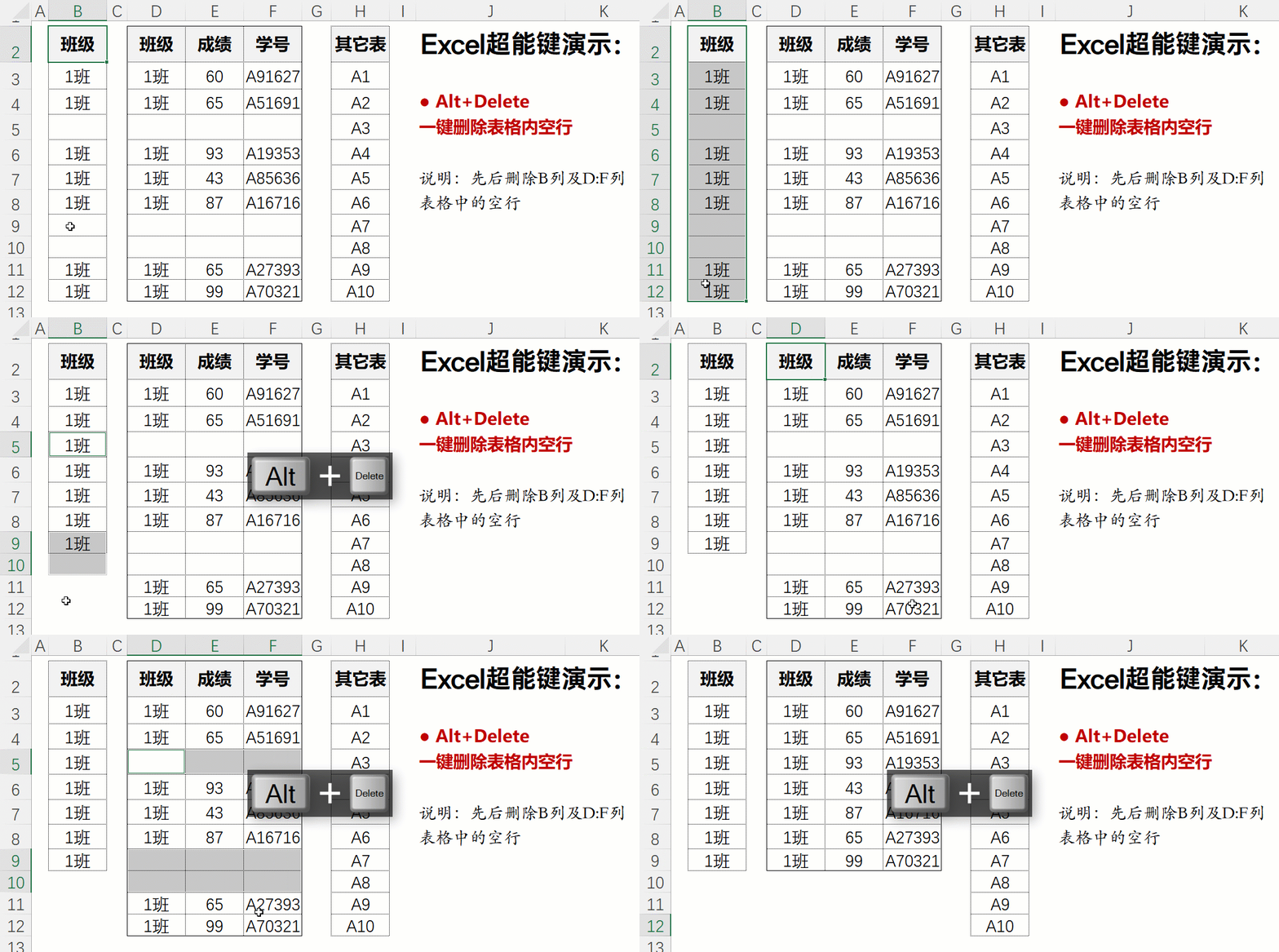
一键删除表内空行
hotkey
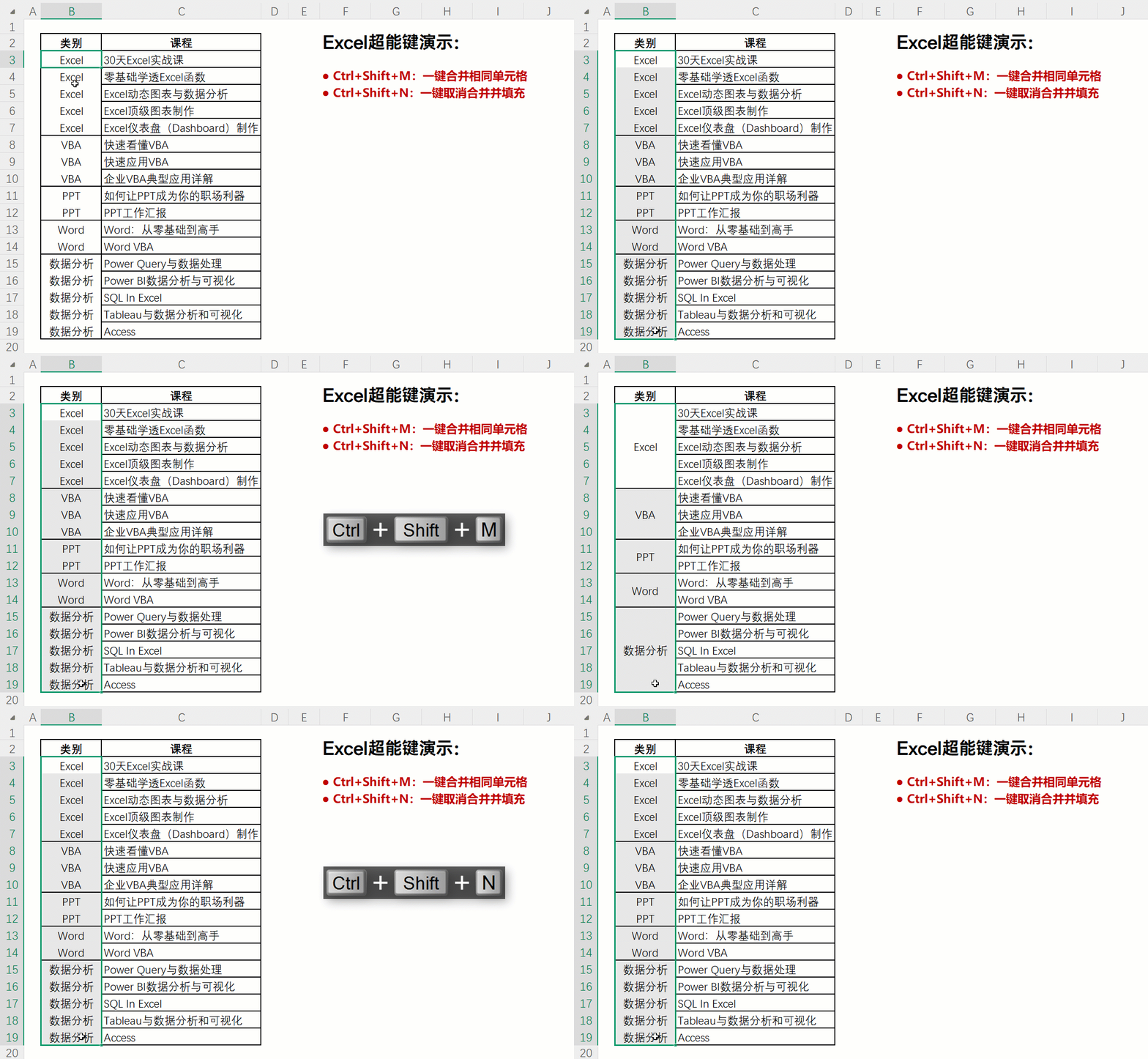
一键合并或取消合并相同值单元格
hotkey
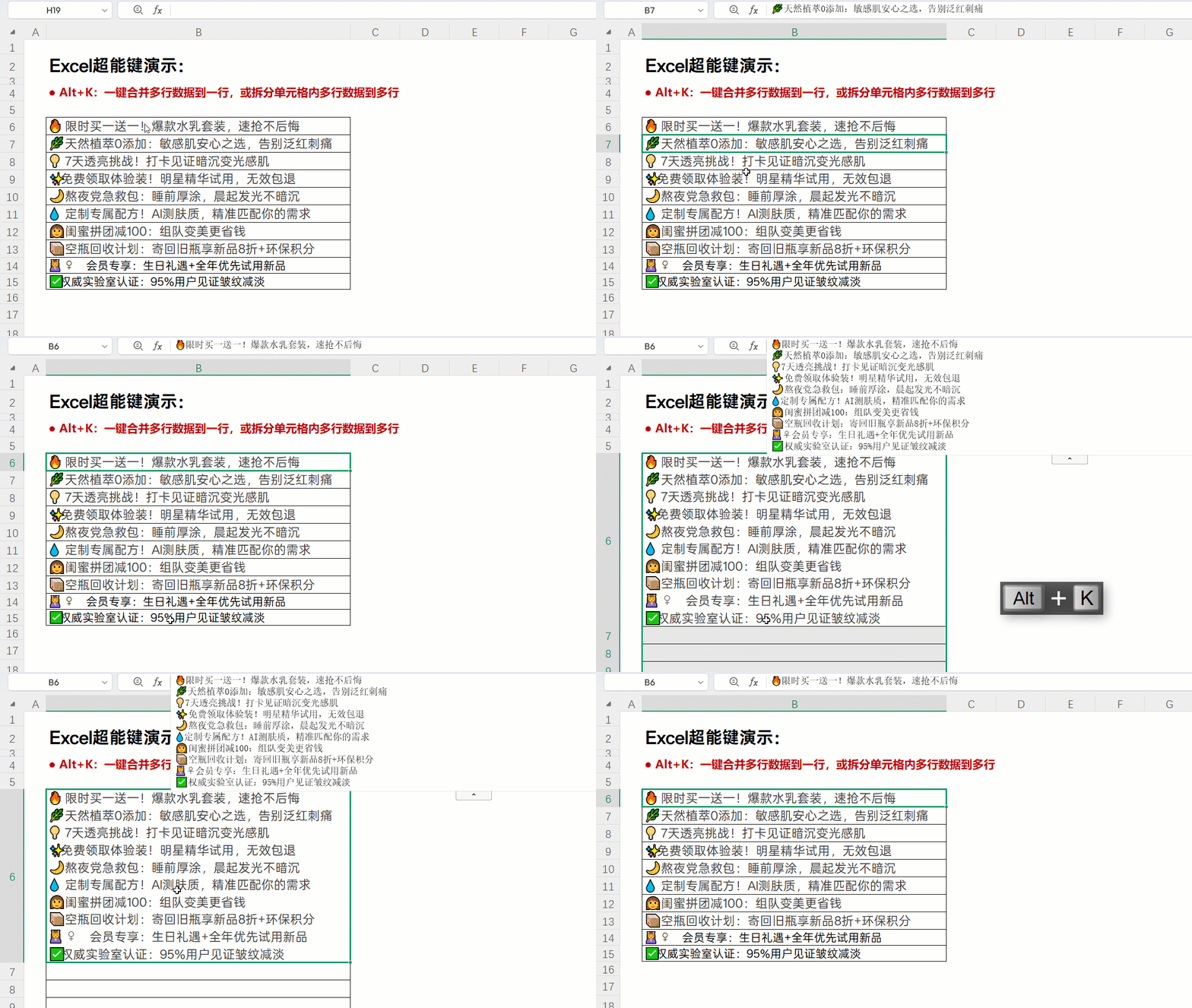
一键合并或拆分
hotkey
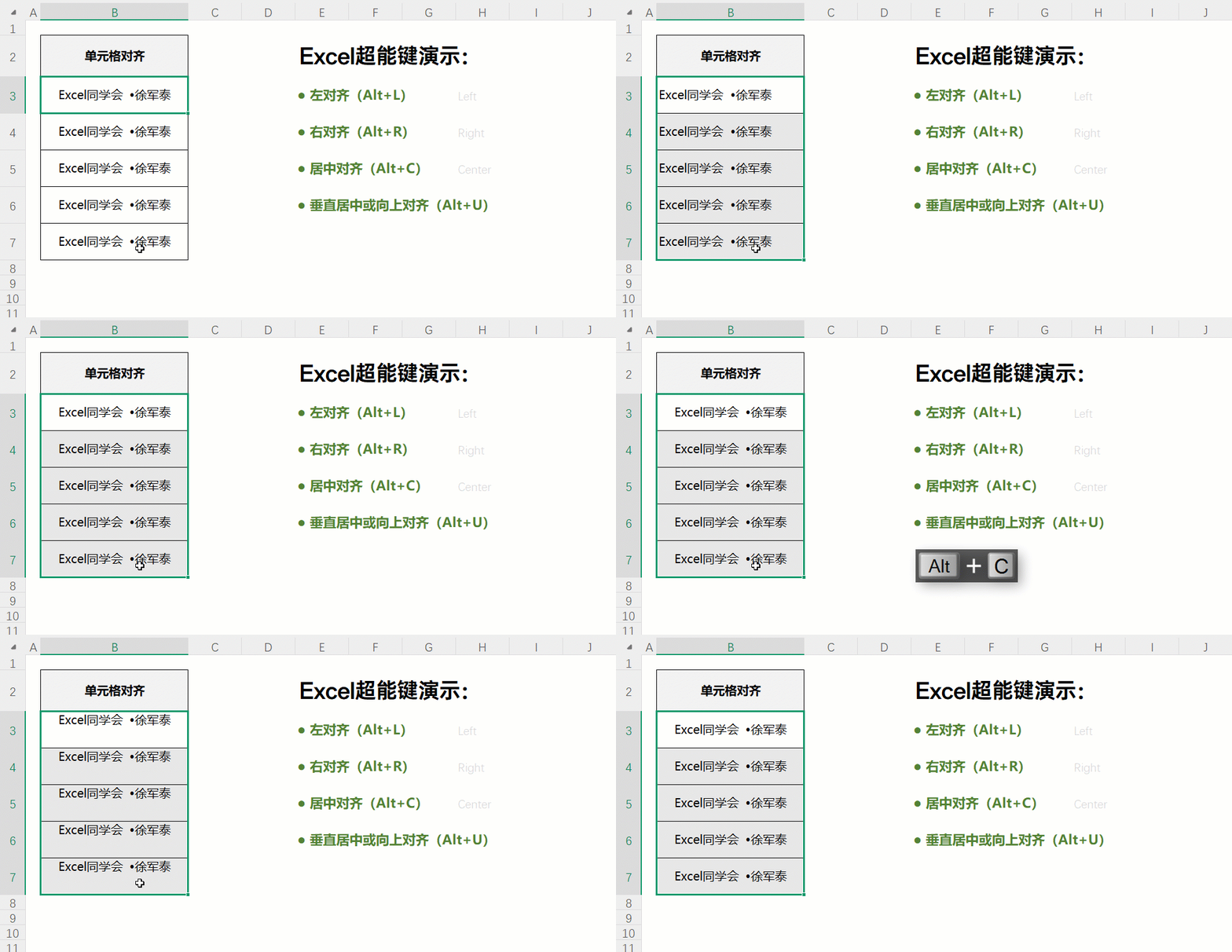
一键对齐
hotkey
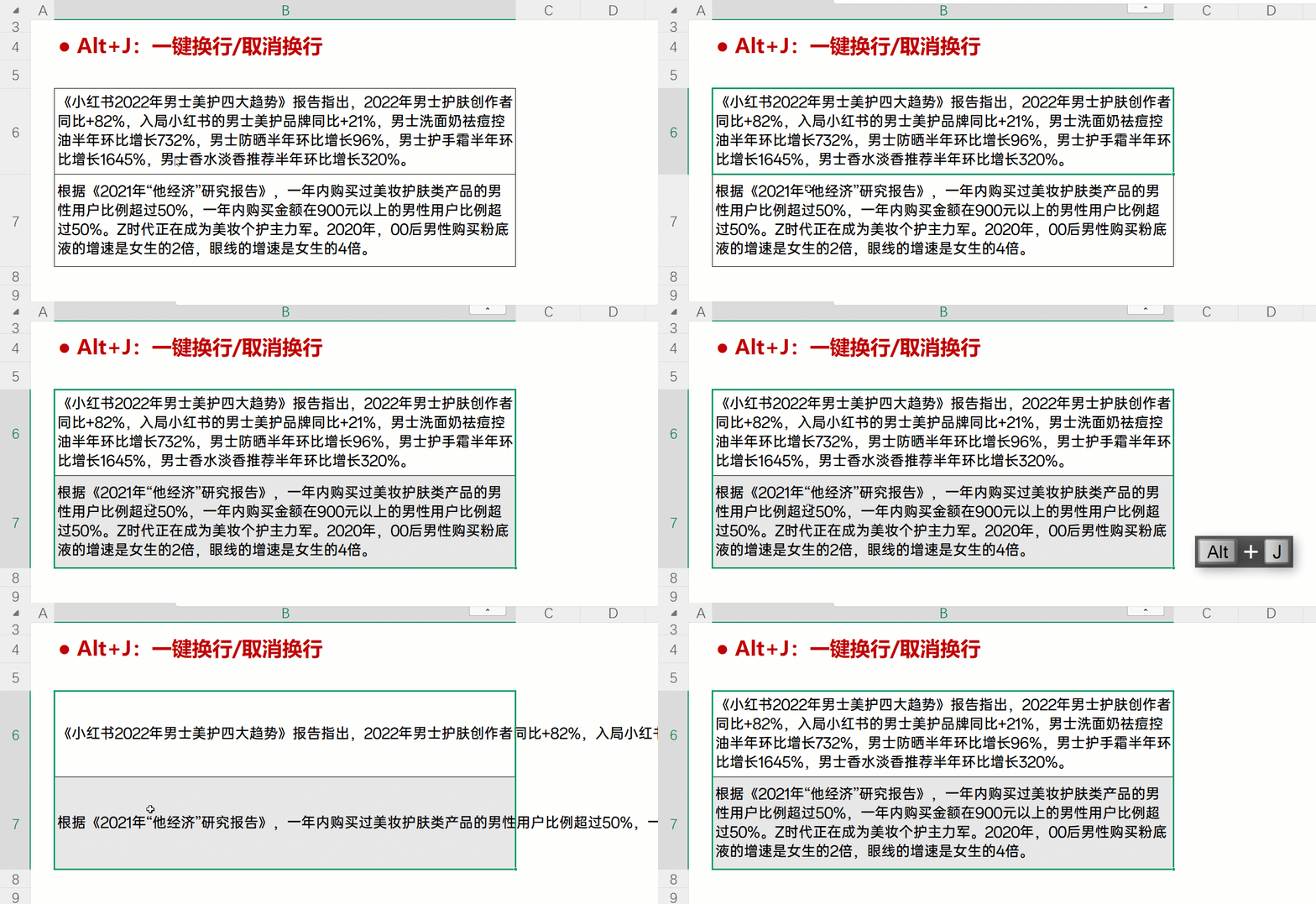
一键换行
hotkey
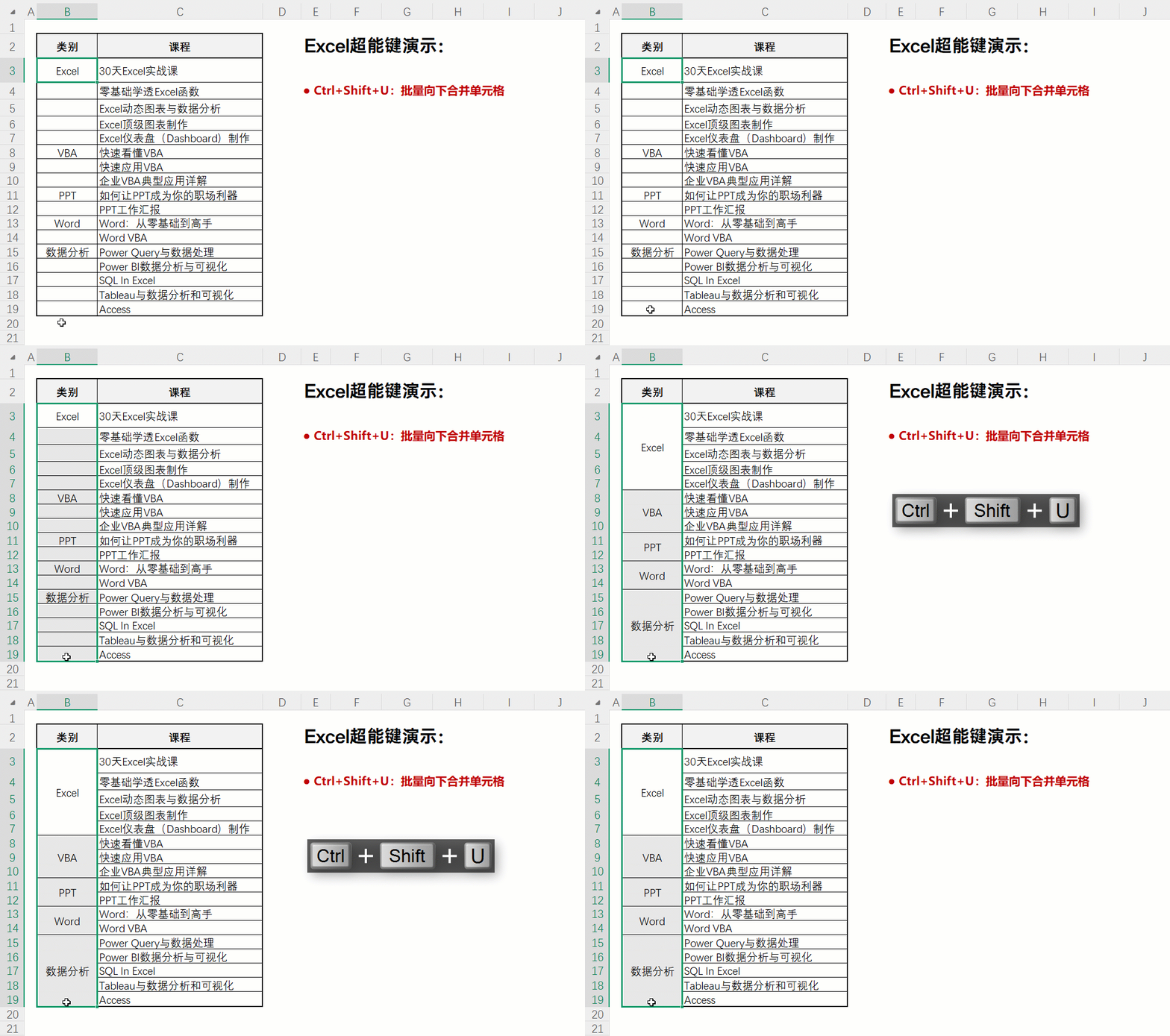
向下合并并填充
hotkey
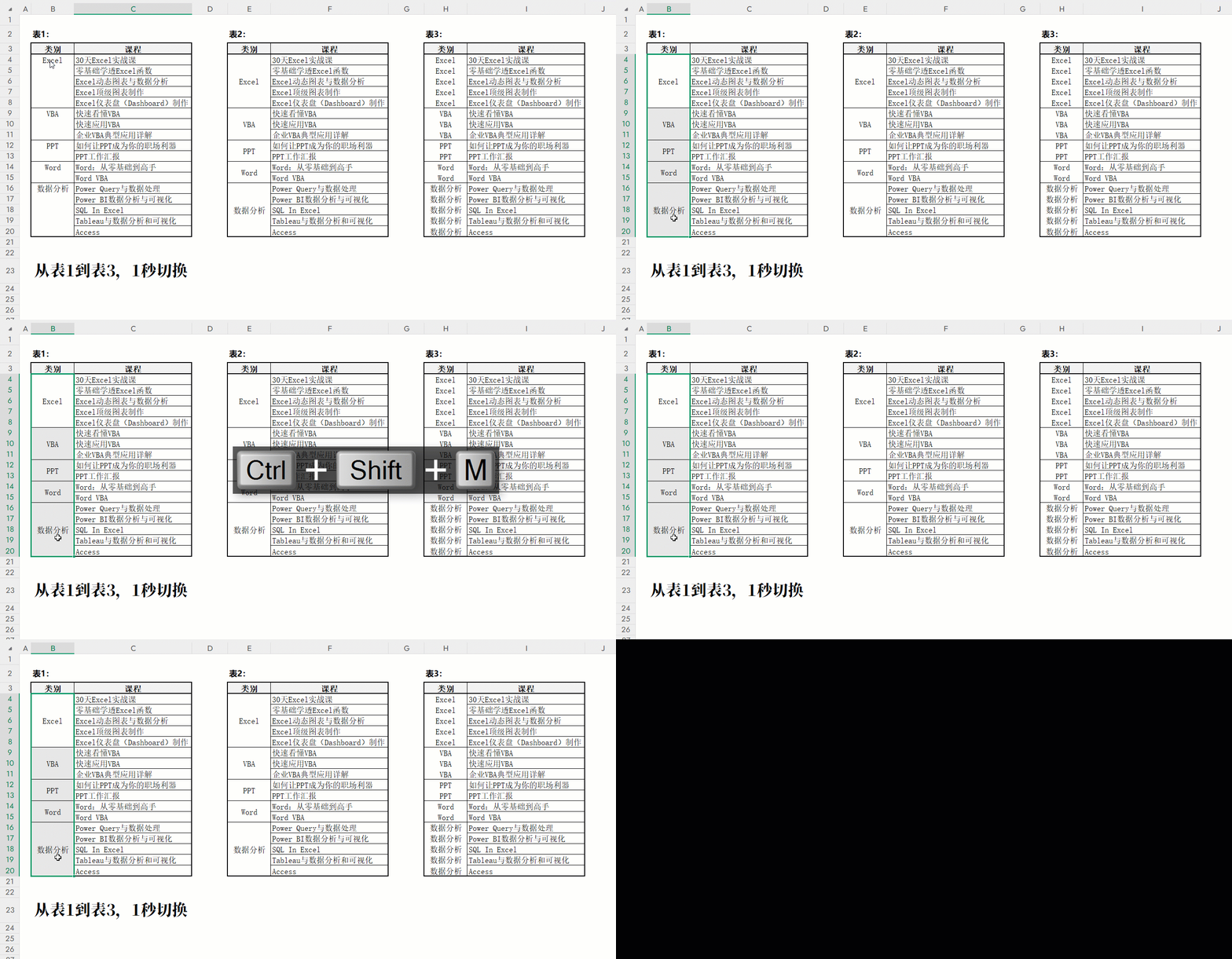
快速切换为不同形态的报表
hotkey
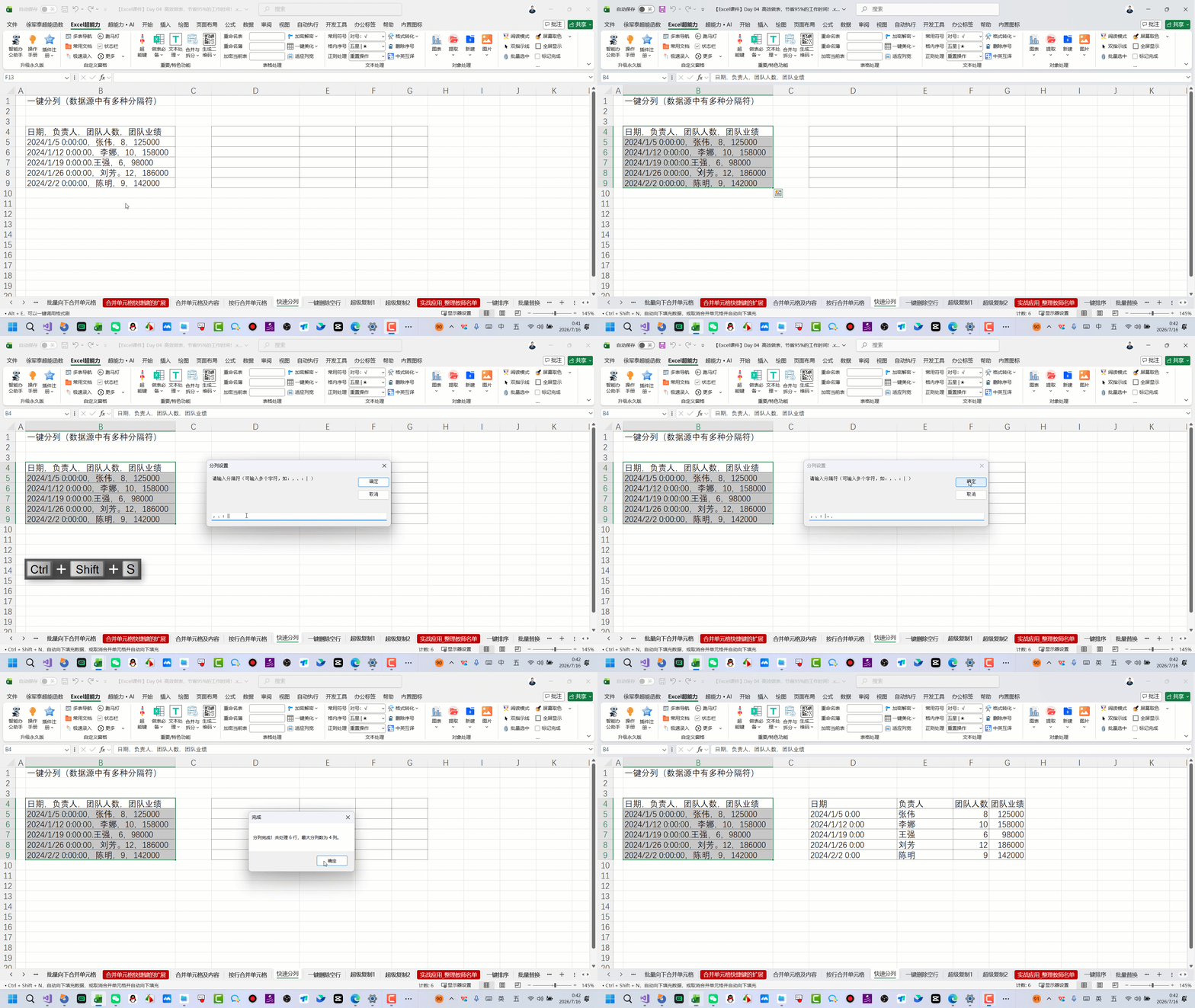
一键分列数据(数据中存在多种分隔符)
hotkey
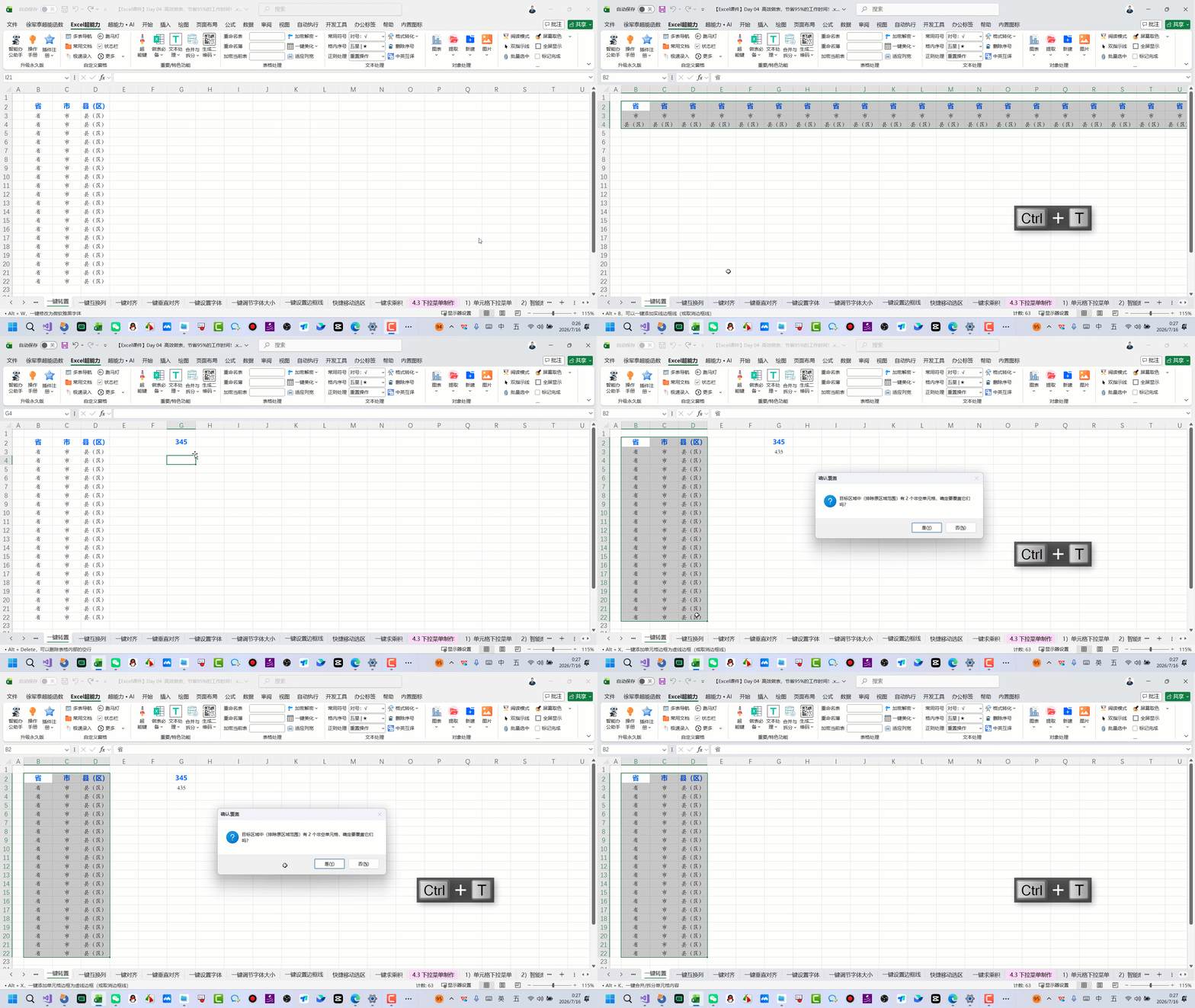
原地转置表格
hotkey
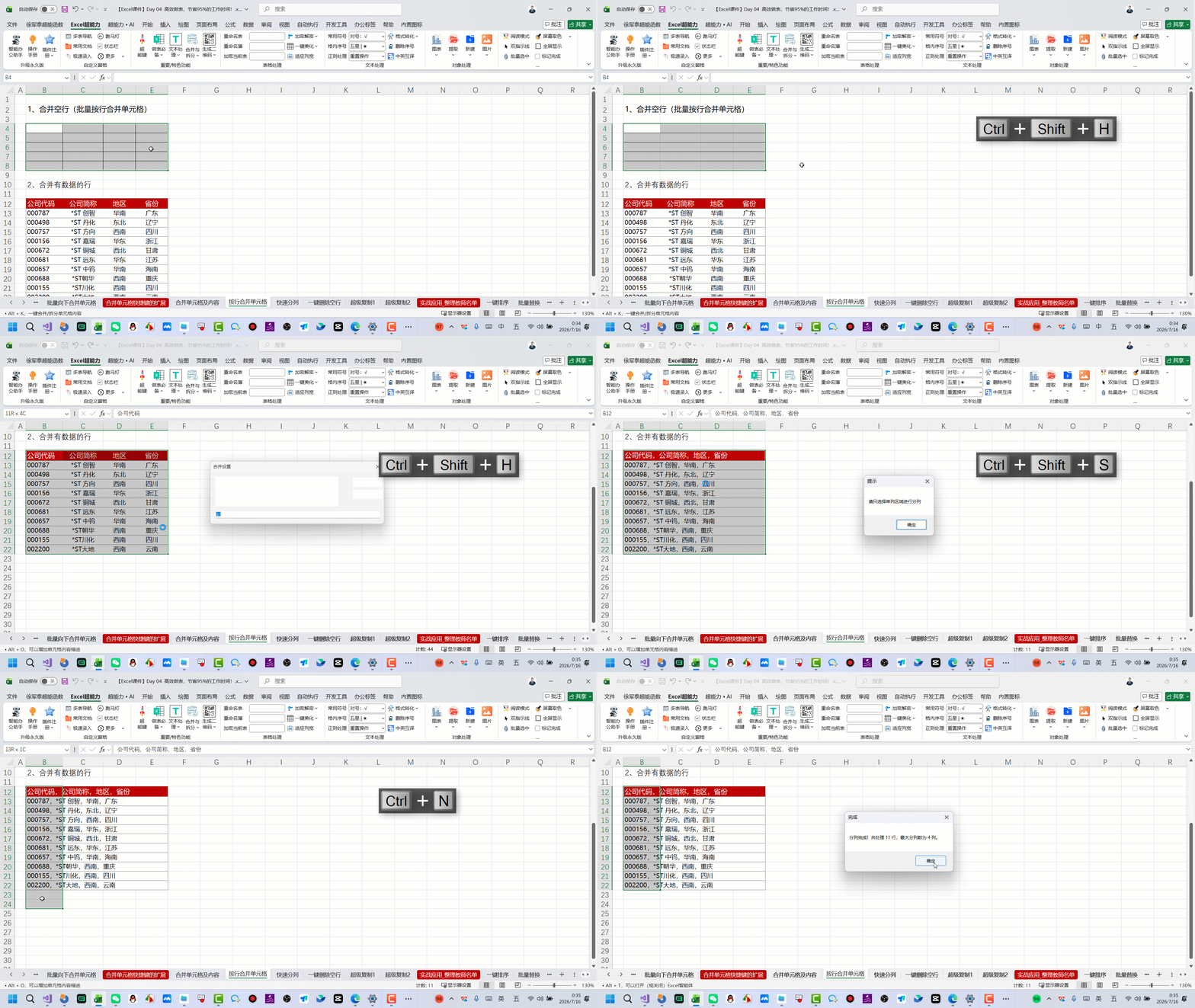
按行合并或拆分单元格
hotkey
hotkey
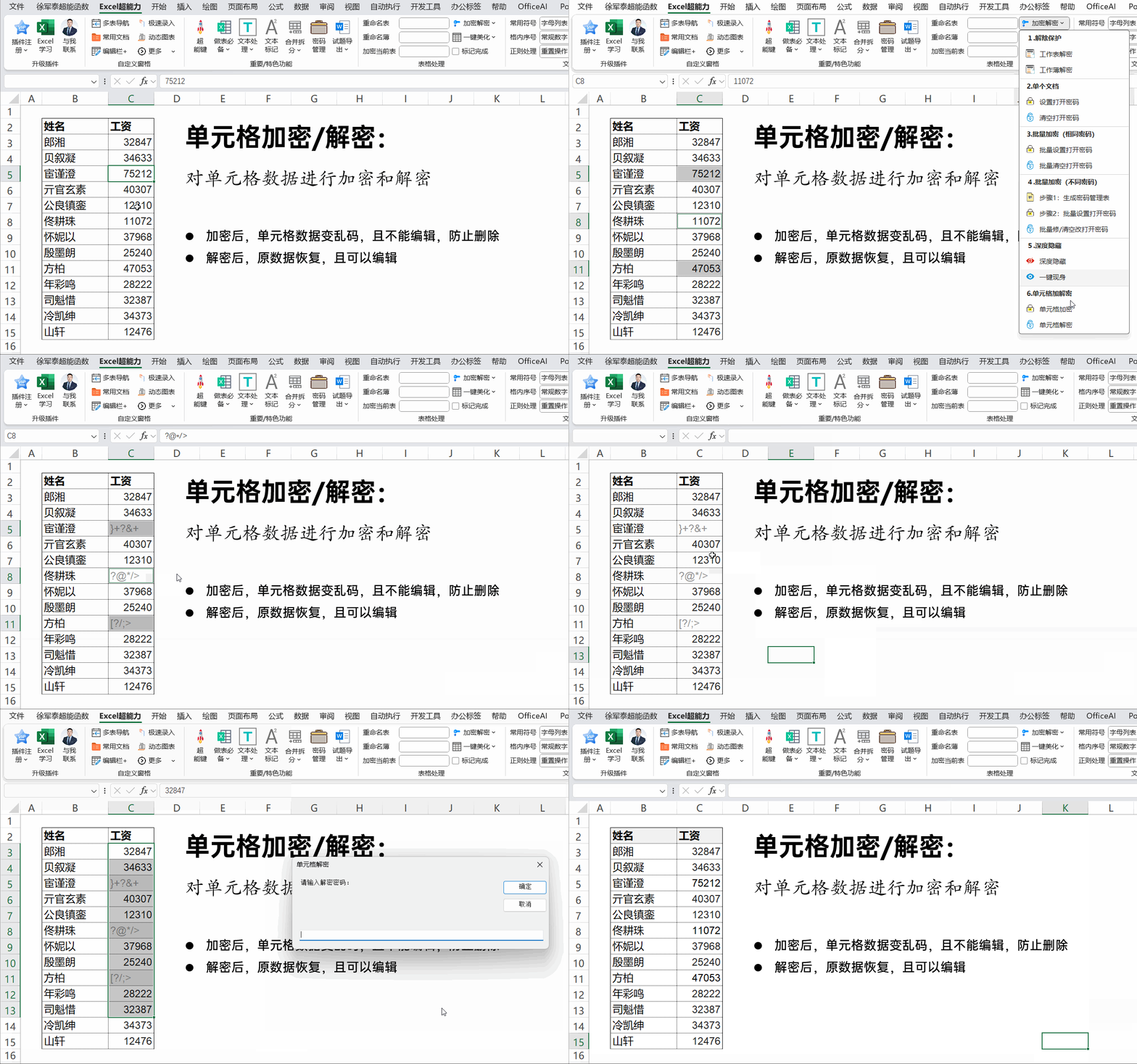
单元格加密与解密
superpower
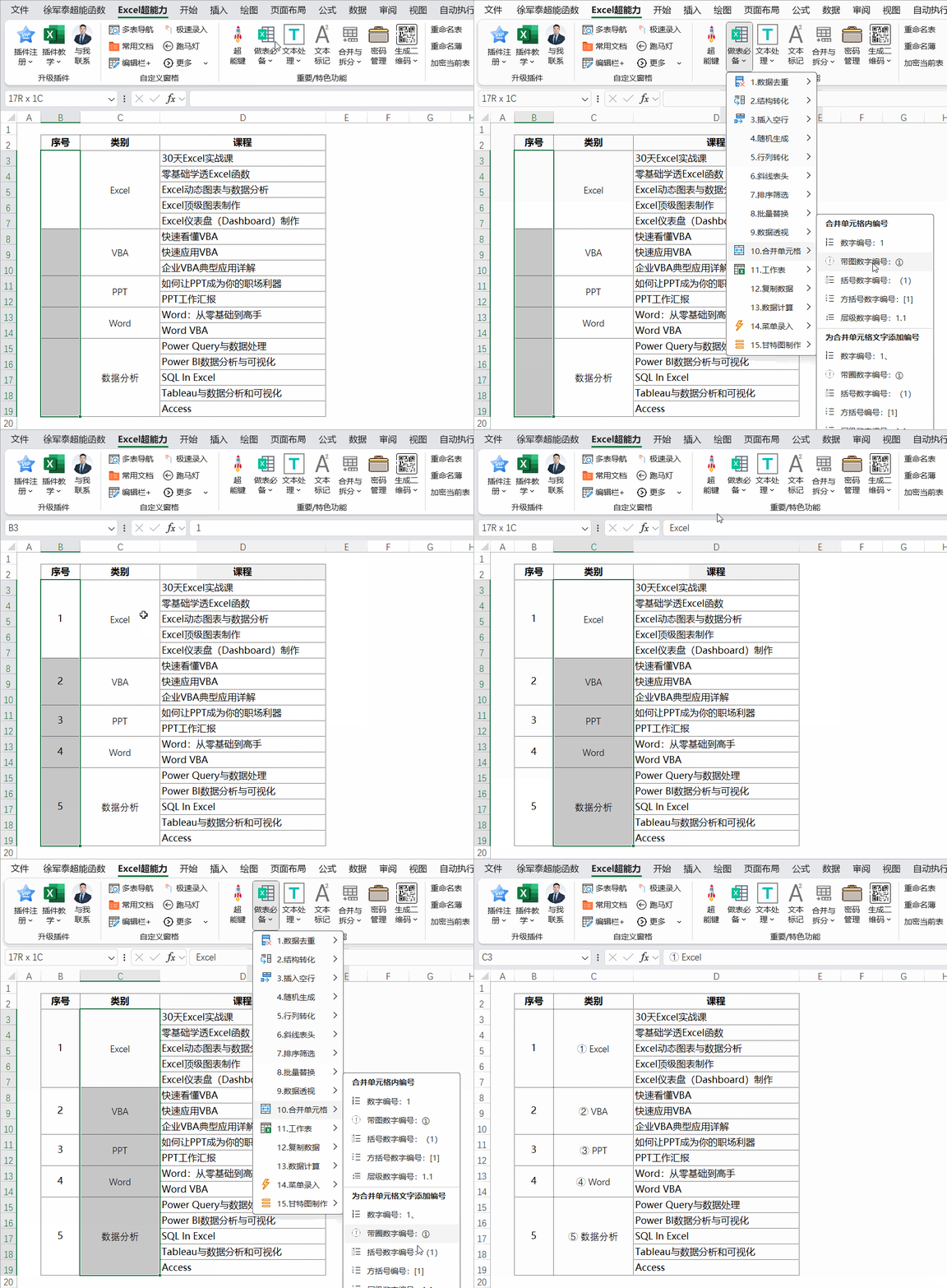
合并单元格编号
superpower
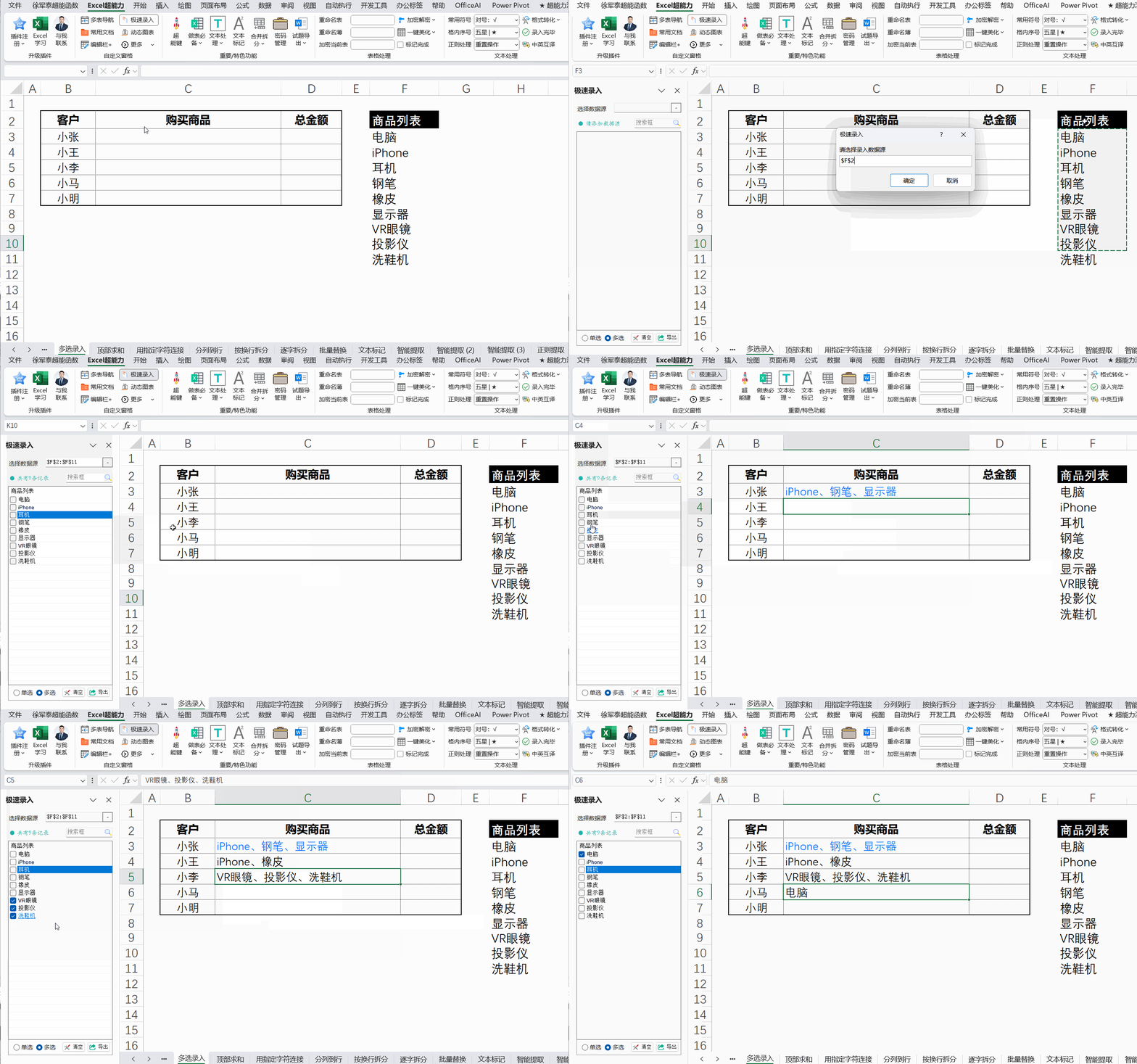
多选录入(1)
superpower
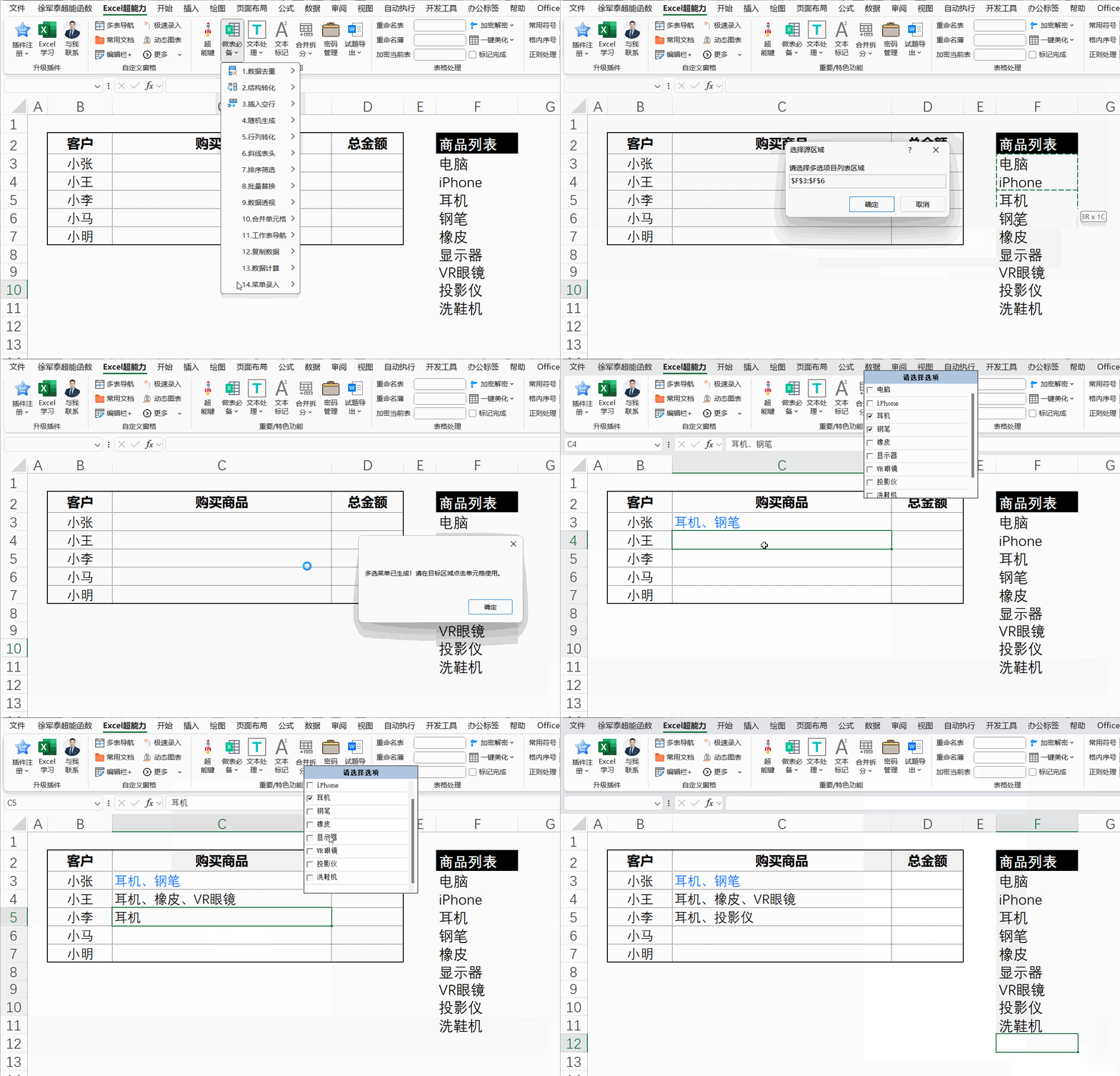
多选录入(2)
superpower
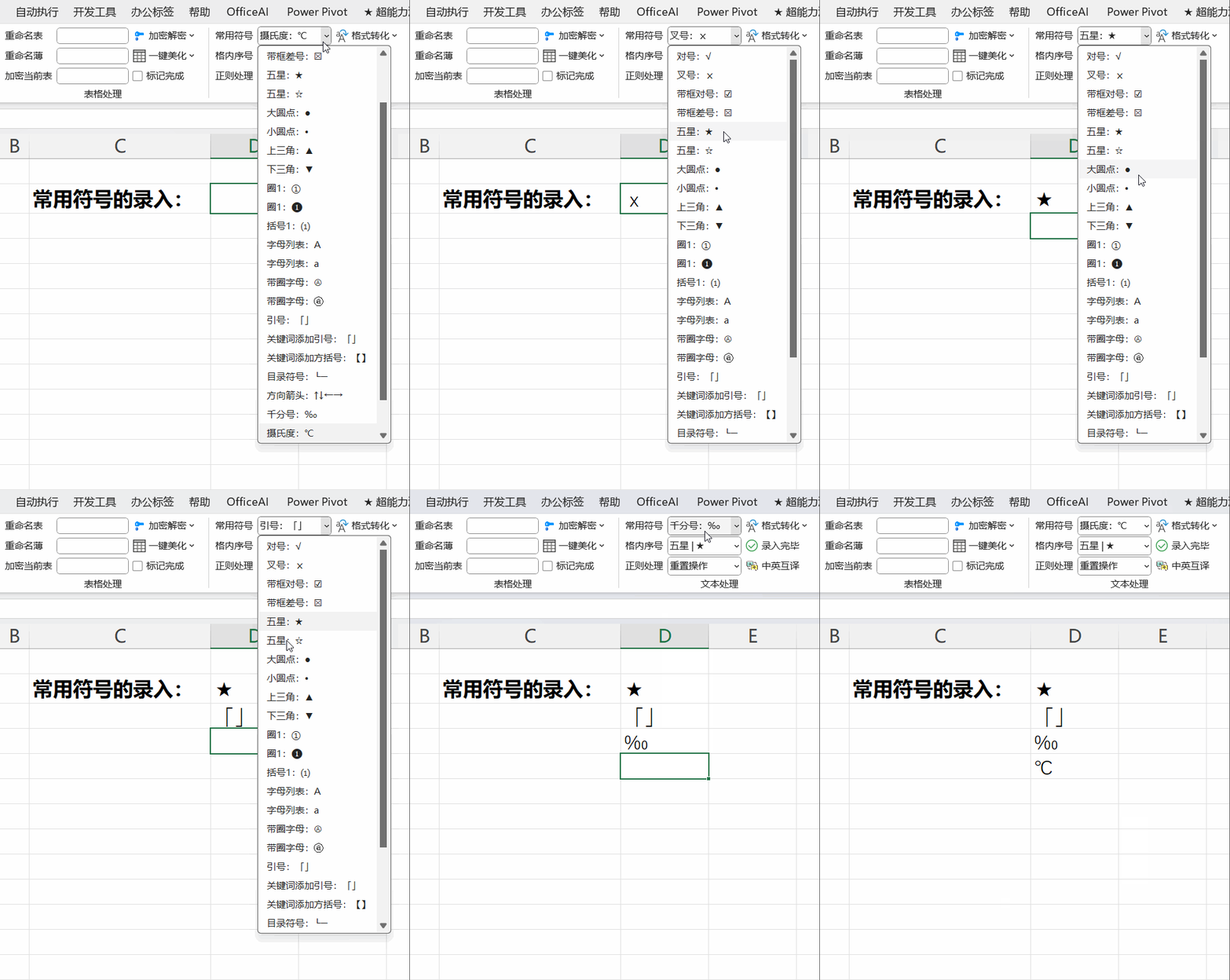
常用符号
superpower
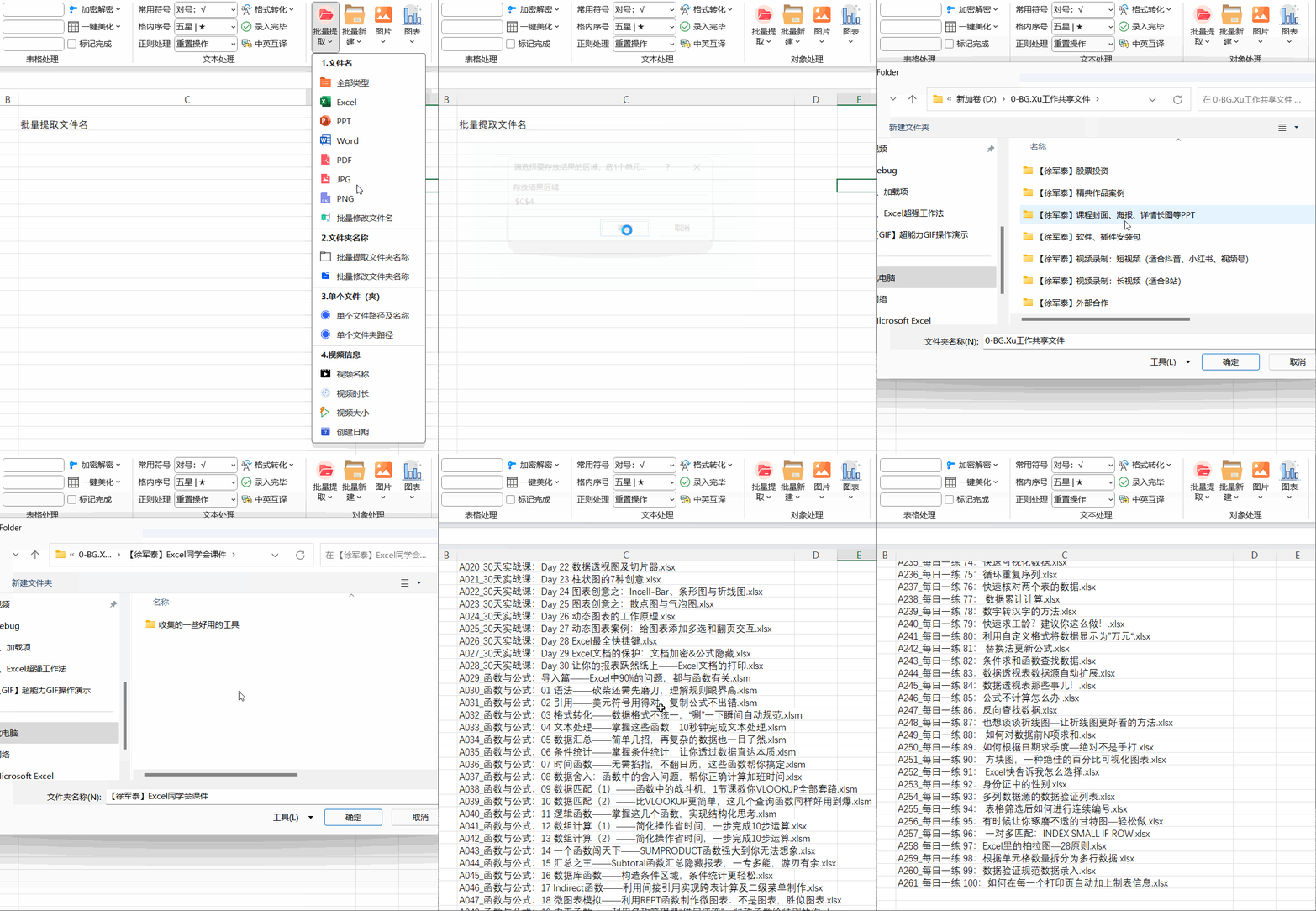
批量提取文件名
superpower
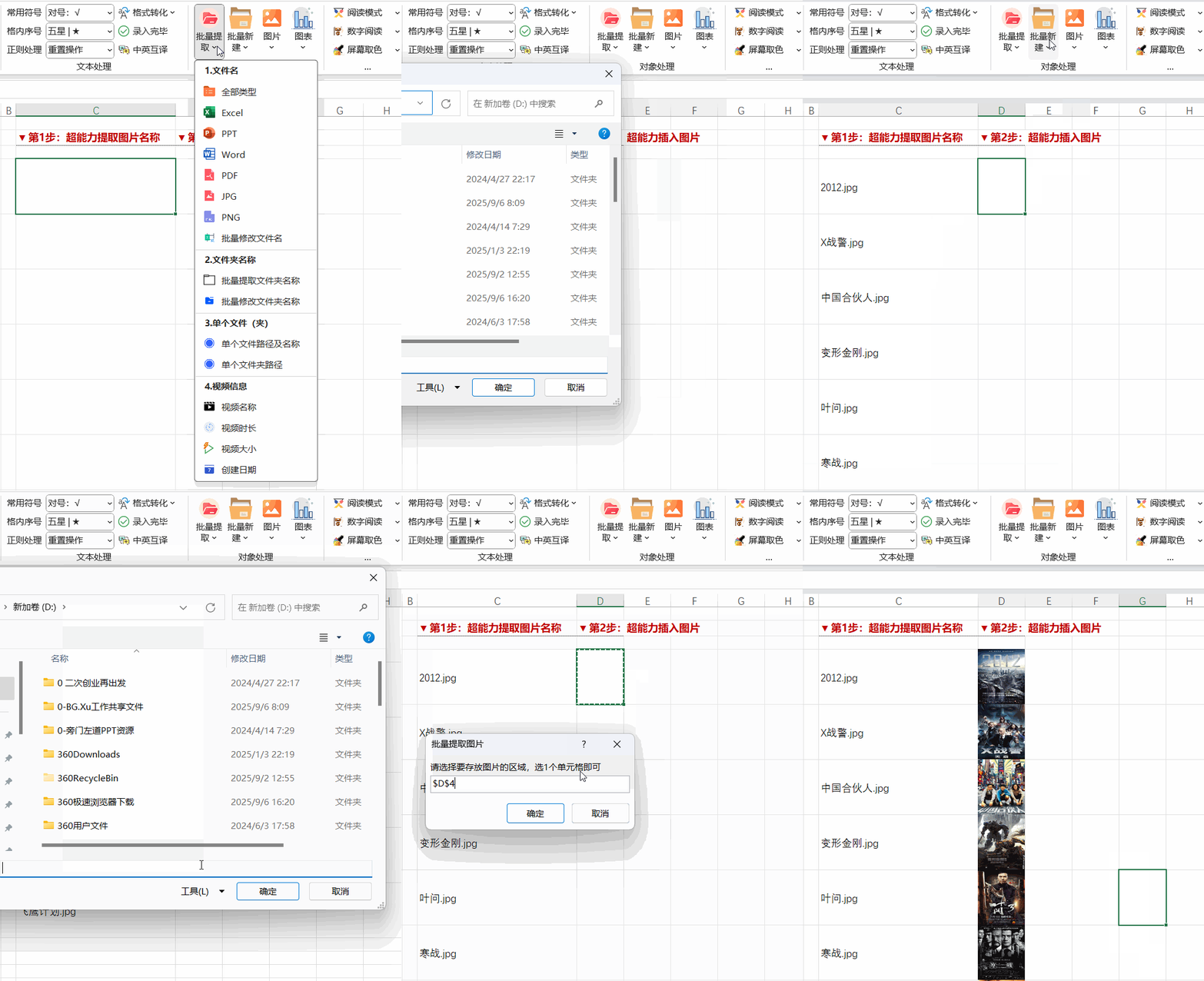
批量插入图片
superpower
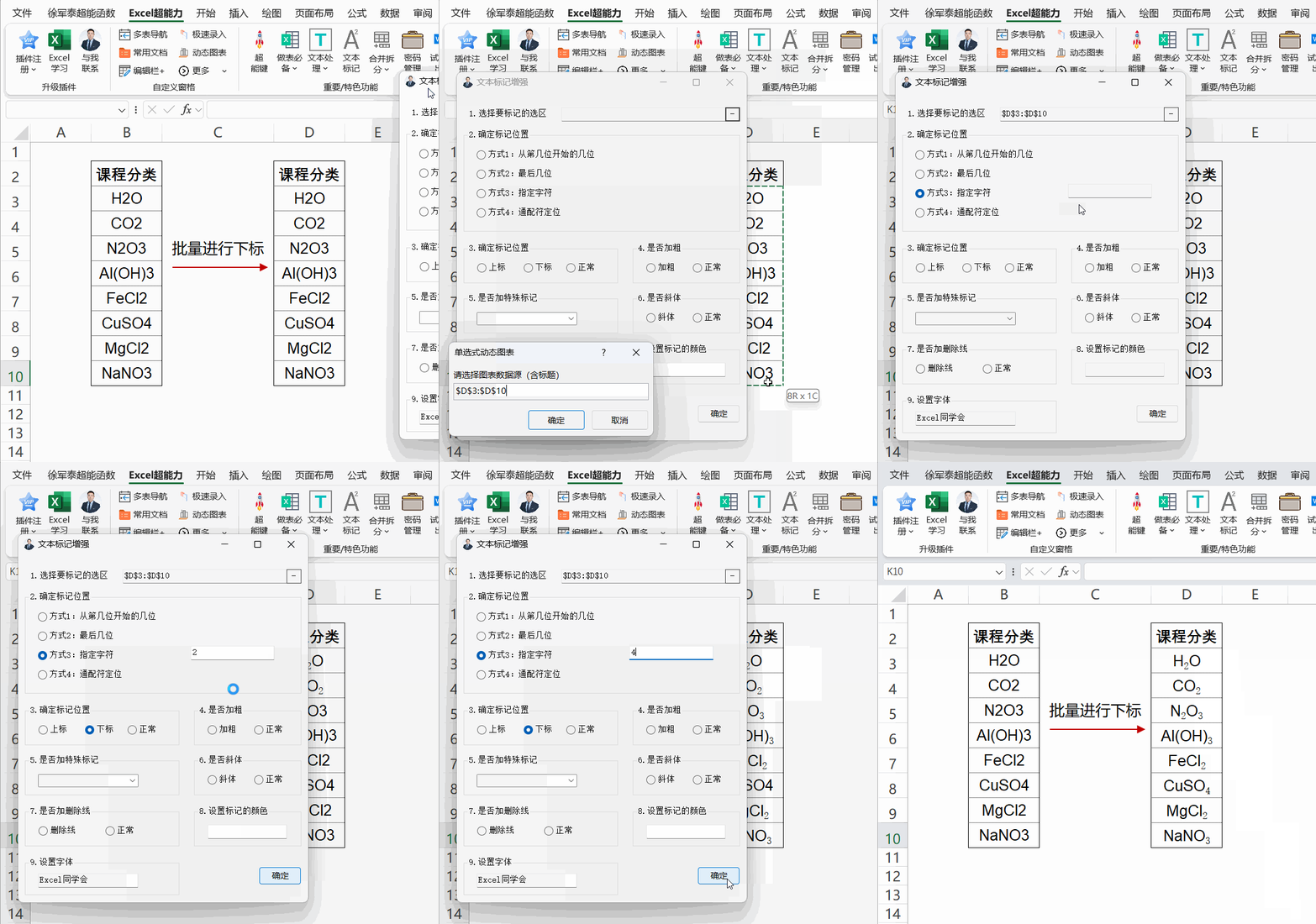
文本标记:批量下标(手机端)
superpower
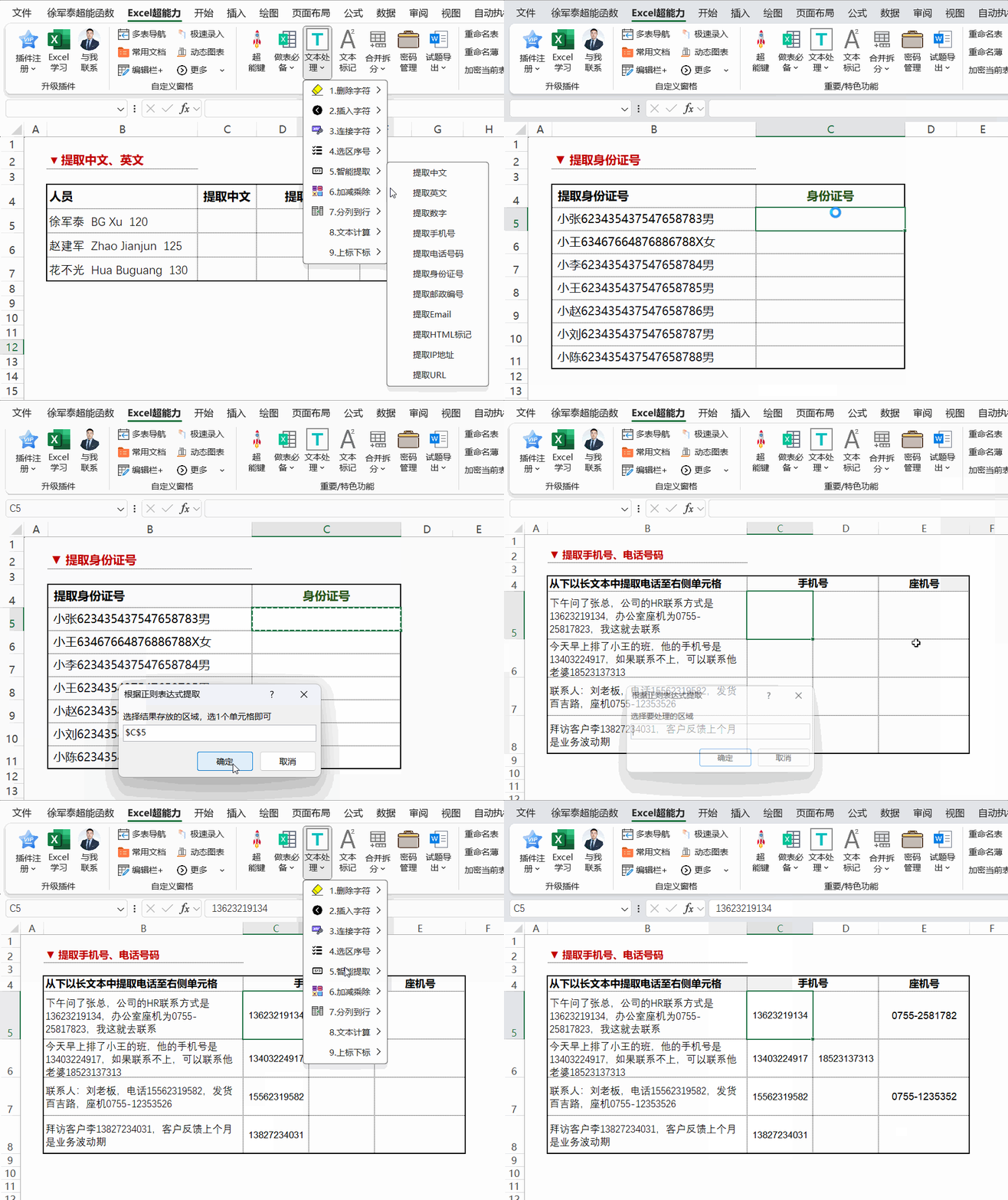
智能提取(手机端)
superpower
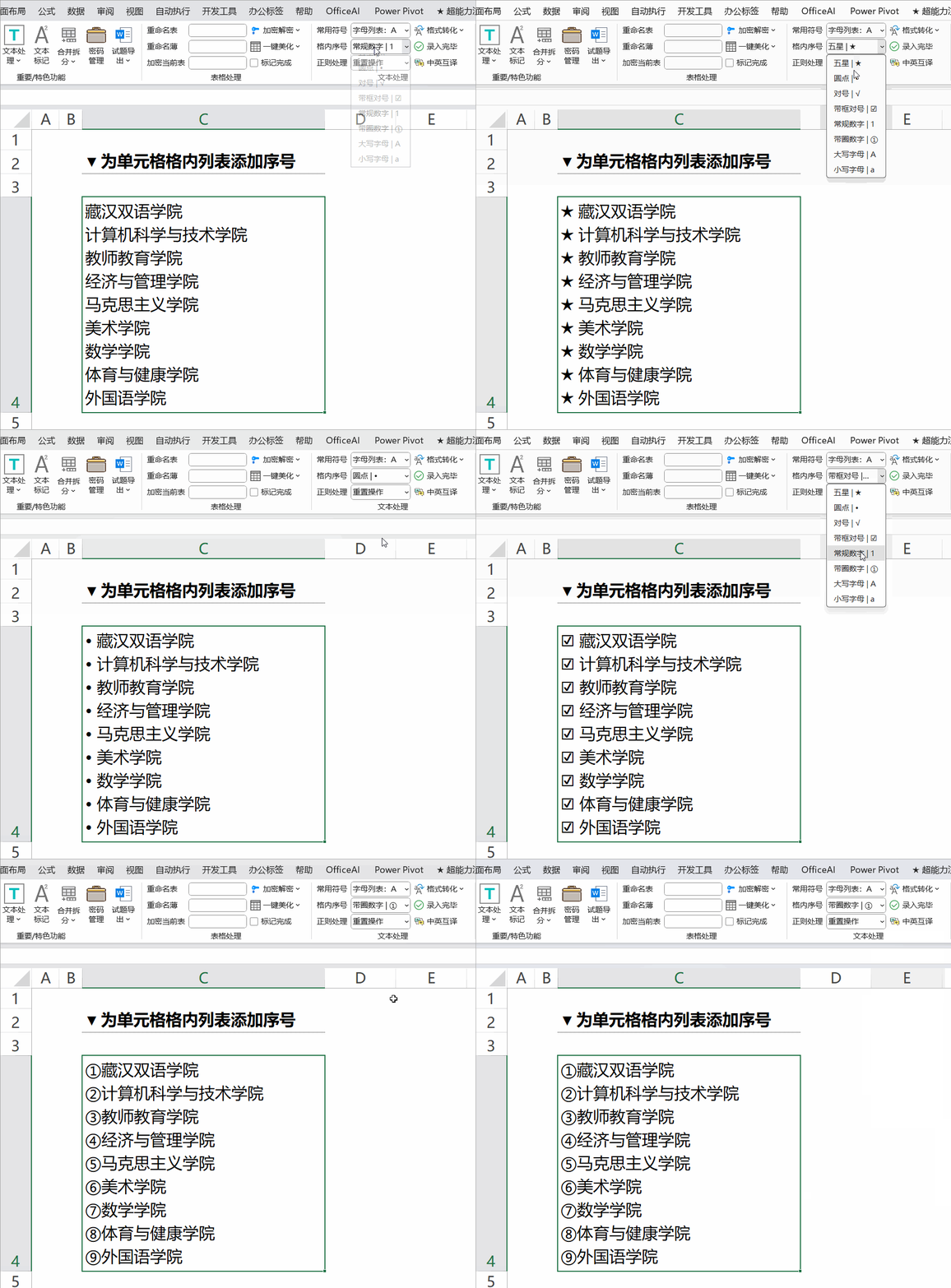
格内序号(手机端)
superpower
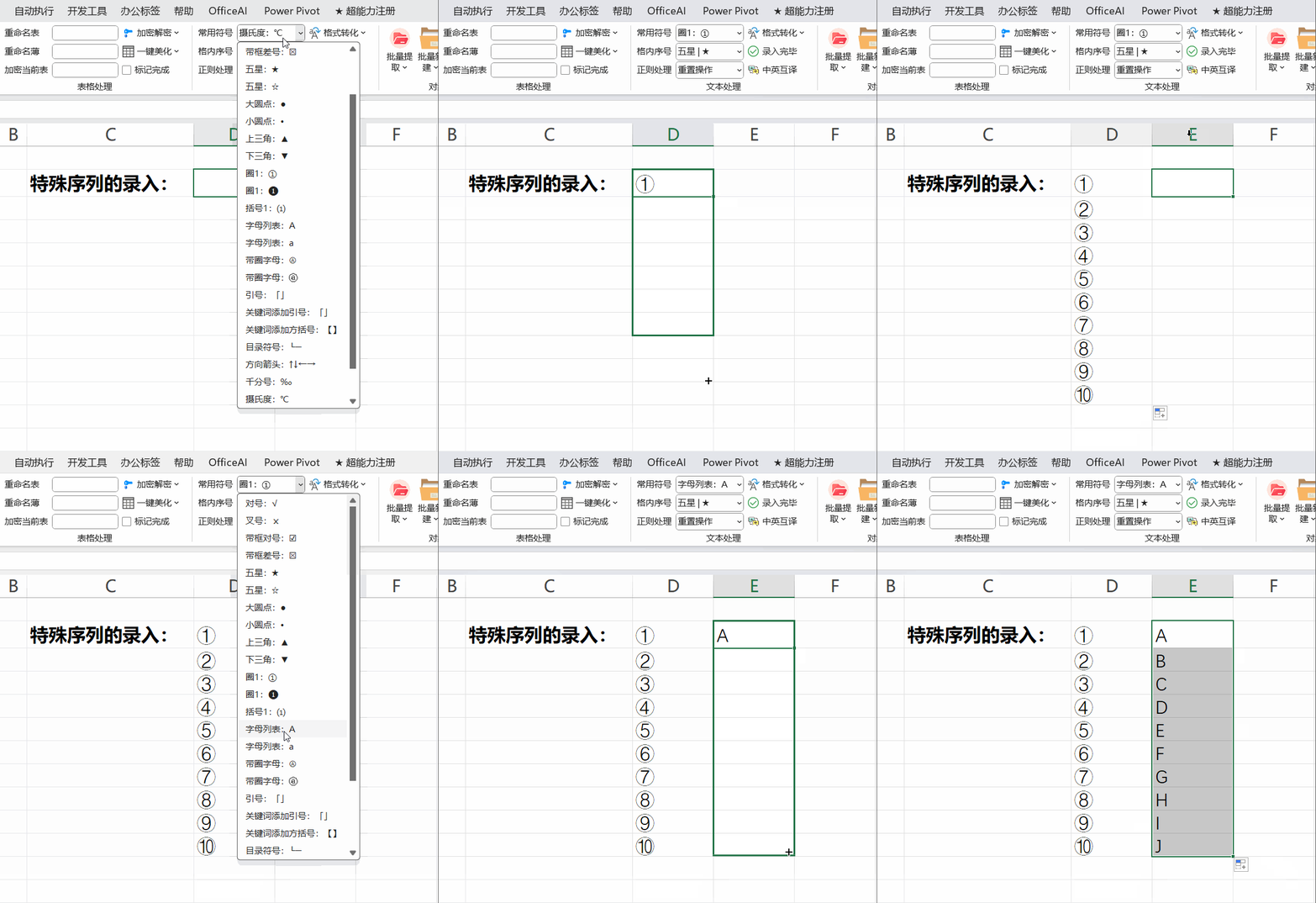
特殊序列的录入
superpower
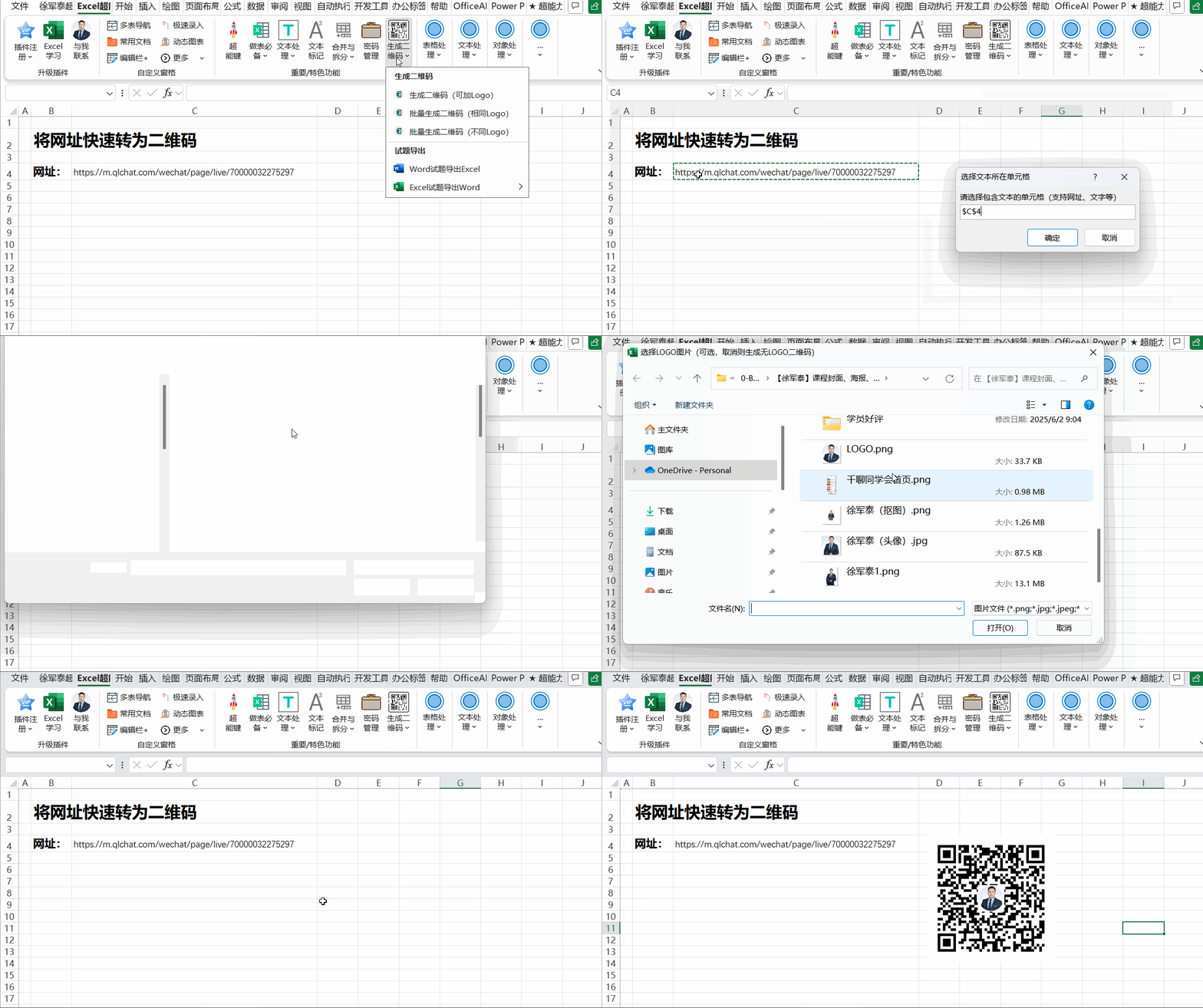
生成二维码
superpower
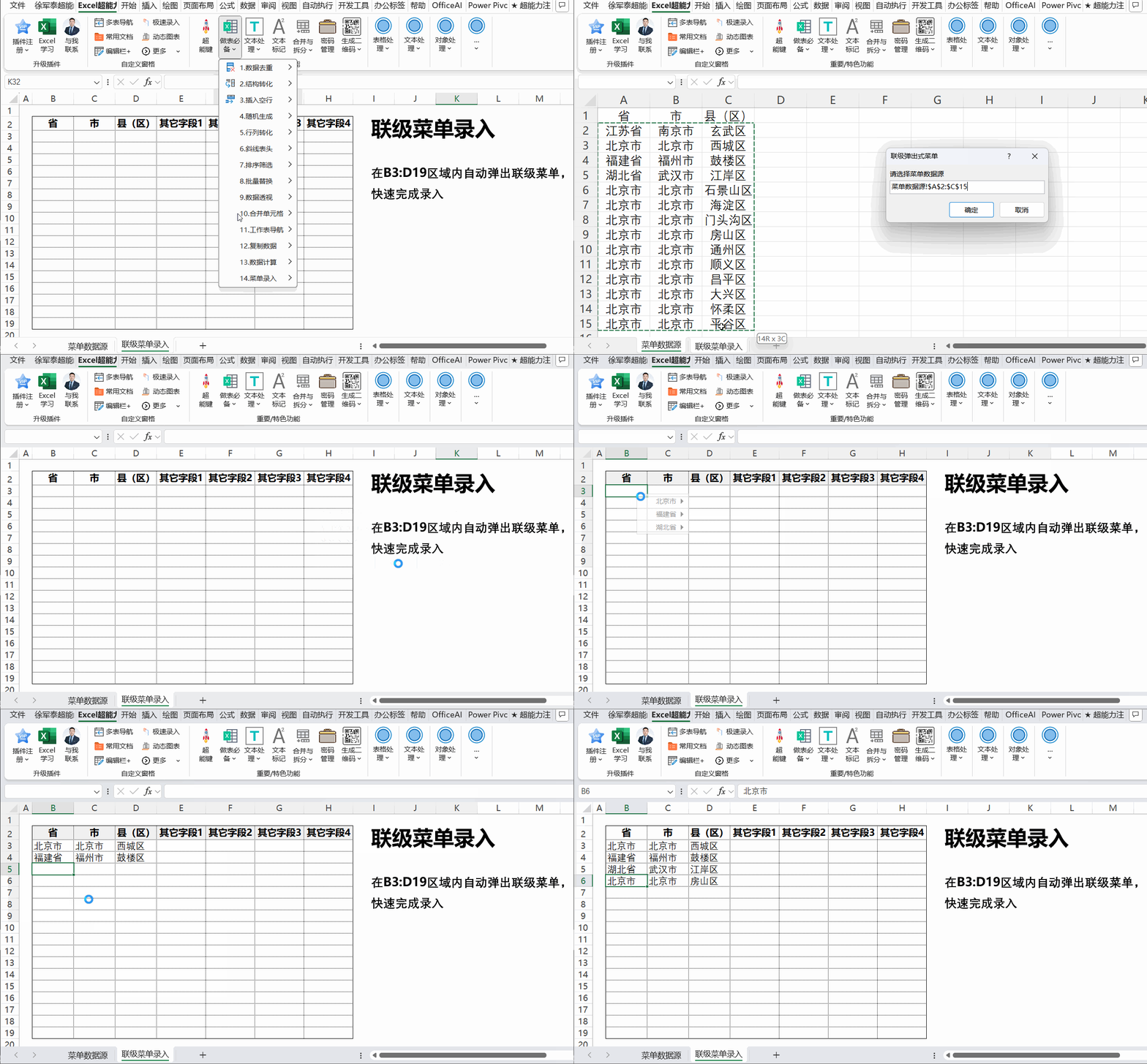
联级菜单录入
superpower
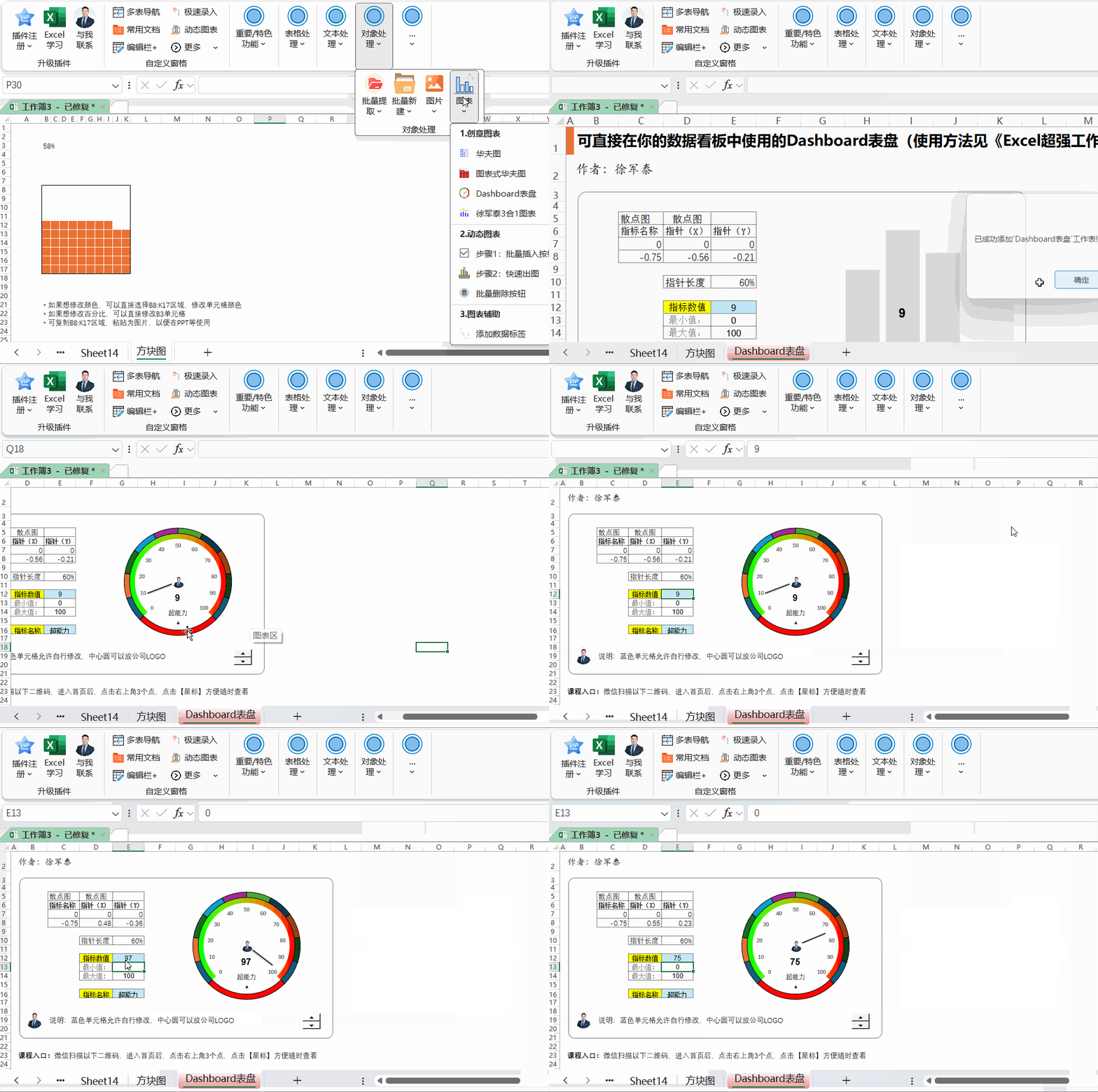
自动生成仪表盘
superpower
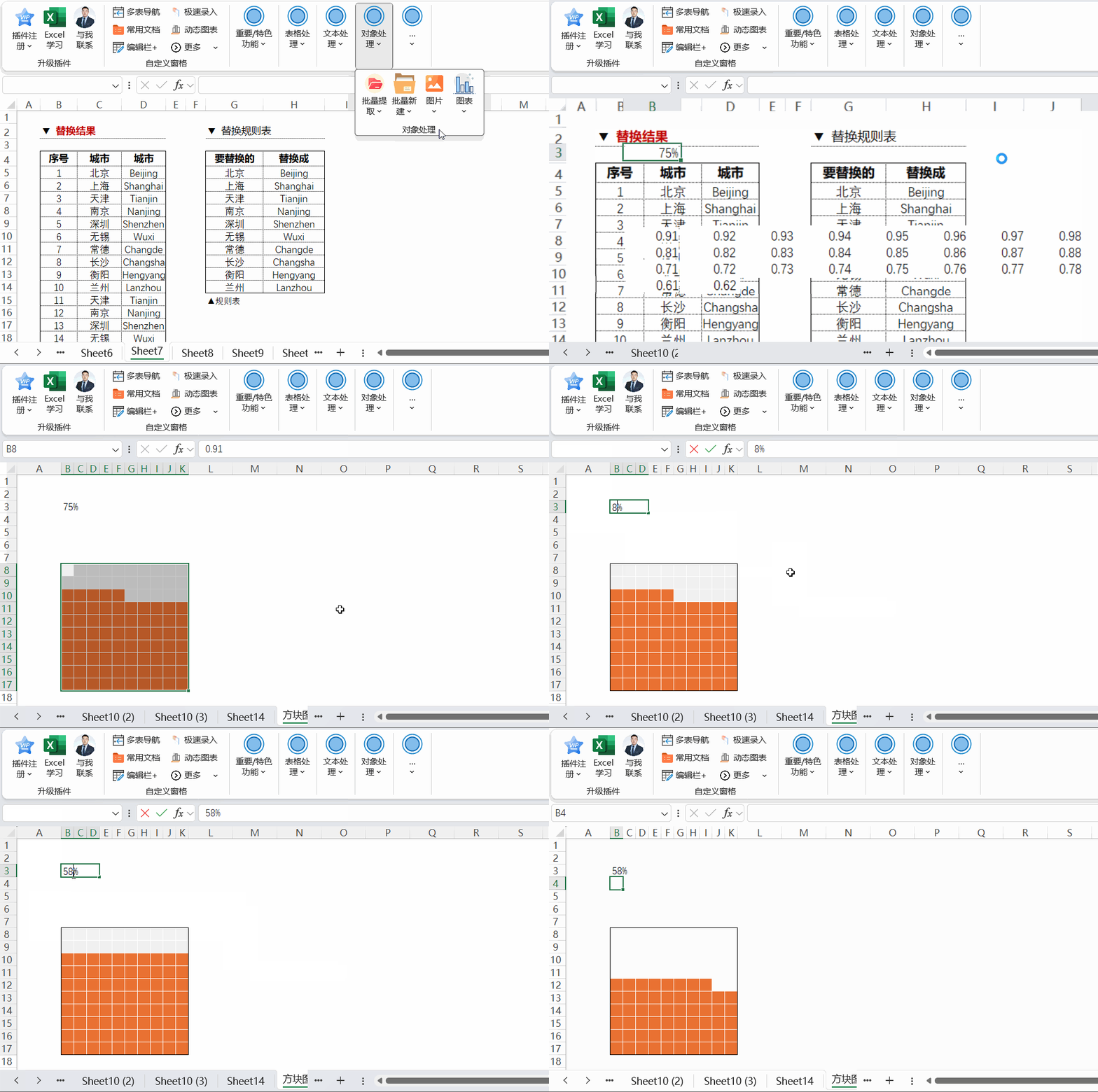
自动生成华夫图
superpower
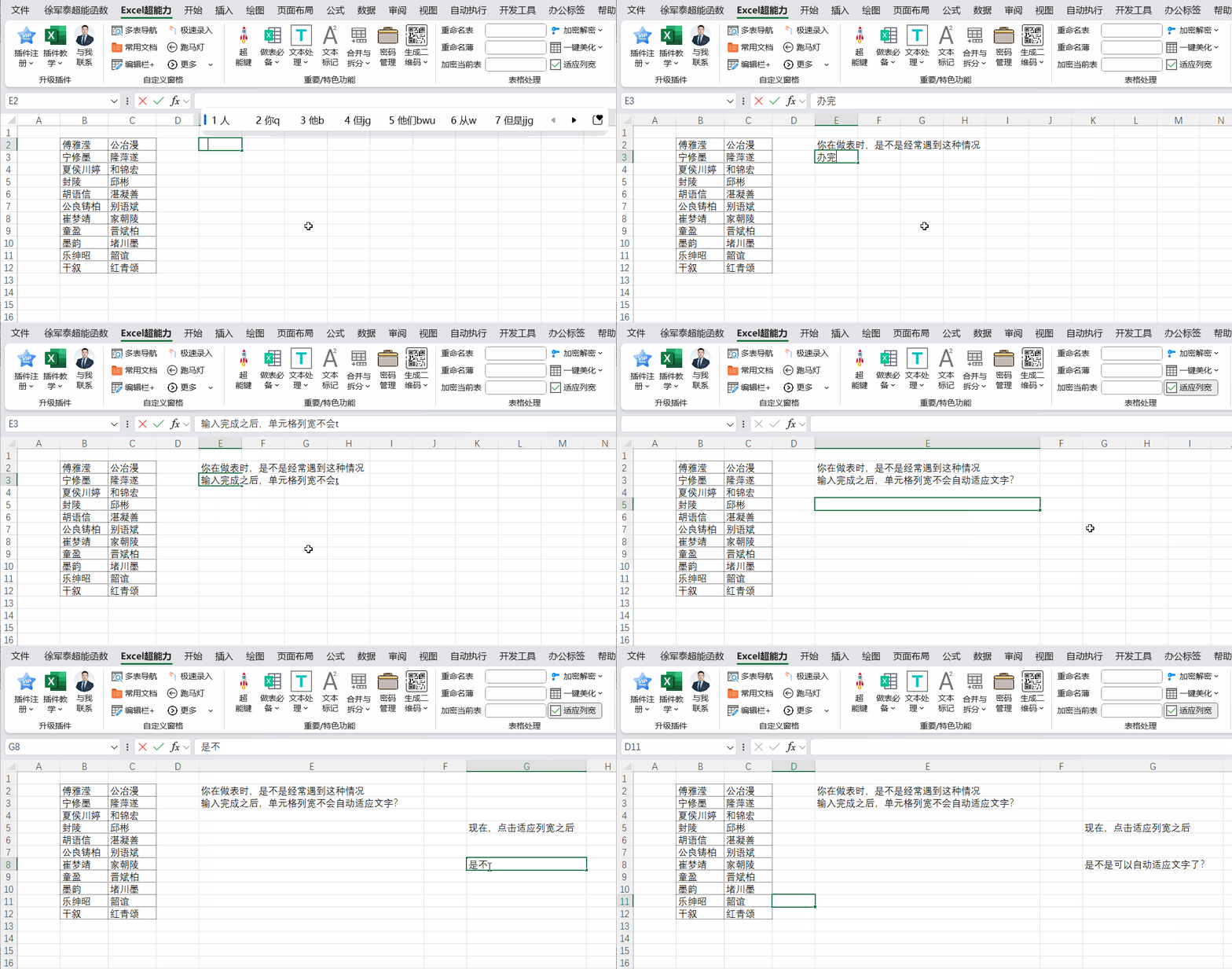
自动适应列宽
superpower
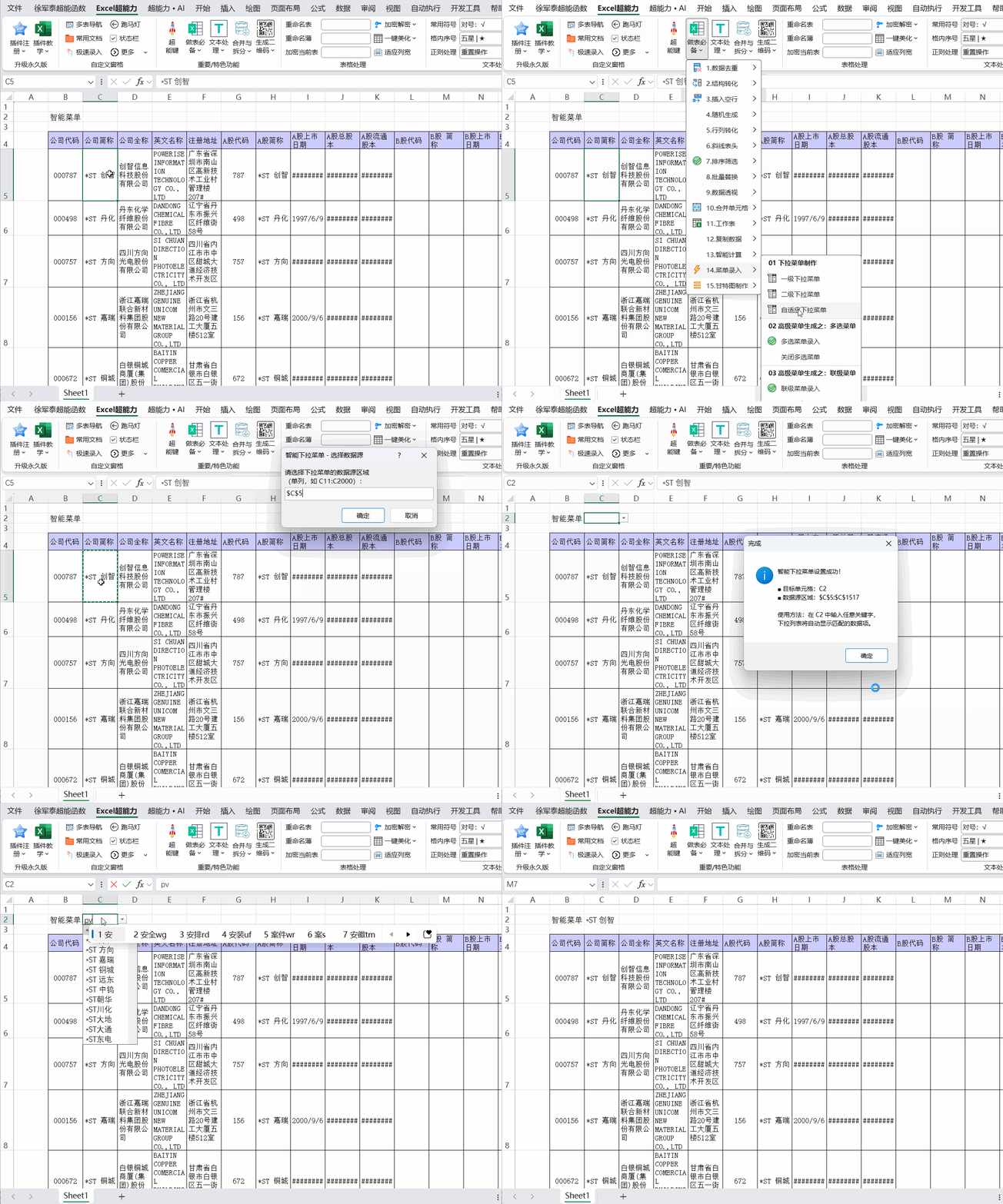
自适应菜单
superpower
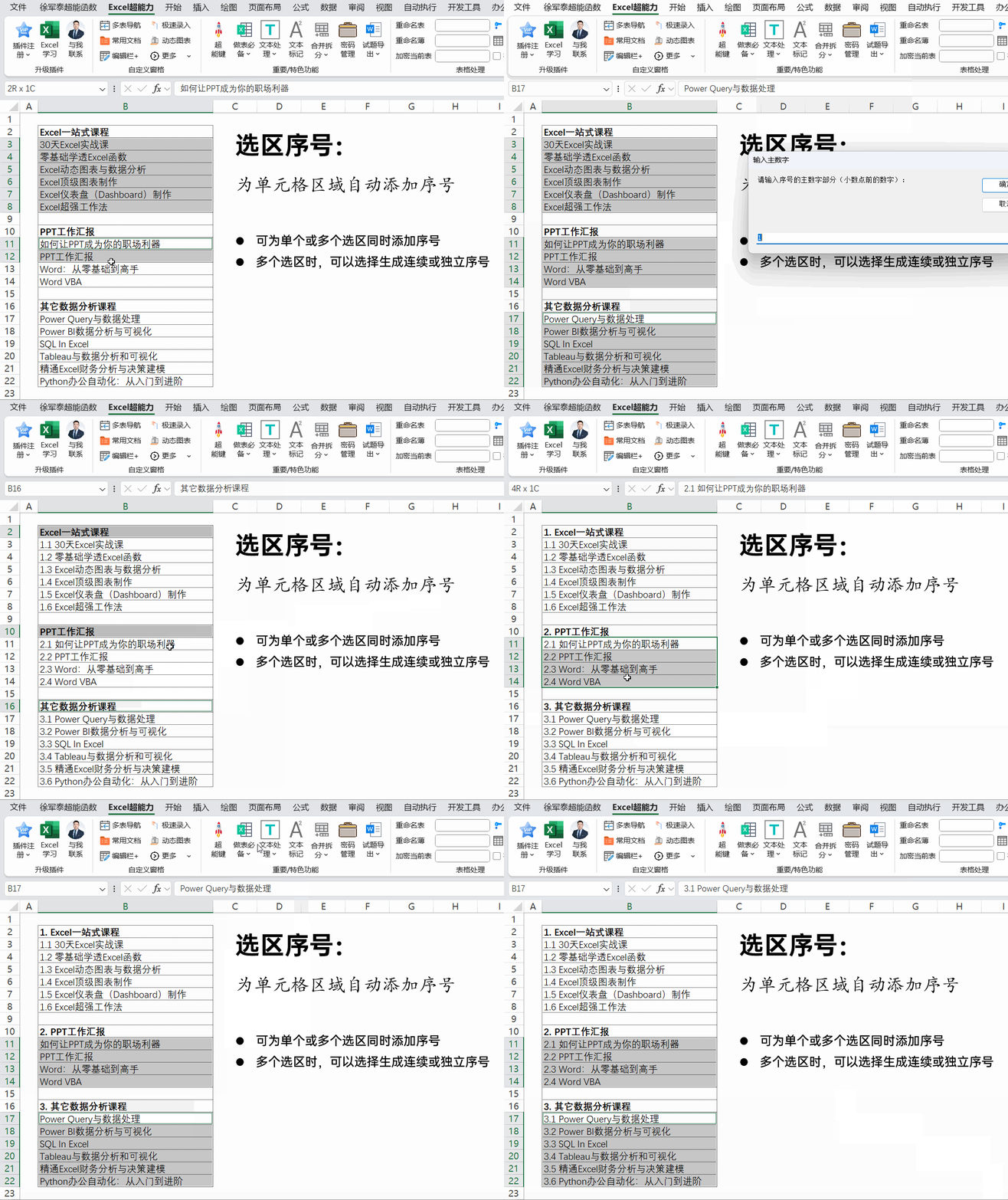
选区序号:层级数字序号(电脑端)
superpower
superpower
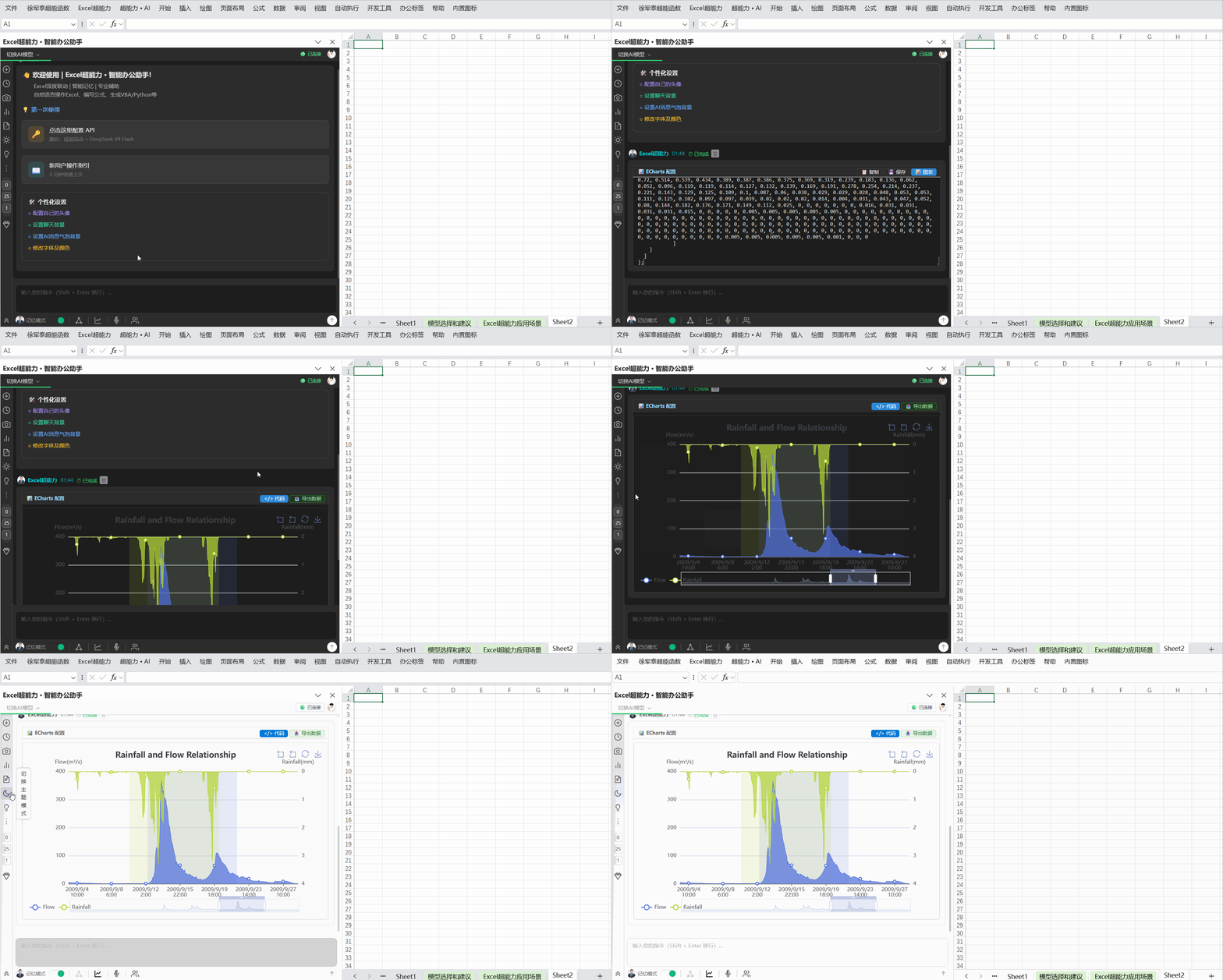
AI生成代码,生成EChart图表
analysis
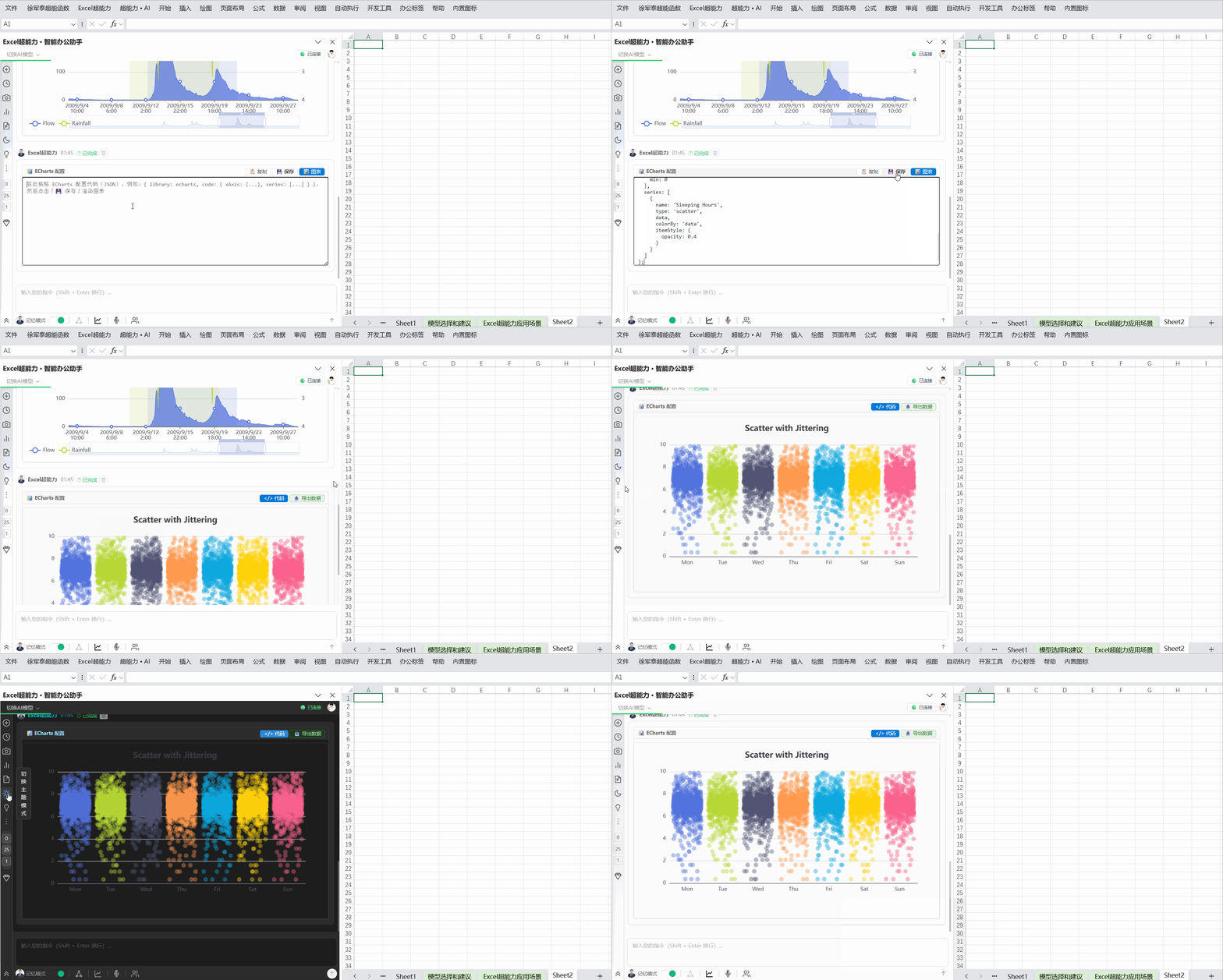
AI生成代码,生成EChart图表(2)
analysis
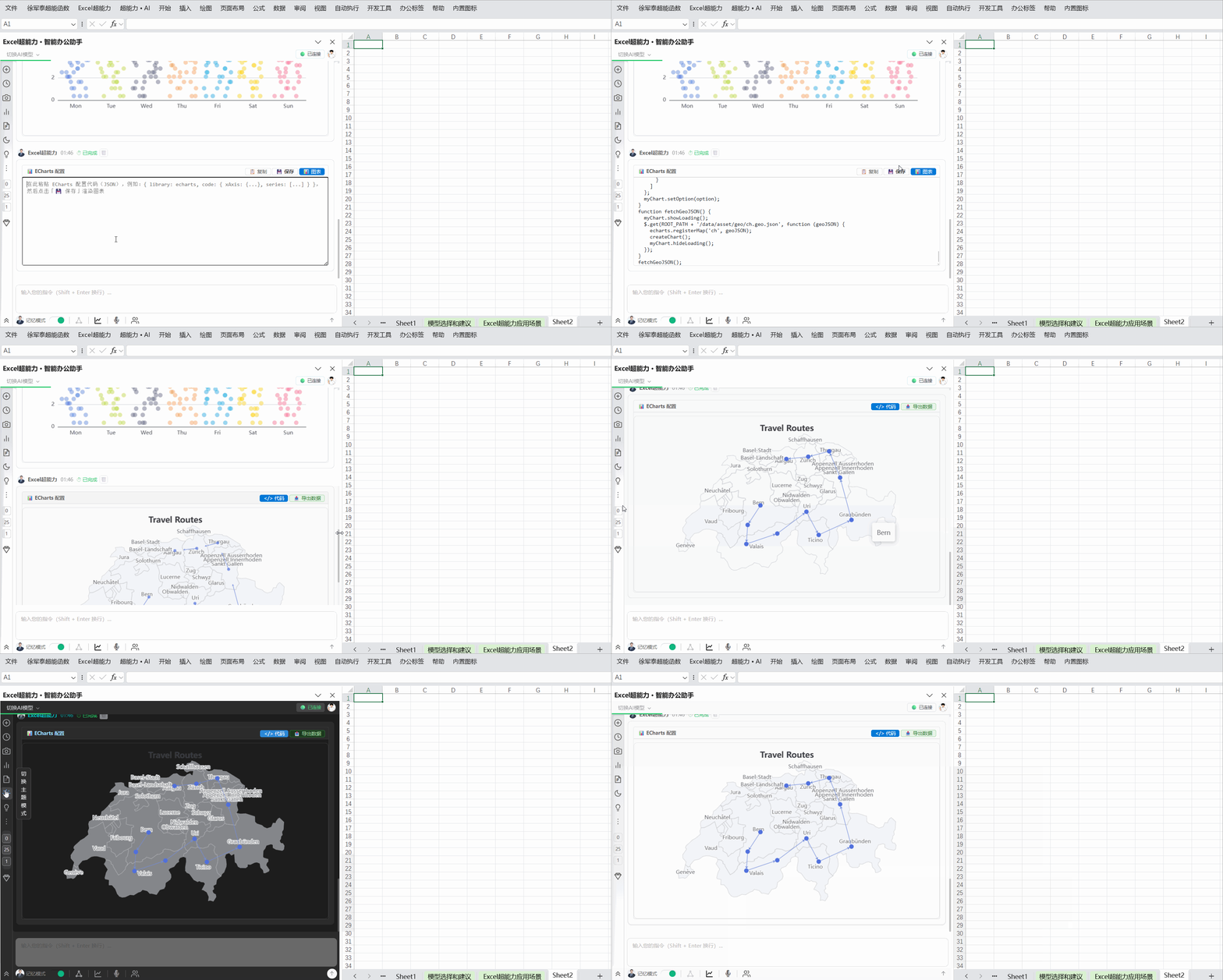
AI生成代码,生成EChart图表(3)
analysis
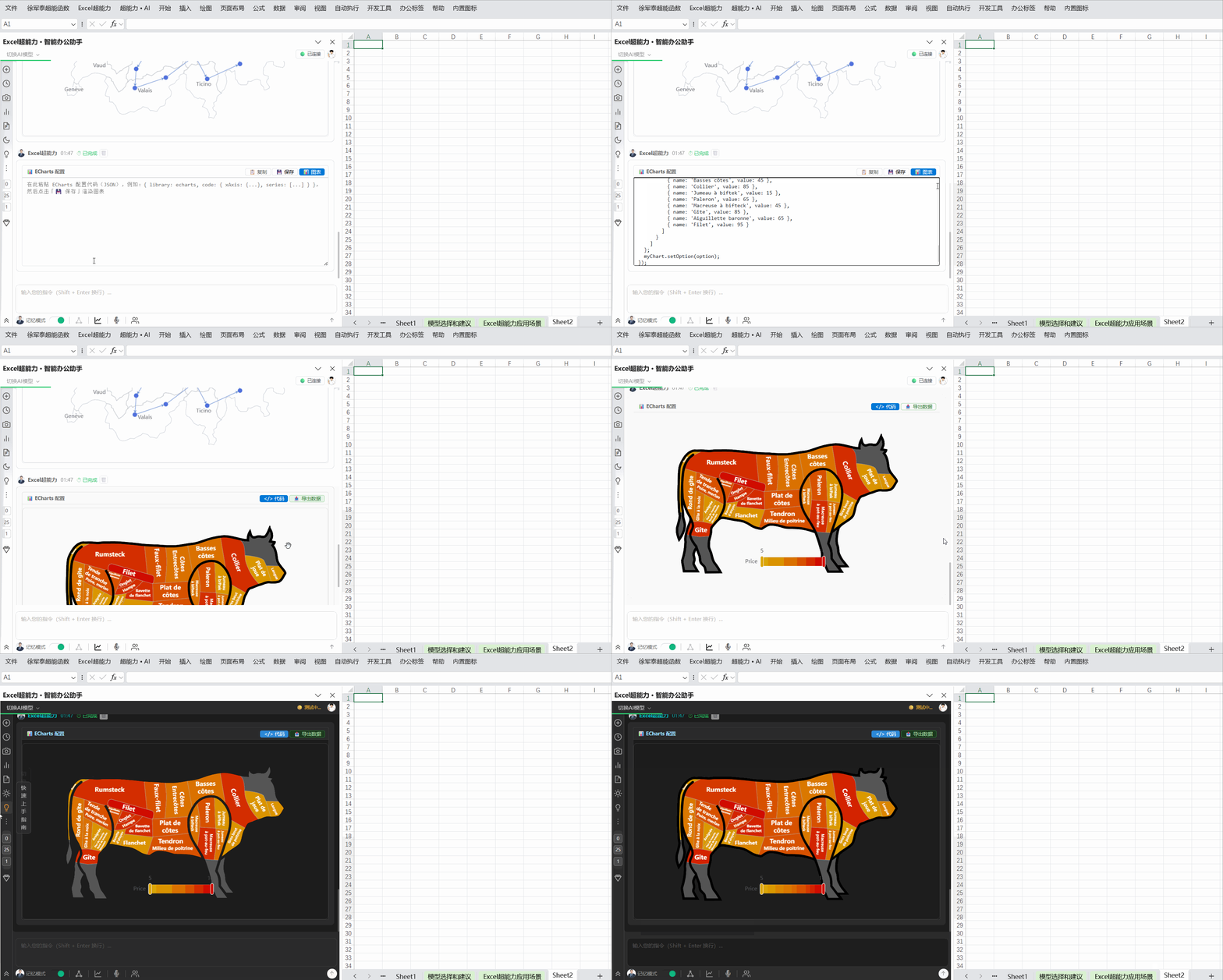
AI生成代码,生成EChart图表(4)
analysis
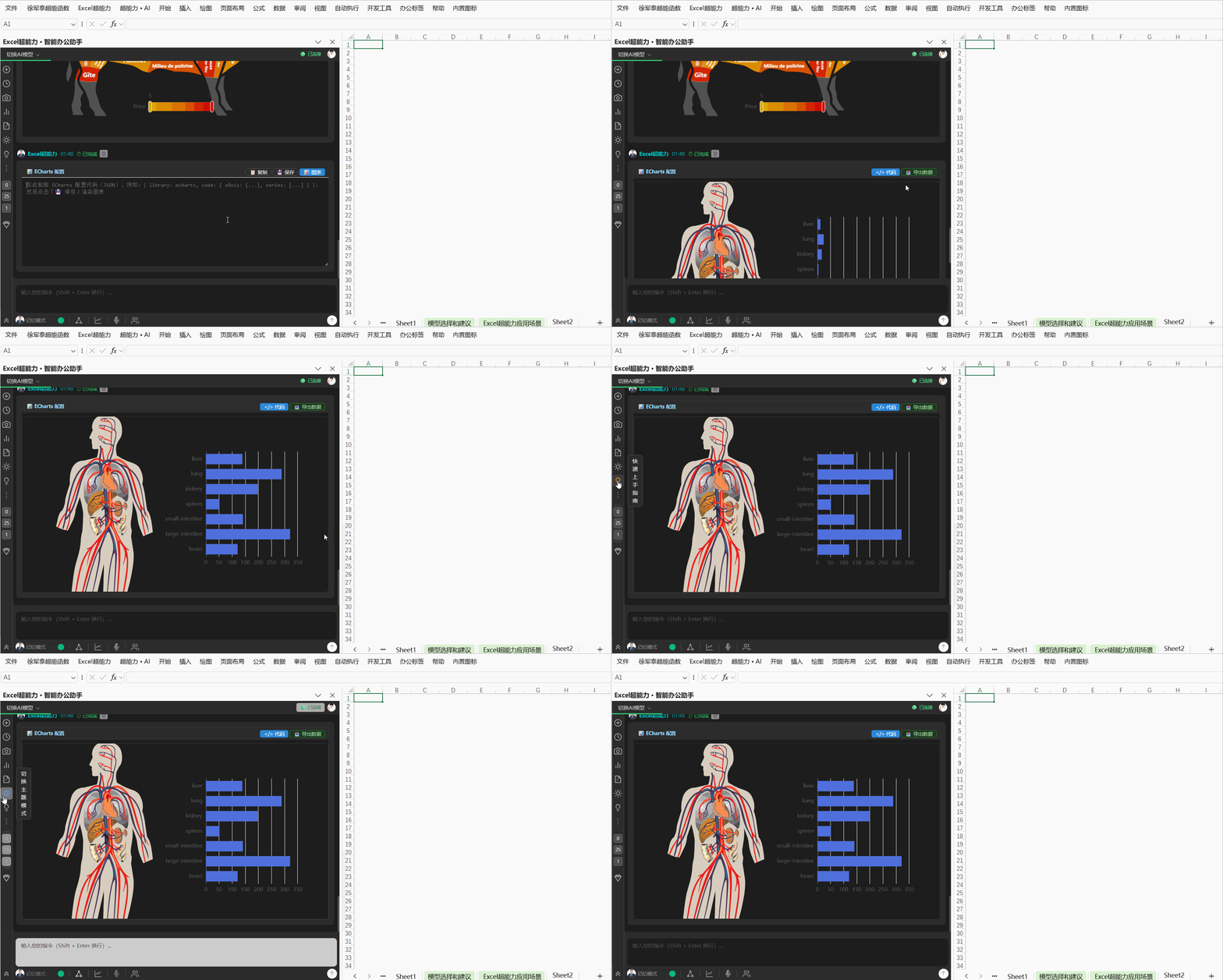
AI生成代码,生成EChart图表(5)
analysis
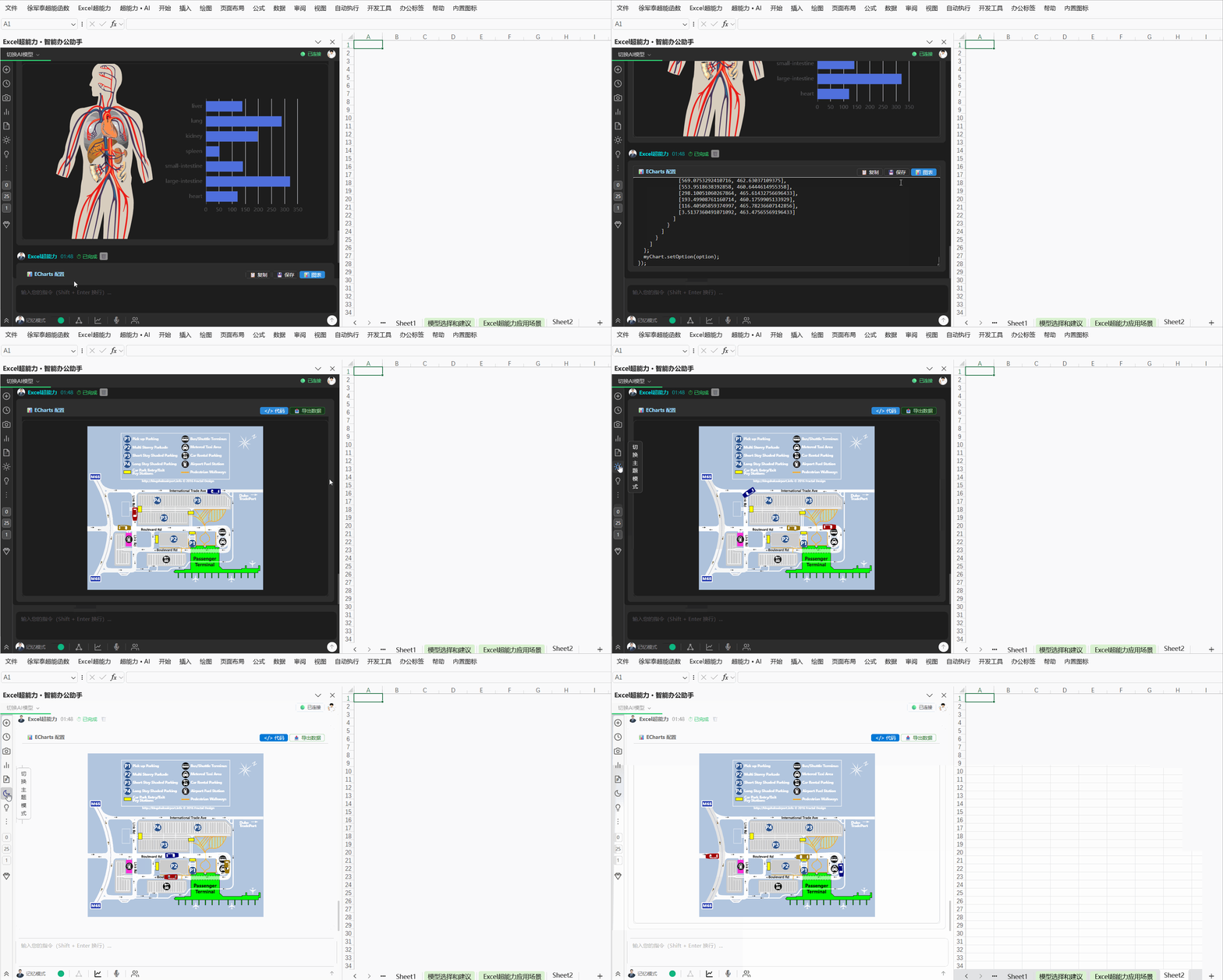
AI生成代码,生成EChart图表(6)
analysis
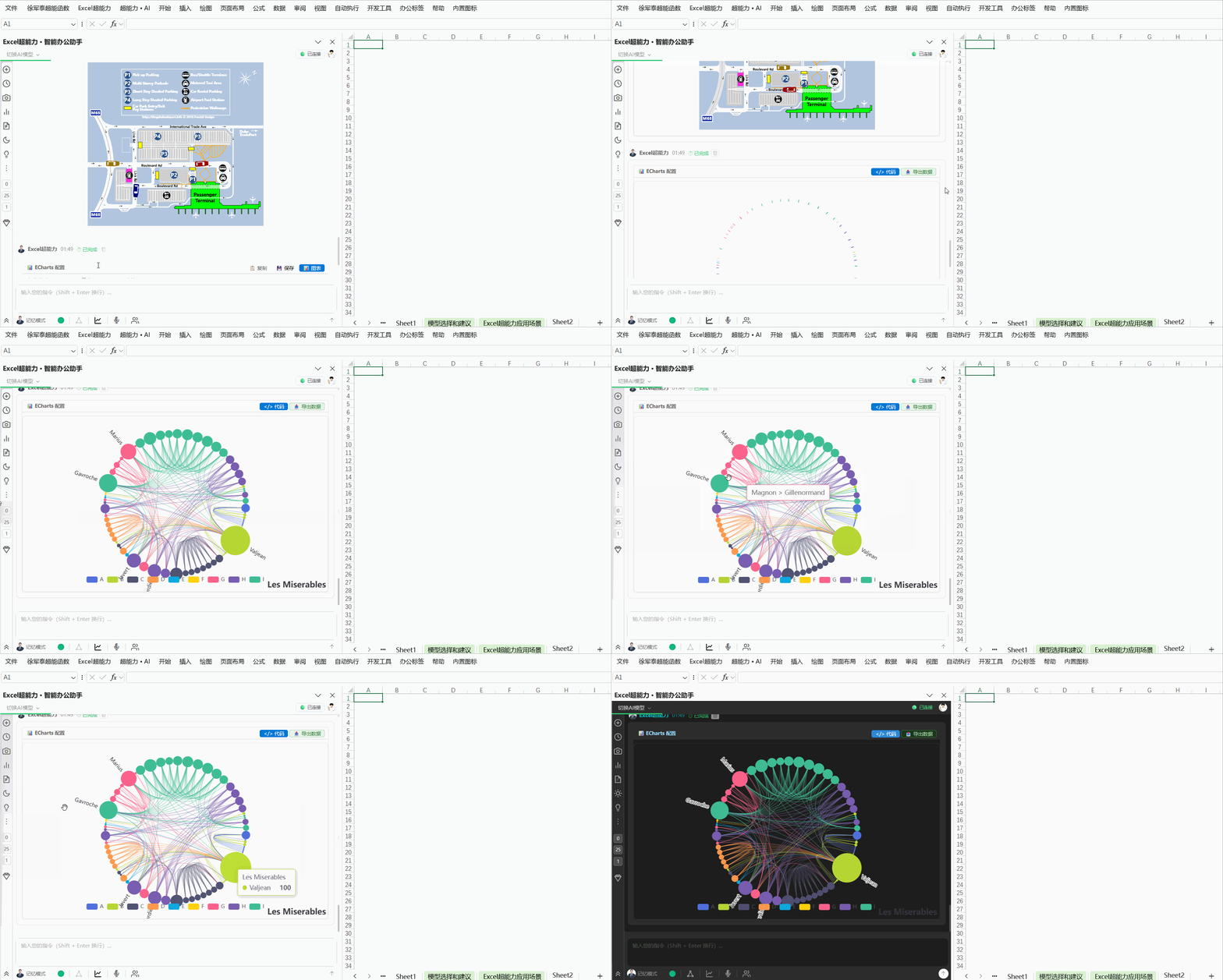
AI生成代码,生成EChart图表(7)
analysis
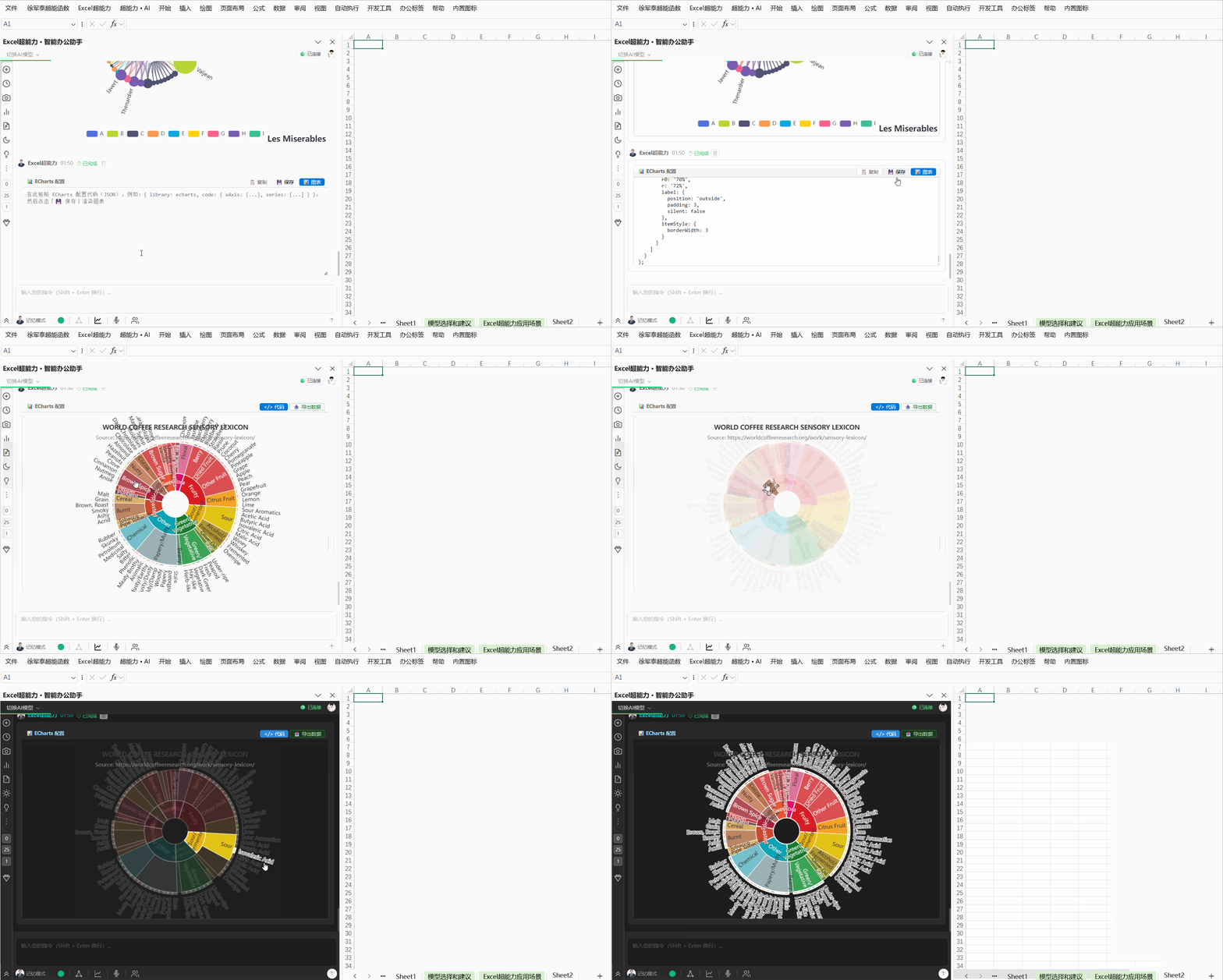
AI生成代码,生成EChart图表(8)
analysis
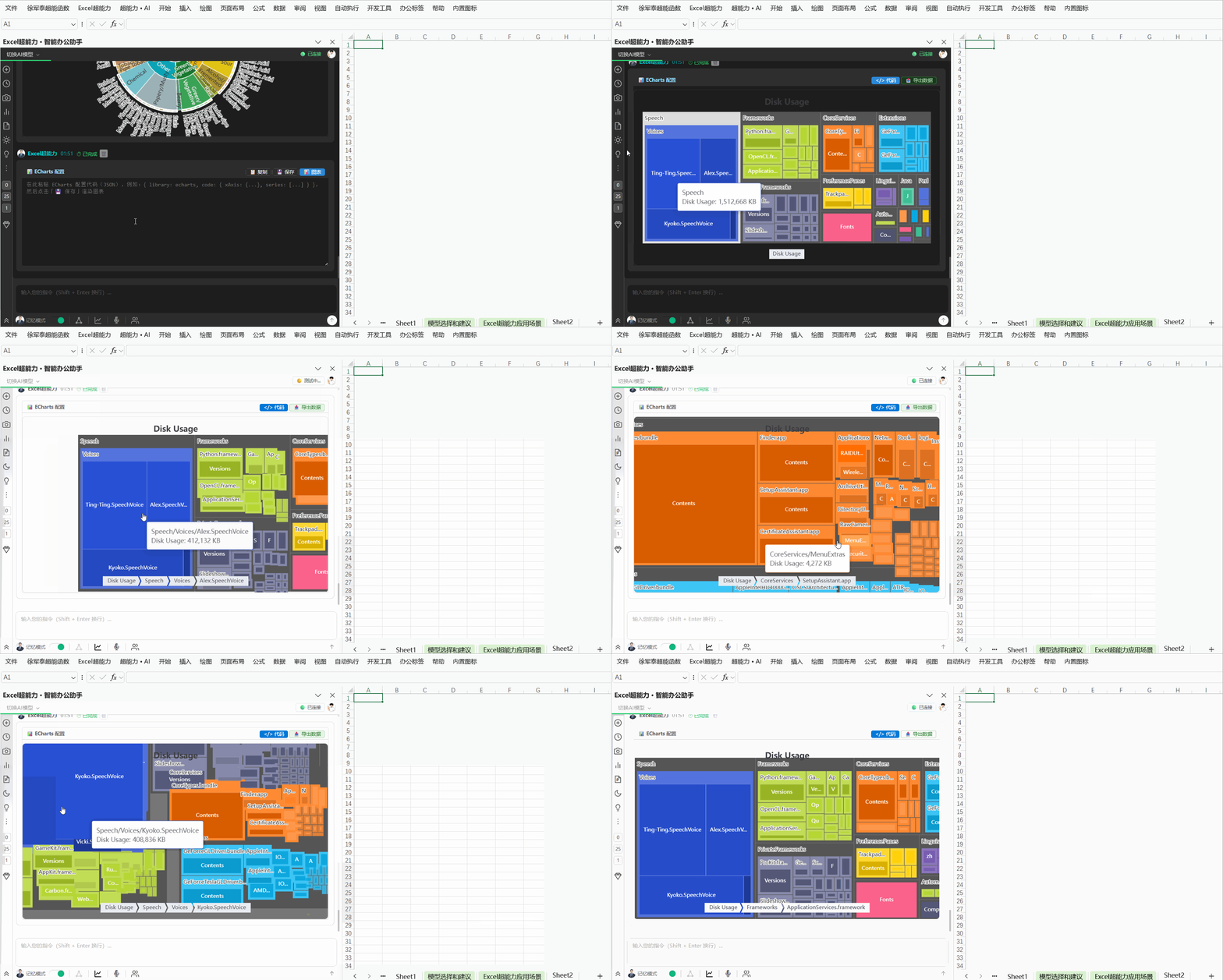
AI生成代码,生成EChart图表(9)
analysis
张
张伟
财务主管 · 制造业
"每个月的财务报表从半天缩短到10分钟。以前最头疼的数据核对,现在一句话就搞定。"
★★★★★
李
李芳
数据分析师 · 互联网
"AI自动写VBA帮我节省了至少80%的重复劳动。现在每天下班准点走,同事都问我是不是换工作了。"
★★★★★
王
王强
项目经理 · 建筑
"公式编写功能太方便了,Excel小白也能写出VLOOKUP嵌套。超能键200多个功能,施工进度表10分钟搞定。"
★★★★★
陈
陈敏
HR主管 · 零售
"每月考勤统计和工资表以前要2天,现在用AI公式10分钟出结果。数据透视表一键生成,太方便了。"
★★★★★
刘
刘洋
销售总监 · 电商
"销售报表周报以前要助理花半天整理,现在我在车上就能用AI生成。多表合并功能太强大了。"
★★★★★
赵
赵丽
教务主任 · 教育
"成绩统计、课表编排、学籍管理全部用Excel搞定。AI帮我写了好多VBA宏,全校老师都在用。"
★★★★★
现在就开始,让Excel拥有超能力
免费下载 · 自动更新 · 兼容 Windows 10/11 · Excel 2013+、WPS(官网下载安装64位版本)
✓ 10秒钟安装
✓ 即装即用
✓ 无广告
✓ 插件自动更新
下载时,如遇到浏览器阻止,请选择"仍保留"
安装前,请关闭360杀毒软件
安装前,请关闭360杀毒软件